> ## Documentation Index
> Fetch the complete documentation index at: https://docs.triplesession.com/llms.txt
> Use this file to discover all available pages before exploring further.
# Smart Scorecards
> Let AI Coach pick the right scorecard for each meeting. Write a description and smart selection hints that route the right calls to every scorecard.
When you use [Automated Reviews](/ai-coach/automated-reviews), AI Coach selects the most appropriate scorecard for each meeting automatically. This is what makes a scorecard a **Smart Scorecard**.
Before reviewing a meeting, AI Coach matches the call against your eligible scorecards and picks the best fit — no manual selection needed. Two things drive the match:
1. **The description** — a plain-language explanation of when to use the scorecard.
2. **Smart selection hints** — optional structured signals that sharpen matching when the description alone is not enough.
Per-call context like the meeting provider, attendees, and duration is detected automatically, so you only need to describe what the matcher can't infer on its own.
## Choosing which scorecards apply
Only the scorecards you've turned on are eligible for Smart Scorecard selection on your calls. To control which ones AI Coach can pick:
Go to **Settings** > **Team** > **Scorecards**.
Search for it, or use the **Custom** and **Template** tabs and the group-by control to narrow the list.
Switch **Auto-apply** ON or OFF to include or exclude that scorecard from your Automated Reviews.
## Writing the description
Open a scorecard and find the **When to use this scorecard** section. Triple Session reads the **Description** to route the right calls to this scorecard — the clearer it is, the better the match.
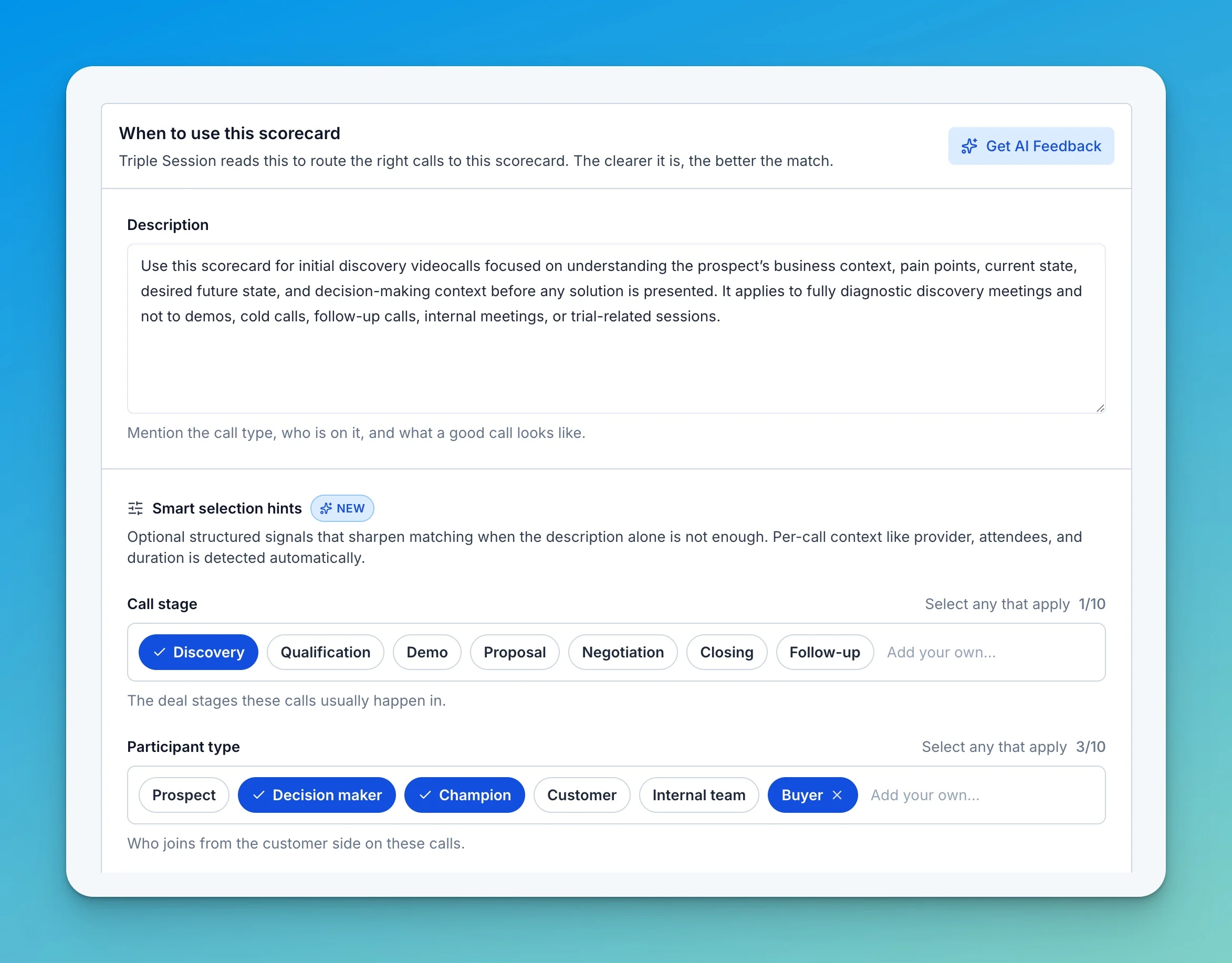 A strong description mentions the call type, who is on the call, and what a good call looks like. The most reliable descriptions cover three things:
* **Call type and stage** — for example, "initial discovery videocalls before any solution is presented."
* **Qualifiers** — minimum or maximum duration, participants, prospect vs. customer status, language.
* **Exclusions** — what calls do *not* fit, such as demos, cold calls, follow-ups, or internal meetings.
### Get AI Feedback
Click **Get AI Feedback** to have Triple Session review your description and hints. It checks whether the description clearly defines the call type, includes essential qualifiers, and states what's excluded — then flags gaps and offers fixes you can apply in one click.
A strong description mentions the call type, who is on the call, and what a good call looks like. The most reliable descriptions cover three things:
* **Call type and stage** — for example, "initial discovery videocalls before any solution is presented."
* **Qualifiers** — minimum or maximum duration, participants, prospect vs. customer status, language.
* **Exclusions** — what calls do *not* fit, such as demos, cold calls, follow-ups, or internal meetings.
### Get AI Feedback
Click **Get AI Feedback** to have Triple Session review your description and hints. It checks whether the description clearly defines the call type, includes essential qualifiers, and states what's excluded — then flags gaps and offers fixes you can apply in one click.
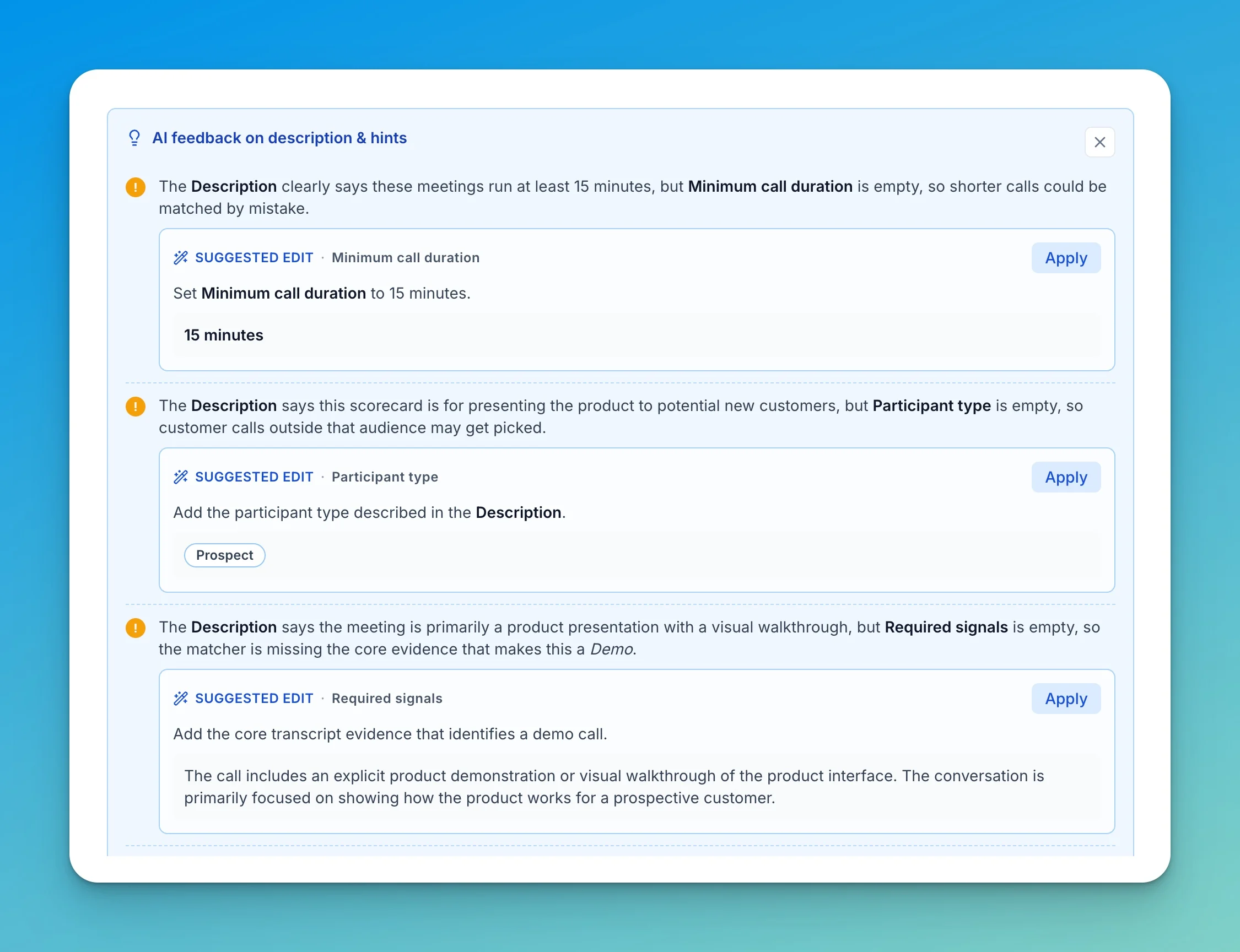
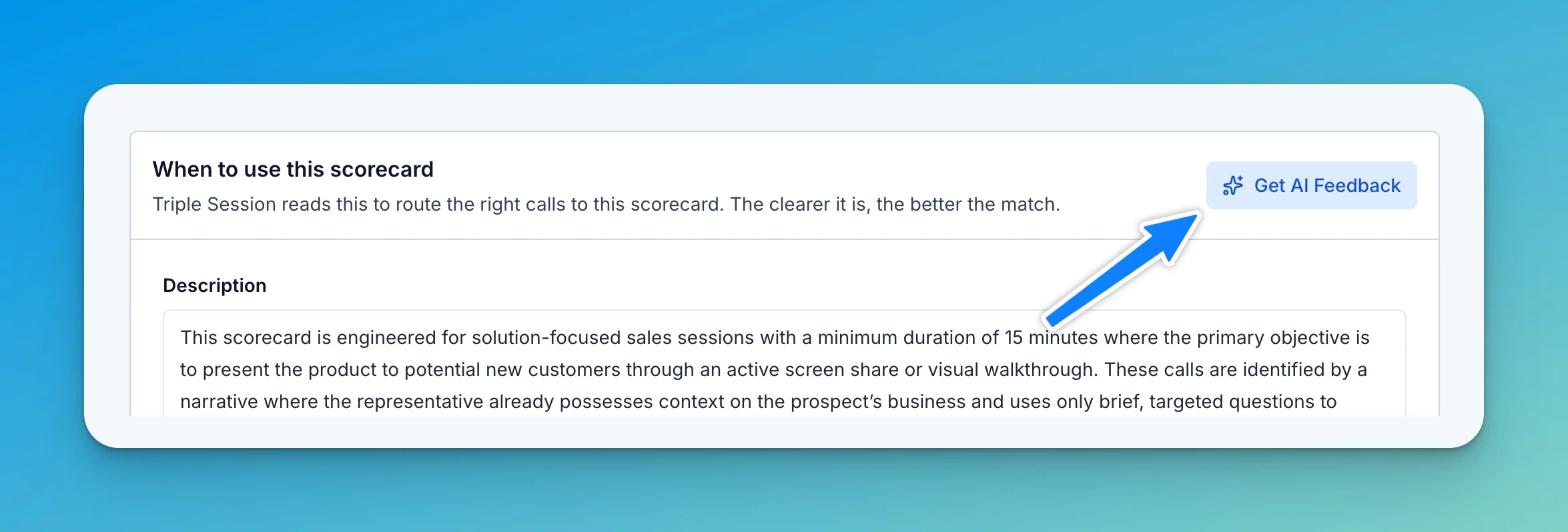 Each suggestion is tied to a specific field. For example, if the description says calls run at least 15 minutes but **Minimum call duration** is empty, the feedback proposes setting it to 15 minutes. Click **Apply** on any suggested edit to accept it.
 ## Smart selection hints
Smart selection hints are optional structured signals that sharpen matching when the description alone is not enough. Fill in as many or as few as you need — every hint you add gives the matcher one more way to confirm (or rule out) a call.
## Smart selection hints
Smart selection hints are optional structured signals that sharpen matching when the description alone is not enough. Fill in as many or as few as you need — every hint you add gives the matcher one more way to confirm (or rule out) a call.
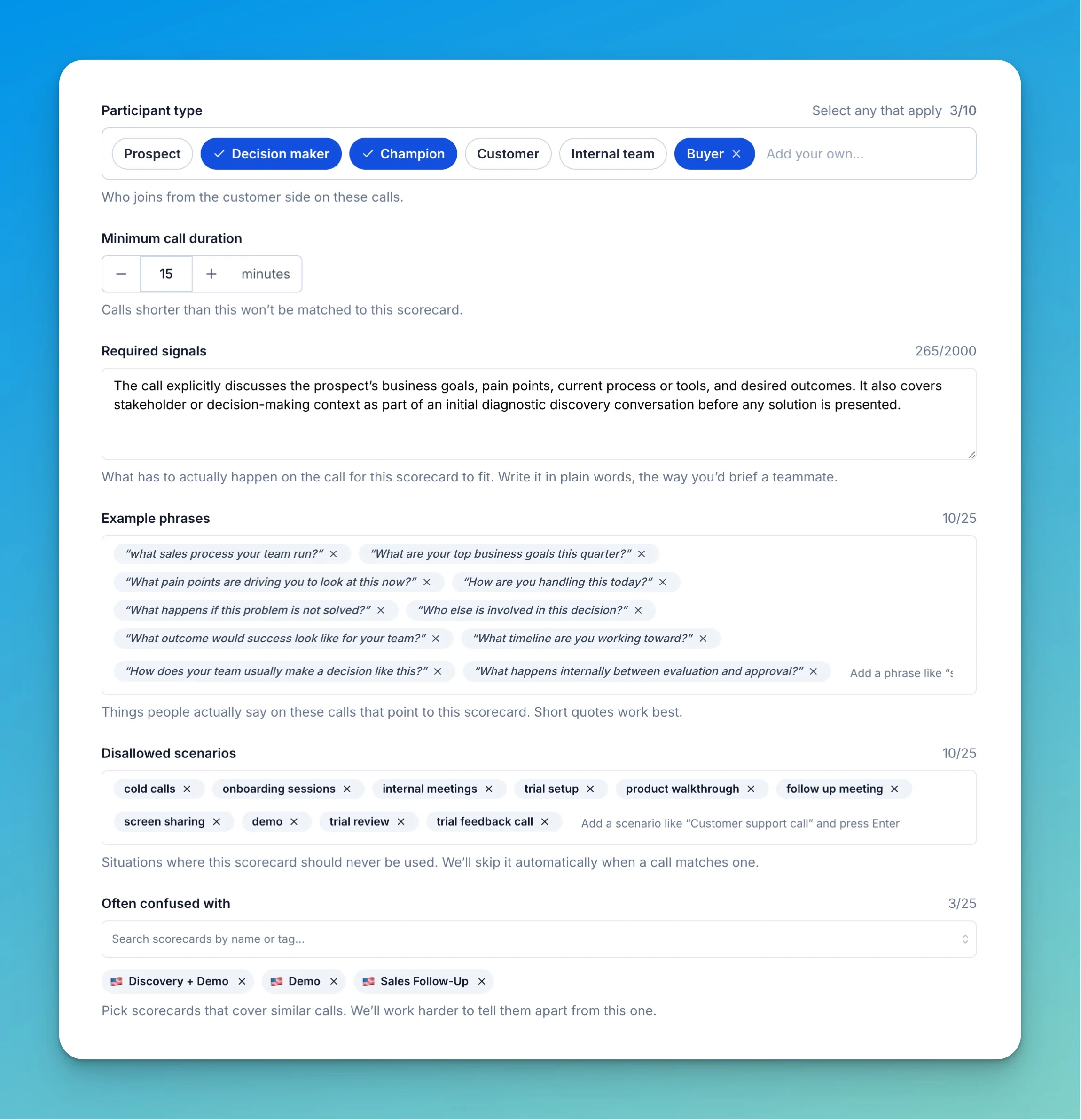 The stages these calls usually happen in. Select any that apply from Discovery, Qualification, Demo, Proposal, Negotiation, Closing, and Follow-up, or add your own.
Who joins from the customer side on these calls — Prospect, Decision maker, Champion, Customer, Internal team, Buyer, or a custom value. Select any that apply.
Calls shorter than this won't be matched to this scorecard. Use it to keep brief or accidental calls from being scored against a scorecard meant for longer conversations.
What has to actually happen on the call for this scorecard to fit. Write it in plain words, the way you'd brief a teammate — for example, "The call explicitly discusses the prospect's business goals, pain points, current process or tools, and desired outcomes as part of an initial diagnostic discovery conversation before any solution is presented."
Things people actually say on these calls that point to this scorecard. Short quotes work best — "What process does your team run?" or "What are your top business goals this quarter?"
Situations where this scorecard should never be used. Triple Session skips the scorecard automatically when a call matches one — for example, cold calls, onboarding sessions, internal meetings, trial setup, or product walkthroughs.
Pick scorecards that cover similar calls. Triple Session works harder to tell them apart from this one — useful when a Discovery and a Demo scorecard, for example, keep matching the same calls.
Start with a clear description, run **Get AI Feedback**, then add hints only where the feedback shows the matcher is uncertain. You rarely need every field filled in.
This documentation is built and hosted on [Mintlify](https://mintlify.com), a developer documentation platform.
The stages these calls usually happen in. Select any that apply from Discovery, Qualification, Demo, Proposal, Negotiation, Closing, and Follow-up, or add your own.
Who joins from the customer side on these calls — Prospect, Decision maker, Champion, Customer, Internal team, Buyer, or a custom value. Select any that apply.
Calls shorter than this won't be matched to this scorecard. Use it to keep brief or accidental calls from being scored against a scorecard meant for longer conversations.
What has to actually happen on the call for this scorecard to fit. Write it in plain words, the way you'd brief a teammate — for example, "The call explicitly discusses the prospect's business goals, pain points, current process or tools, and desired outcomes as part of an initial diagnostic discovery conversation before any solution is presented."
Things people actually say on these calls that point to this scorecard. Short quotes work best — "What process does your team run?" or "What are your top business goals this quarter?"
Situations where this scorecard should never be used. Triple Session skips the scorecard automatically when a call matches one — for example, cold calls, onboarding sessions, internal meetings, trial setup, or product walkthroughs.
Pick scorecards that cover similar calls. Triple Session works harder to tell them apart from this one — useful when a Discovery and a Demo scorecard, for example, keep matching the same calls.
Start with a clear description, run **Get AI Feedback**, then add hints only where the feedback shows the matcher is uncertain. You rarely need every field filled in.
This documentation is built and hosted on [Mintlify](https://mintlify.com), a developer documentation platform.