> ## Documentation Index
> Fetch the complete documentation index at: https://docs.triplesession.com/llms.txt
> Use this file to discover all available pages before exploring further.
# Send Call Insights to Power BI, Sheets, and More
> Use Triple Session Automations to push AI Coach data to Power BI, Google Sheets, Tableau, or any other app via webhook or integration.
Automations can send deal insights data to virtually any external application. By combining a **Send Webhook** action with an automation platform such as Zapier or N8N — or by handling the data internally — you can route AI Coach output into Power BI dashboards, Google Sheets, Tableau reports, or any other tool your team relies on.
## Requirements
* Your account must have access to [Automations](/automations/getting-started).
* A Zapier account (or another automation platform such as N8N), or a custom endpoint to receive the webhook. Zapier is used in the example below, but any platform that can receive webhooks will work.
## Example use case
*"We want to store specific data extracted from calls in a spreadsheet when the call ends."*
For this example, the automation uses:
* **Meeting Finished** as the trigger
* **Send Webhook** as the action
* **Zapier** to route the data to Google Sheets
## Setup
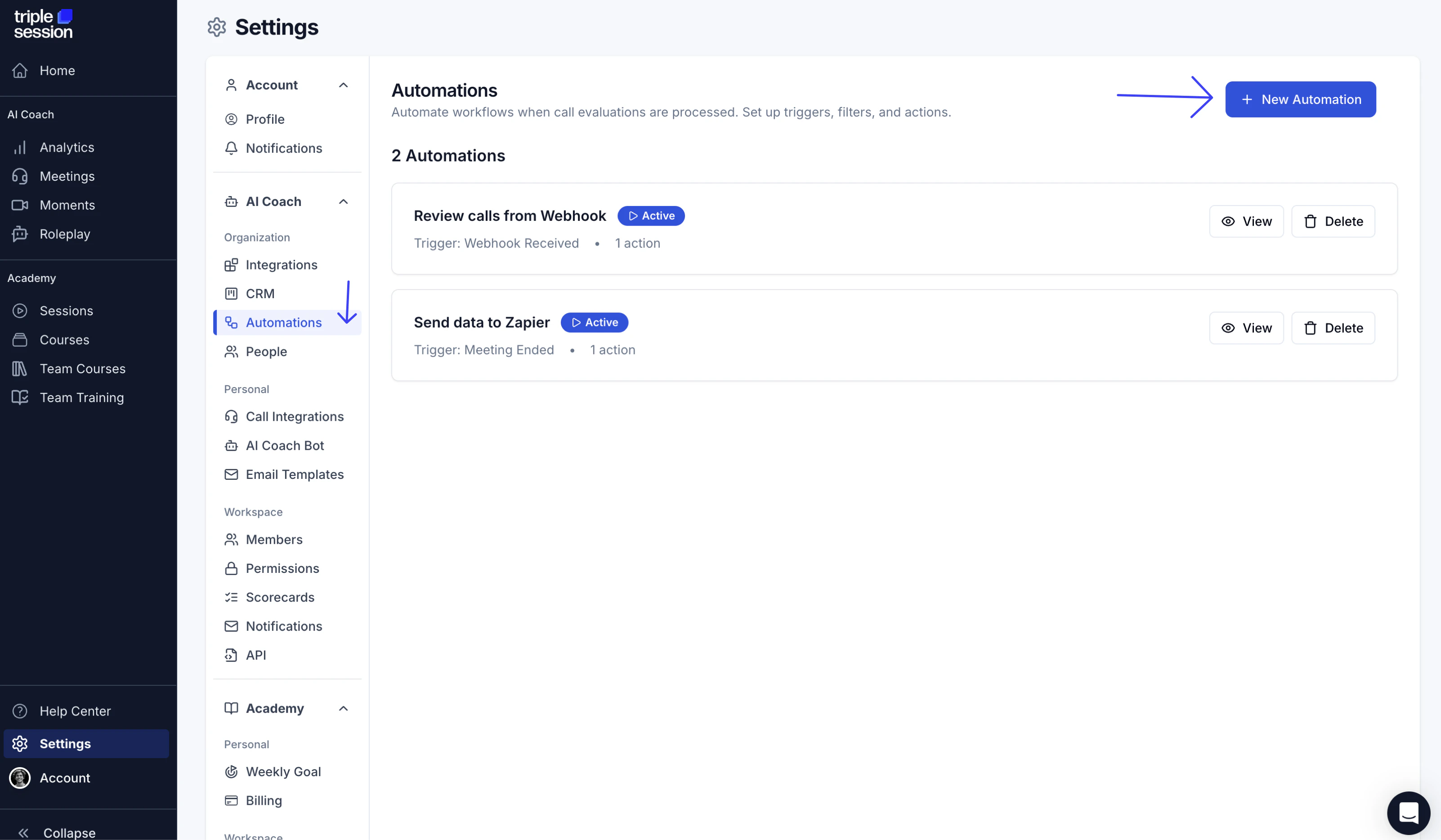
Go to **Settings > Automations** and click **New Automation**.
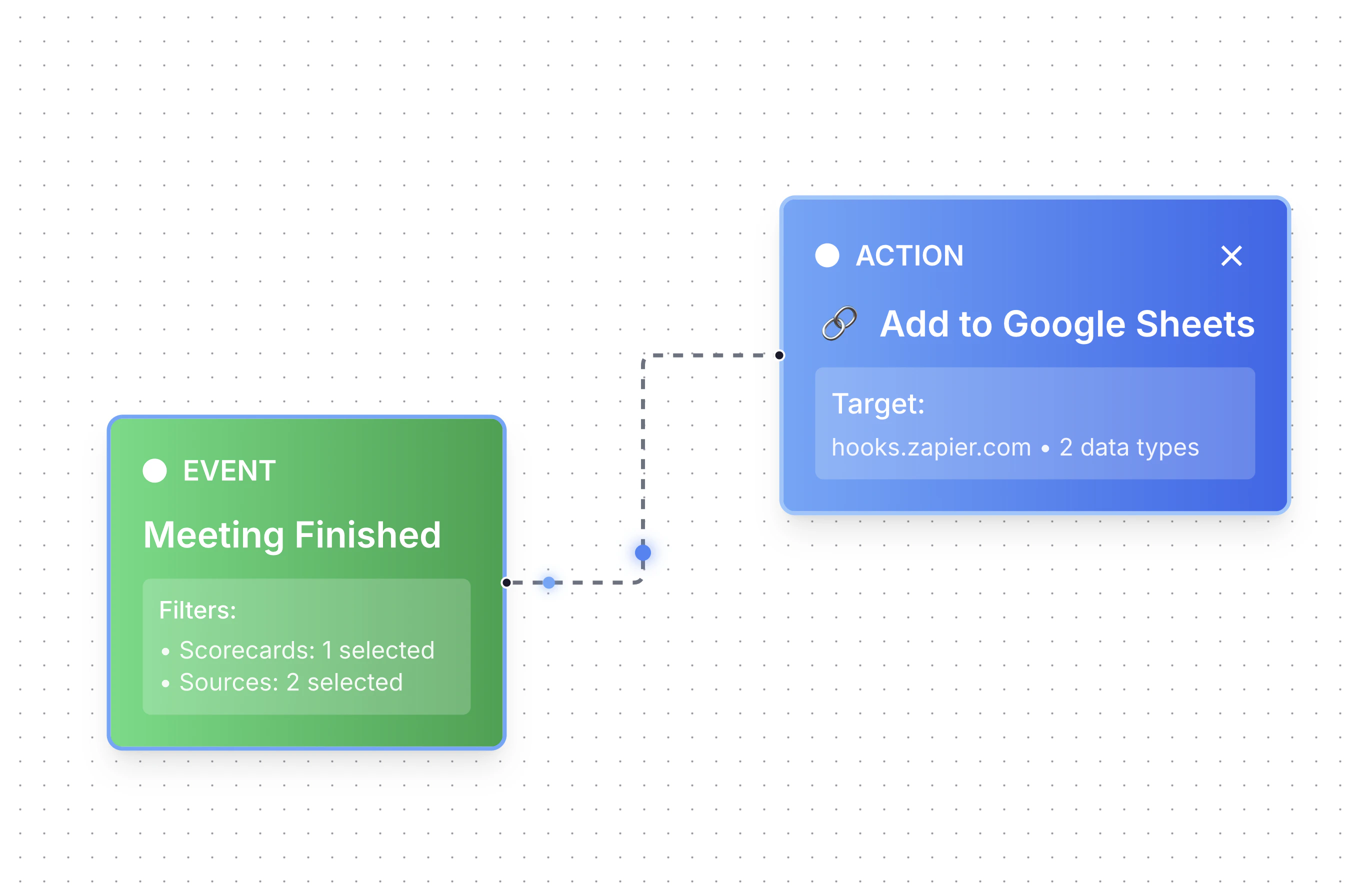
Set the **Trigger** to **Meeting Finished** and the **Action** to **Send Webhook**.
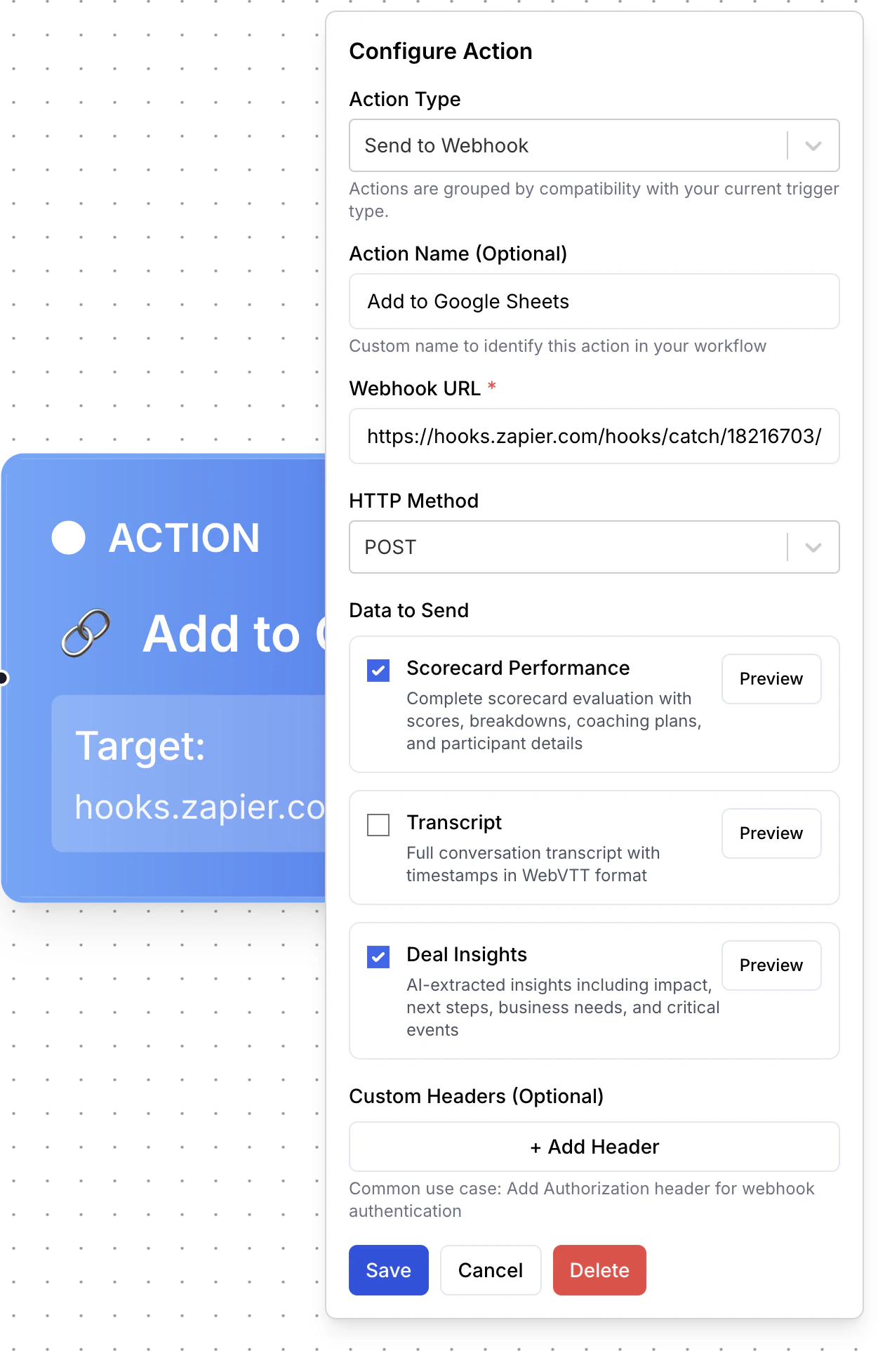
 In the **Action** settings, paste the webhook URL from Zapier (or your chosen platform) into the **Webhook** field. Select the data fields you want to include in the payload.
 In Zapier, create a new Zap and choose **Webhooks by Zapier** as the trigger. Zapier will give you a unique webhook URL to paste here.
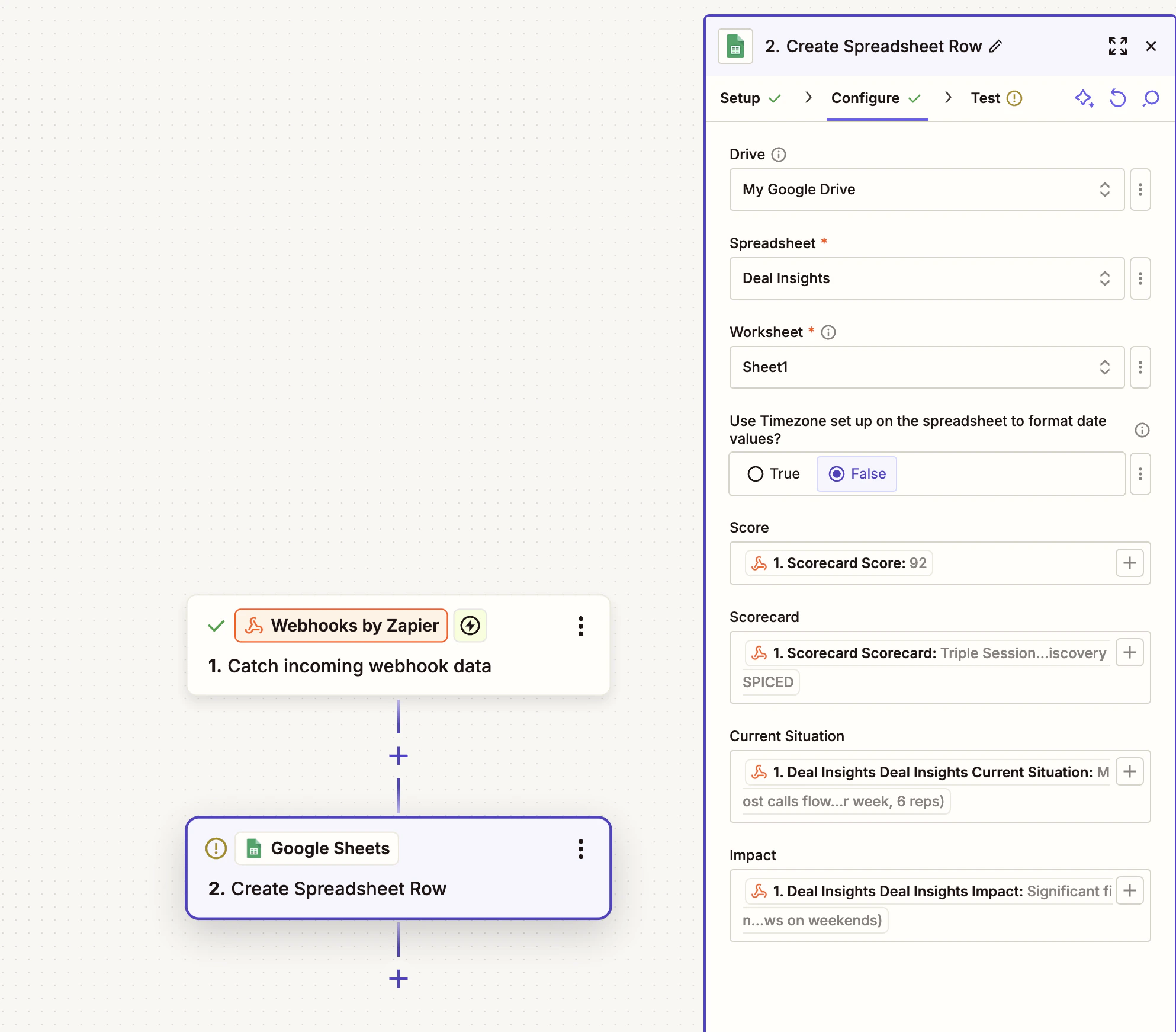
In your Zapier Zap, add an action step and connect it to the app you want to send data to — for example, **Google Sheets**. Map the fields from the incoming webhook payload to the columns in your spreadsheet.
In Zapier, create a new Zap and choose **Webhooks by Zapier** as the trigger. Zapier will give you a unique webhook URL to paste here.
In your Zapier Zap, add an action step and connect it to the app you want to send data to — for example, **Google Sheets**. Map the fields from the incoming webhook payload to the columns in your spreadsheet.
 Back in Triple Session, click **Save Workflow**, then click **Live** to activate the automation.
 ## Supported destinations
Because the **Send Webhook** action sends a standard HTTP POST with a JSON payload, you can connect it to any app that accepts incoming webhooks. Common destinations include:
* Google Sheets (via Zapier or N8N)
* Microsoft Power BI (via a streaming dataset or Azure Function)
* Tableau (via a connected data source)
* Any internal system or custom endpoint
You are not limited to Zapier. You can use N8N, Make (formerly Integromat), or write your own endpoint to receive and process the webhook payload.
## Supported destinations
Because the **Send Webhook** action sends a standard HTTP POST with a JSON payload, you can connect it to any app that accepts incoming webhooks. Common destinations include:
* Google Sheets (via Zapier or N8N)
* Microsoft Power BI (via a streaming dataset or Azure Function)
* Tableau (via a connected data source)
* Any internal system or custom endpoint
You are not limited to Zapier. You can use N8N, Make (formerly Integromat), or write your own endpoint to receive and process the webhook payload.