> ## Documentation Index
> Fetch the complete documentation index at: https://docs.triplesession.com/llms.txt
> Use this file to discover all available pages before exploring further.
# Smart selection hints and per-scorecard languages
> Tune how AI Coach routes calls to each scorecard with smart selection hints and AI feedback, and set scorecard and insights output languages independently.
June 5, 2026New
Smart Scorecards now give you finer control over which calls each scorecard is applied to, and scorecards can produce evaluations and insights in the language your team works in.
## Smart selection hints
Each scorecard's **When to use this scorecard** description is what AI Coach reads to route the right calls to it. Now you can back that description with optional structured signals — smart selection hints — that sharpen matching when the description alone is not enough.
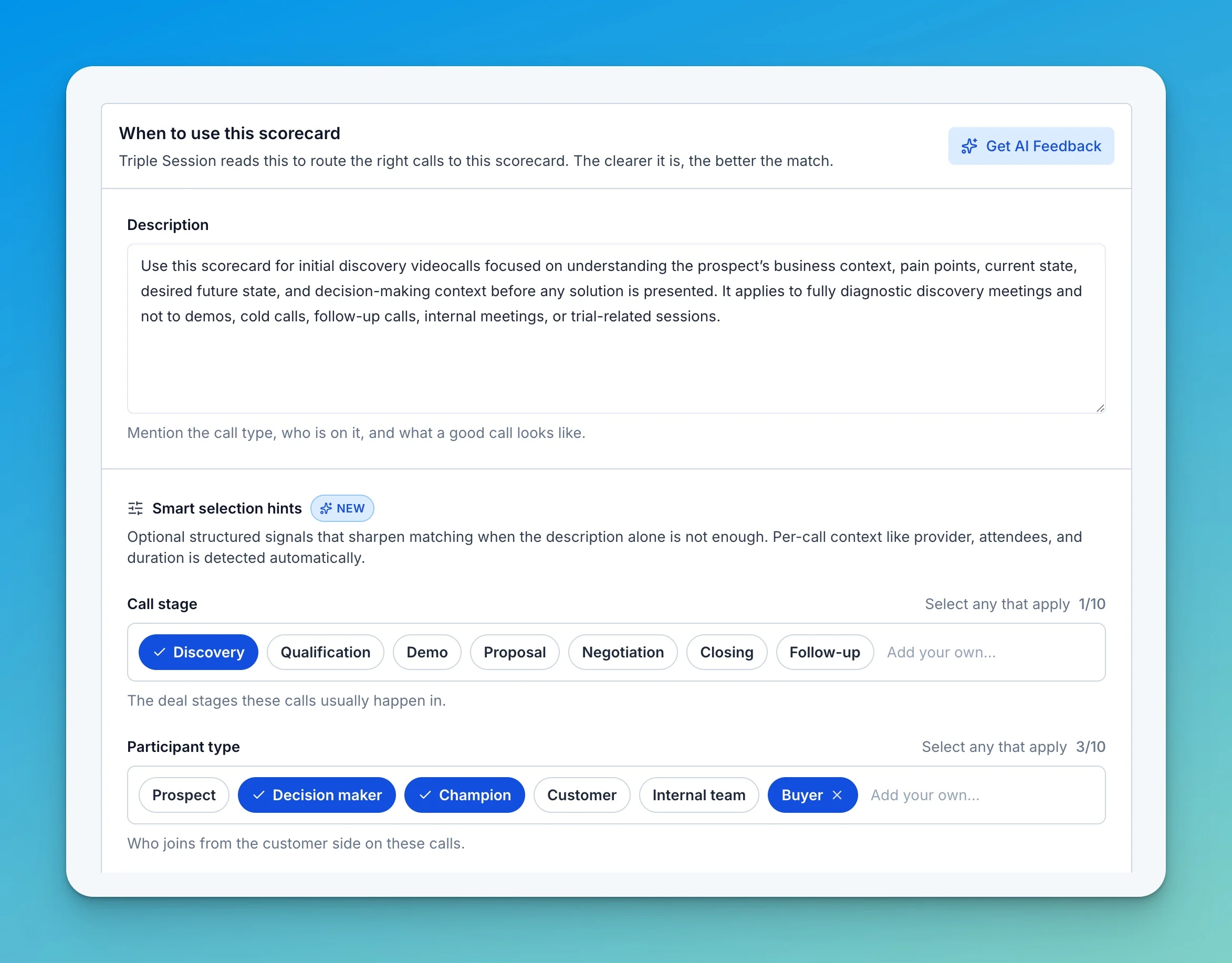 * **Call stage** and **Participant type** — the stages these calls happen in and who joins from the customer side.
* **Minimum call duration** — skip calls shorter than a set length.
* **Required signals** — describe, in plain words, what has to happen on the call for the scorecard to fit.
* **Example phrases** — short quotes people actually say on these calls.
* **Disallowed scenarios** — situations where the scorecard should never be used; AI Coach skips it automatically when a call matches one.
* **Often confused with** — point to similar scorecards so AI Coach works harder to tell them apart.
Per-call context like provider, attendees, and duration is detected automatically, so you only fill in what the matcher can't infer.
## Get AI Feedback on your description
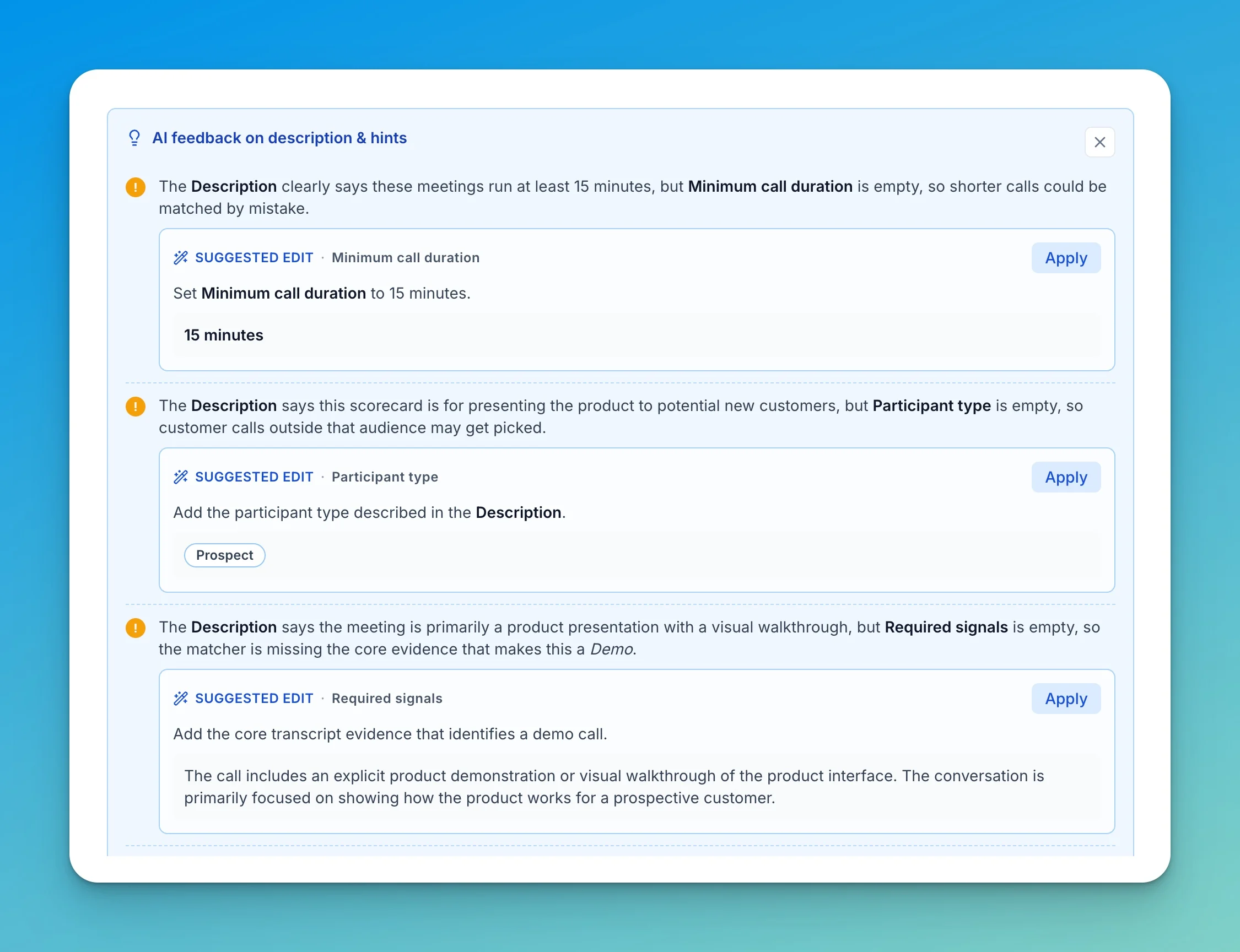
A new **Get AI Feedback** button reviews your description and hints, checking whether you've defined the call type, included essential qualifiers, and stated what's excluded. It flags gaps and proposes specific fixes — for example, setting a minimum duration or adding a participant type — that you apply in one click.
* **Call stage** and **Participant type** — the stages these calls happen in and who joins from the customer side.
* **Minimum call duration** — skip calls shorter than a set length.
* **Required signals** — describe, in plain words, what has to happen on the call for the scorecard to fit.
* **Example phrases** — short quotes people actually say on these calls.
* **Disallowed scenarios** — situations where the scorecard should never be used; AI Coach skips it automatically when a call matches one.
* **Often confused with** — point to similar scorecards so AI Coach works harder to tell them apart.
Per-call context like provider, attendees, and duration is detected automatically, so you only fill in what the matcher can't infer.
## Get AI Feedback on your description
A new **Get AI Feedback** button reviews your description and hints, checking whether you've defined the call type, included essential qualifiers, and stated what's excluded. It flags gaps and proposes specific fixes — for example, setting a minimum duration or adding a participant type — that you apply in one click.
 ## Scorecard and insights languages
Scorecards now carry two independent language settings:
* **Scorecard language** (Details tab) — the language used for scorecard prompts, criteria, and generated evaluation text.
* **Insights language** (Insights tab) — the language used for generated insight titles and prompts.
## Scorecard and insights languages
Scorecards now carry two independent language settings:
* **Scorecard language** (Details tab) — the language used for scorecard prompts, criteria, and generated evaluation text.
* **Insights language** (Insights tab) — the language used for generated insight titles and prompts.
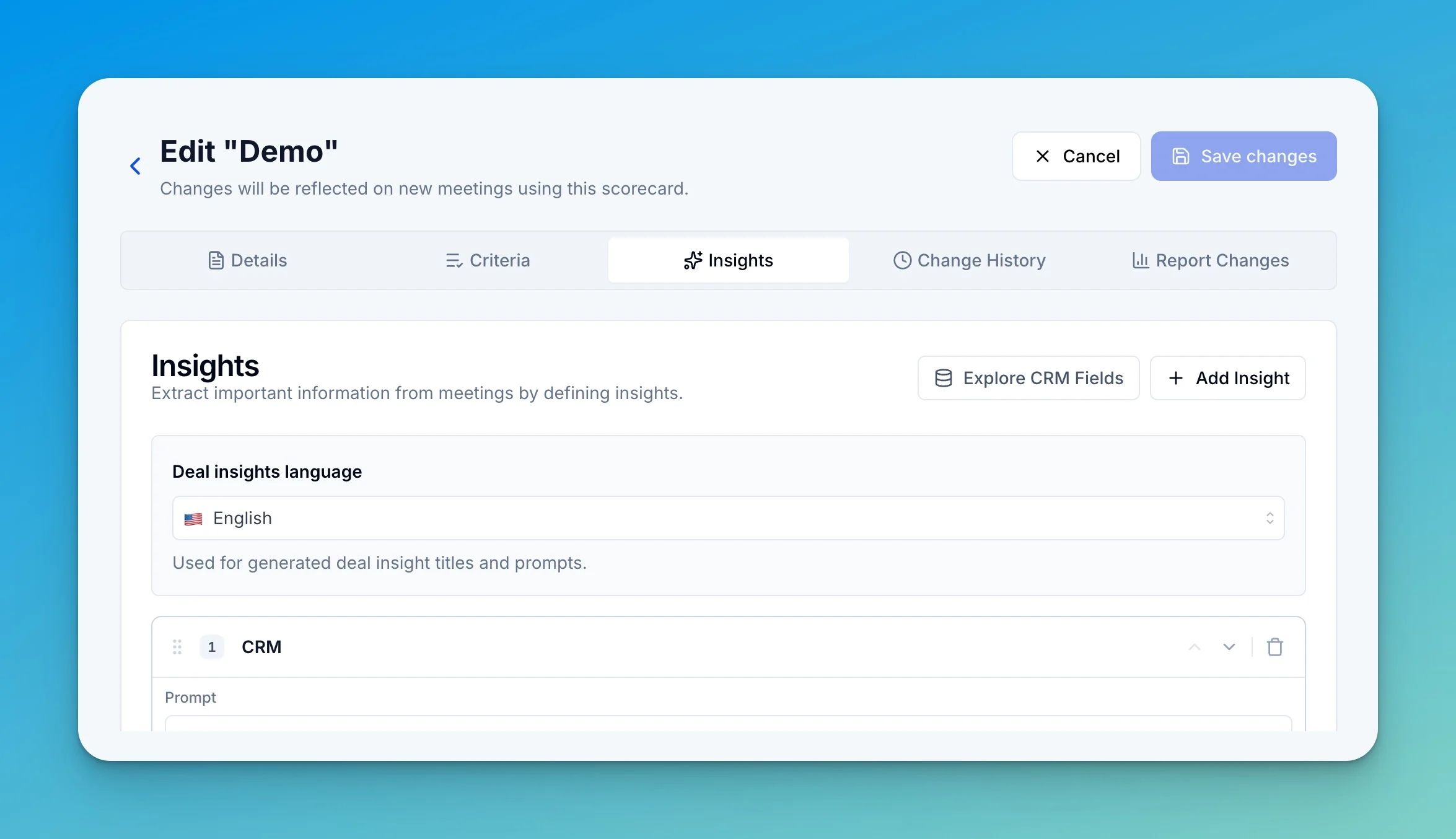 Because they're separate, a team can score calls in one language while producing insights in another. Both are set per scorecard and apply to new meetings reviewed with that scorecard.
See the [Scorecards](/ai-coach/scorecards) guide for full details on configuring descriptions, hints, and languages.
Because they're separate, a team can score calls in one language while producing insights in another. Both are set per scorecard and apply to new meetings reviewed with that scorecard.
See the [Scorecards](/ai-coach/scorecards) guide for full details on configuring descriptions, hints, and languages.