> ## Documentation Index
> Fetch the complete documentation index at: https://docs.triplesession.com/llms.txt
> Use this file to discover all available pages before exploring further.
# Open Insights & Company Chat without admin access
> Global Insights and the company-wide AI chat are now separate permissions, so you can grant them to managers or members without making anyone an admin. Plus a redesigned Team Insights page.
June 22, 2026New
Until now, [Global Insights](/ai-coach/insights) and the company-wide [AI chat](/ai-coach/company-chat) were locked to admins. They're now two separate permissions in **Settings → Permissions**, so you can open them up to managers or regular members without handing over full admin access.
## Role-based access
Two new permissions, each granted independently:
* **Global Insights** — open Insights & Search, and create recurring insights
* **Company AI chat** — chat with AI across the whole company's transcripts
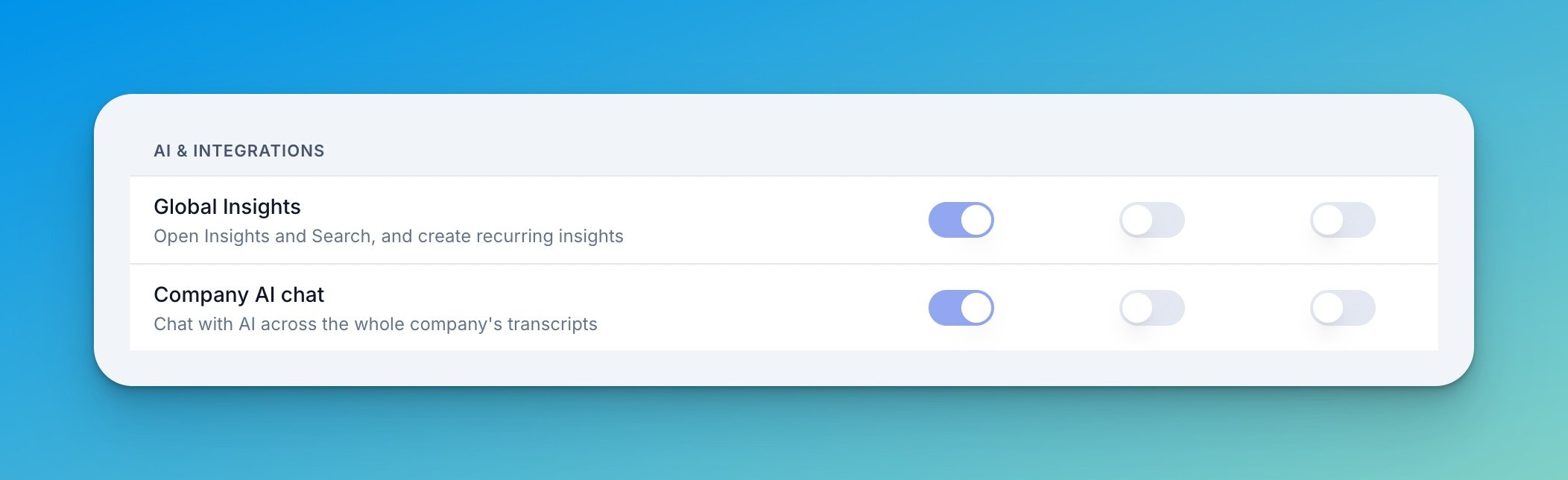 Defaults stay admin-only, so nothing changes until you opt a role in. Grant either permission to Managers or Members from the Permissions page.
The Permissions page is also now grouped into sections — Reports & calls, Scorecards & seats, and AI & integrations — so it's easier to scan.
## Team Insights — redesigned page
The old Company Insights page is now **Team Insights**, rebuilt around how people actually use it:
Defaults stay admin-only, so nothing changes until you opt a role in. Grant either permission to Managers or Members from the Permissions page.
The Permissions page is also now grouped into sections — Reports & calls, Scorecards & seats, and AI & integrations — so it's easier to scan.
## Team Insights — redesigned page
The old Company Insights page is now **Team Insights**, rebuilt around how people actually use it:
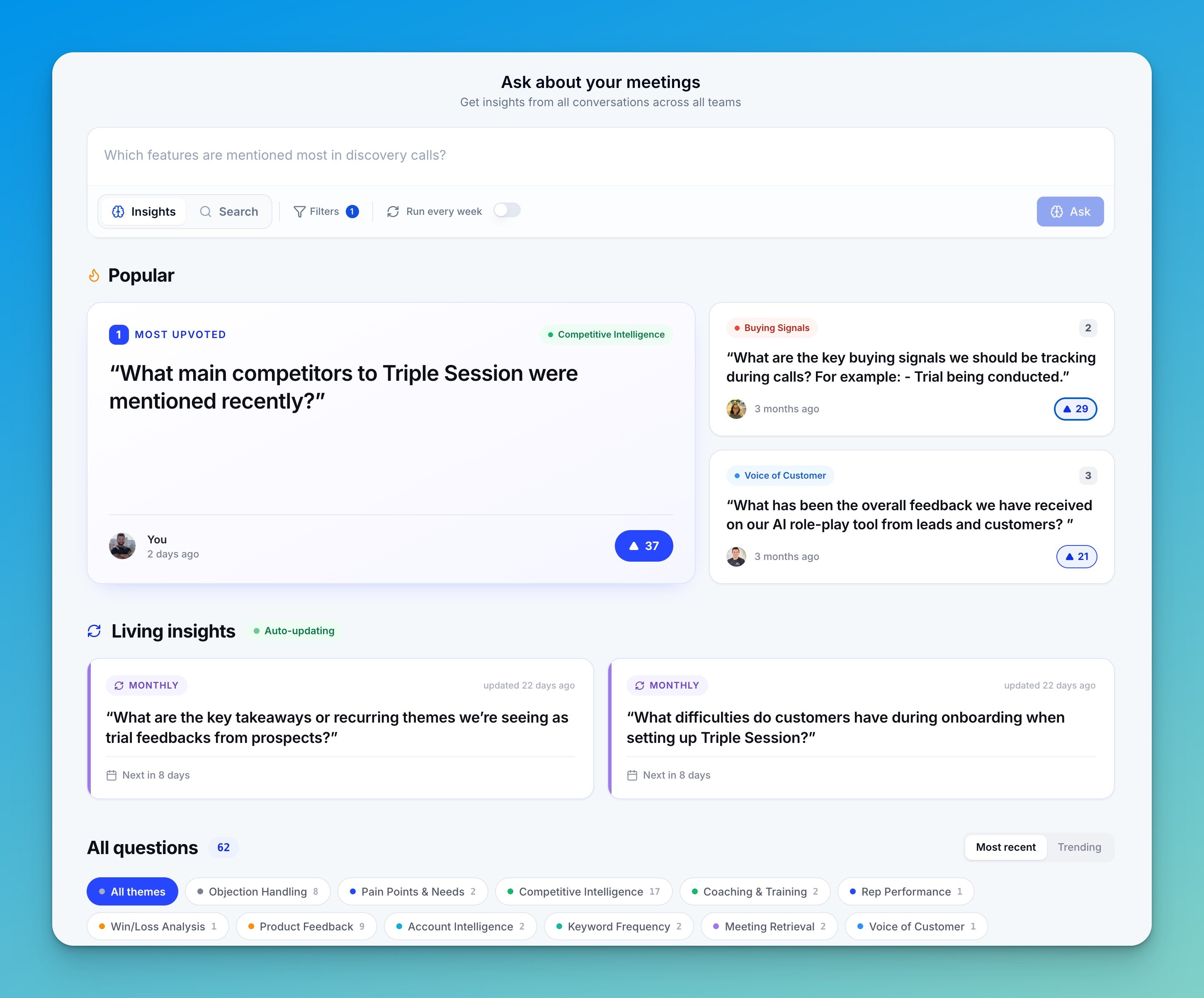 * **Themes** — questions auto-classify into themes, so you can group and filter instead of scrolling one long list
* **Upvotes** — anyone can mark a finding as useful, and we track it
* **Trending this week** — surfaces the most-upvoted questions your team keeps revisiting
* **Living insights** — the new name for recurring questions (same feature, with its own spot on the page)
* **Redesigned insight detail page** — cleaner header, key-finding cards, and markdown rendering
To open these up, grant the Global Insights or Company AI chat permission to the roles you want in **Settings → Permissions**.
* **Themes** — questions auto-classify into themes, so you can group and filter instead of scrolling one long list
* **Upvotes** — anyone can mark a finding as useful, and we track it
* **Trending this week** — surfaces the most-upvoted questions your team keeps revisiting
* **Living insights** — the new name for recurring questions (same feature, with its own spot on the page)
* **Redesigned insight detail page** — cleaner header, key-finding cards, and markdown rendering
To open these up, grant the Global Insights or Company AI chat permission to the roles you want in **Settings → Permissions**.