> ## Documentation Index
> Fetch the complete documentation index at: https://docs.triplesession.com/llms.txt
> Use this file to discover all available pages before exploring further.
# Per-participant talk time, smarter transcript search, and Block access
> See who spoke when with per-participant talk-time tracks, search transcripts with typo-tolerant matching, copy email drafts from chat, and block sign-in for departing members.
July 17, 2026New
A batch of quality-of-life improvements across call review and workspace management.
## Talk time, per participant
Every participant on a call now gets their own talk-time track below the recording, with their share of the conversation and speaking time — so you can see exactly when each person was speaking, at a glance.
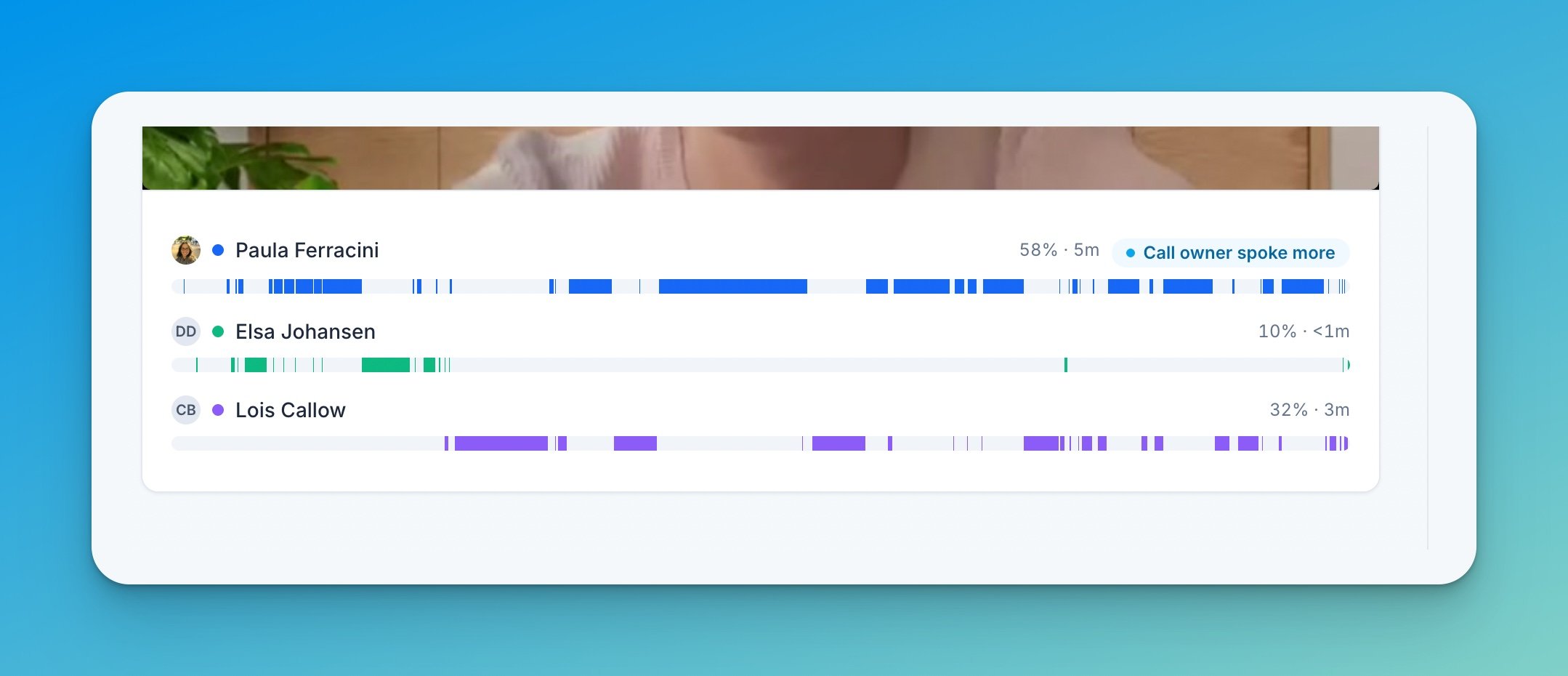 The tracks sit directly below the video and audio player, and they follow along as the recording plays. A badge calls out when the call owner spoke more than they should.
## Smarter transcript search
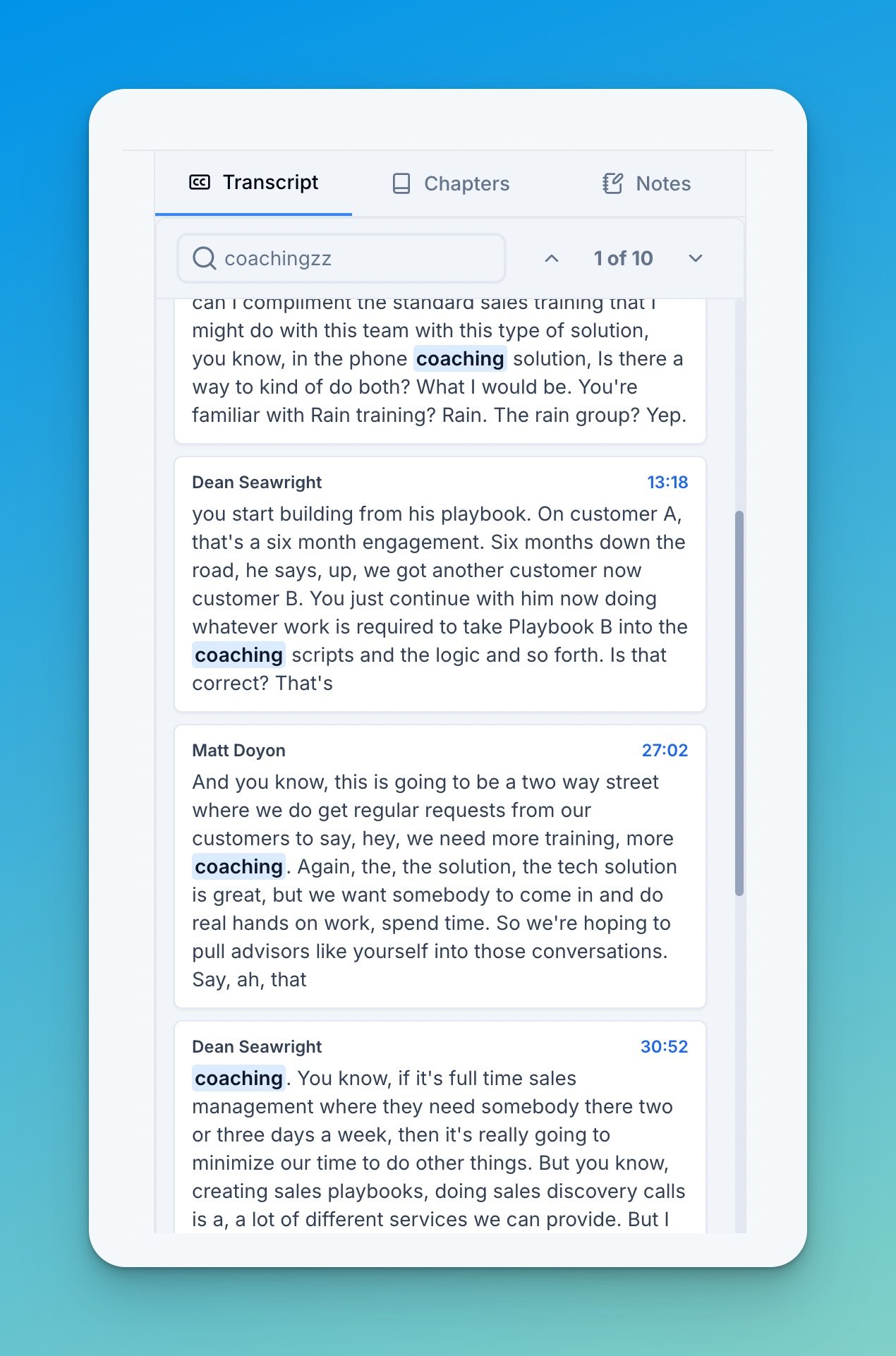
Transcript search now understands what you mean. Type `analyticcs` and it still finds *analytics* — matching handles typos and approximate meaning, with no added latency. Results show just the matching transcript blocks, so you can scan every hit in seconds.
The tracks sit directly below the video and audio player, and they follow along as the recording plays. A badge calls out when the call owner spoke more than they should.
## Smarter transcript search
Transcript search now understands what you mean. Type `analyticcs` and it still finds *analytics* — matching handles typos and approximate meaning, with no added latency. Results show just the matching transcript blocks, so you can scan every hit in seconds.
 ## Copyable email drafts in chat
Ask [AI Coach chat](/ai-coach/ask-ai-coach) for a follow-up email and you now get a ready-to-send draft: chat detects email requests and formats the response with a subject line and a one-click copy on the body.
## Block access
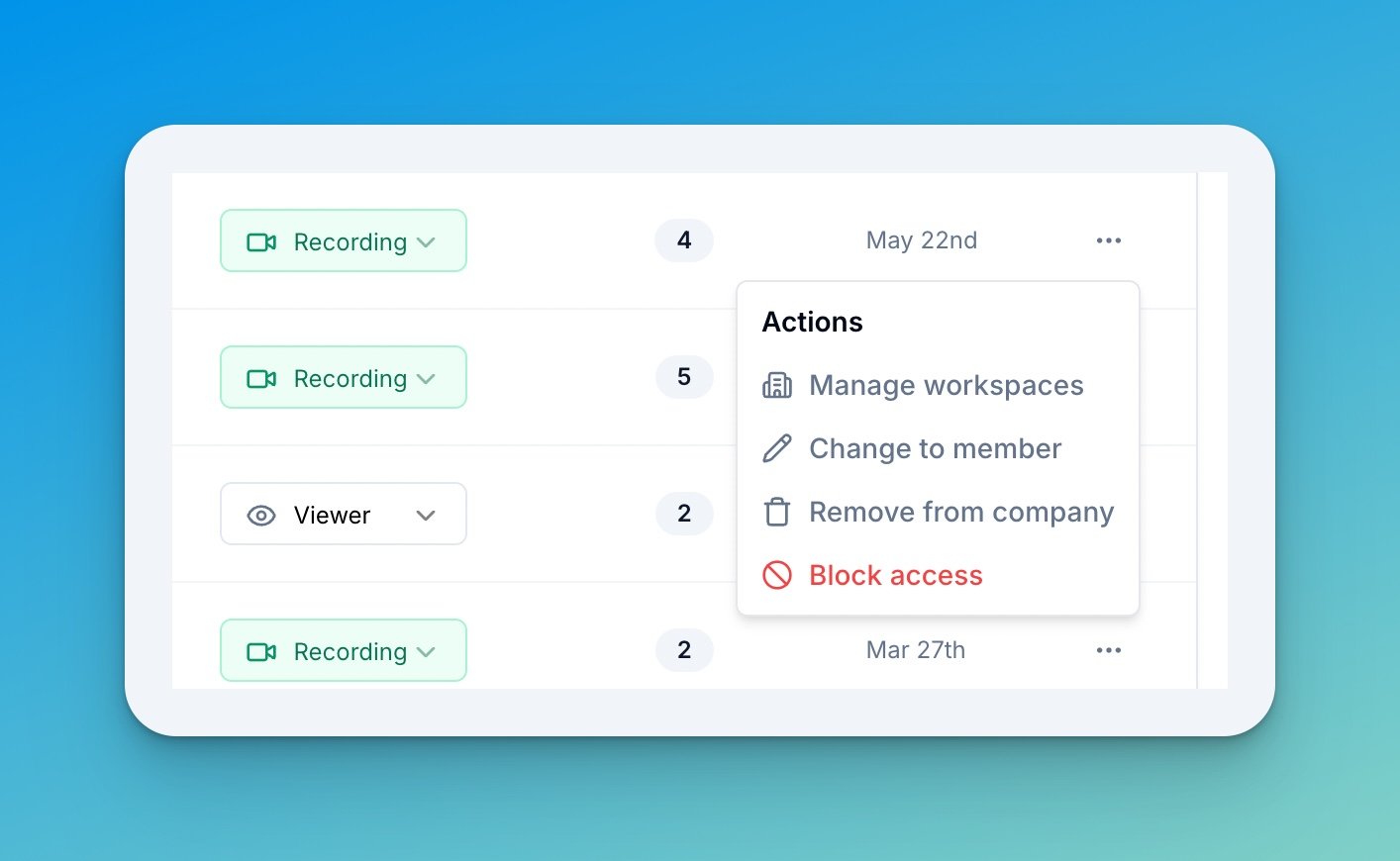
Admins can now **block a member from signing in** — from the member actions menu in **Settings → Members**.
## Copyable email drafts in chat
Ask [AI Coach chat](/ai-coach/ask-ai-coach) for a follow-up email and you now get a ready-to-send draft: chat detects email requests and formats the response with a subject line and a one-click copy on the body.
## Block access
Admins can now **block a member from signing in** — from the member actions menu in **Settings → Members**.
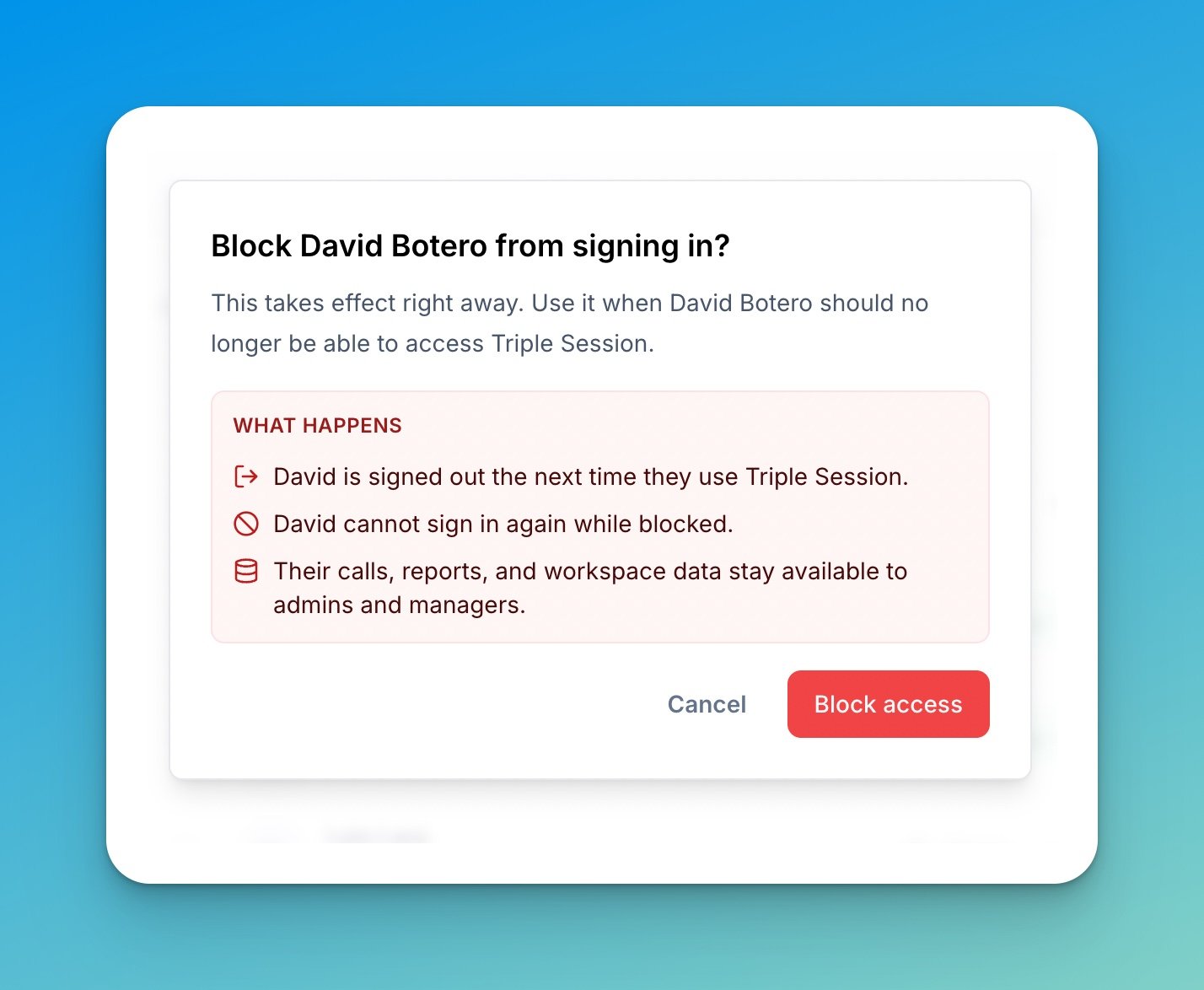
 Blocking takes effect right away: the member is signed out on their next request and cannot sign in again while blocked. Their calls, reports, and workspace data stay available to admins and managers — which makes this the right tool for offboarding, where removing someone from a workspace isn't enough.
 See [Manage members](/workspace/manage-members) for the full member management options.