

July 13, 2026New
Roleplay got its biggest upgrade yet: a home page organized around scenarios instead of a flat persona list, an unscored practice mode, three difficulty levels per persona, and a Team analytics tab that shows managers whether — and how — their team is practicing.
A new home, organized around scenarios
The new Roleplay home makes it effortless to find the right practice partner. Personas are now grouped into scenarios like Cold Call, Discovery Call, Objection Handling, Contract Renewal, and Upsell / Cross-sell — so you start from what you want to practice. Pick a scenario, filter by language, and go.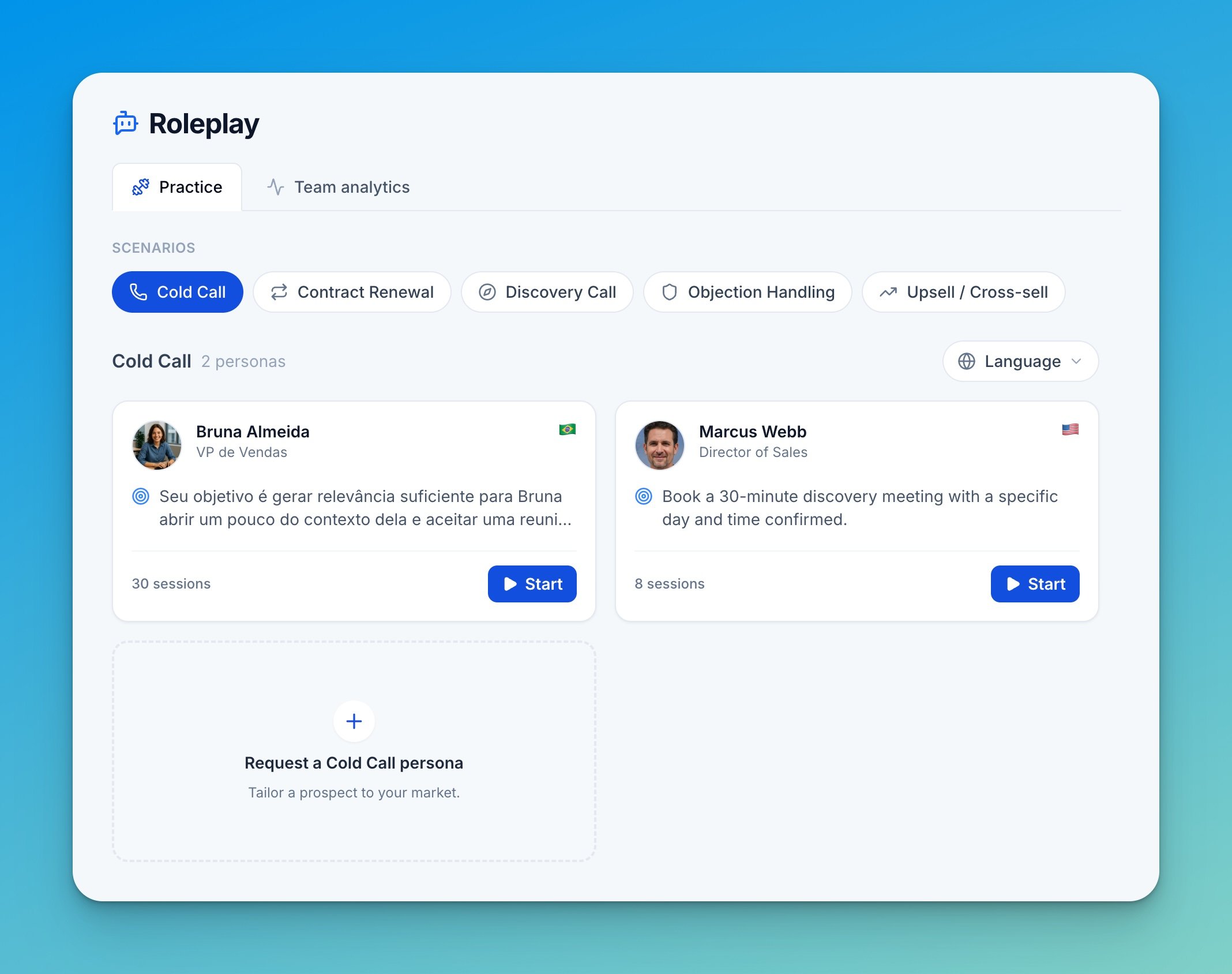
Difficulty levels
Personas now come in three difficulty levels — Easy, Intermediate, and Hard — grouped under a single persona. Reps pick the level that matches where they are, and call reports show which difficulty was used. The persona engine was also rebuilt to be more realistic: personas talk less, much closer to a real conversation.Practice mode
Reps can now run a roleplay in Practice mode — a private run with no score or report — to explore a persona and build confidence before going on the record. Scored sessions remain the default.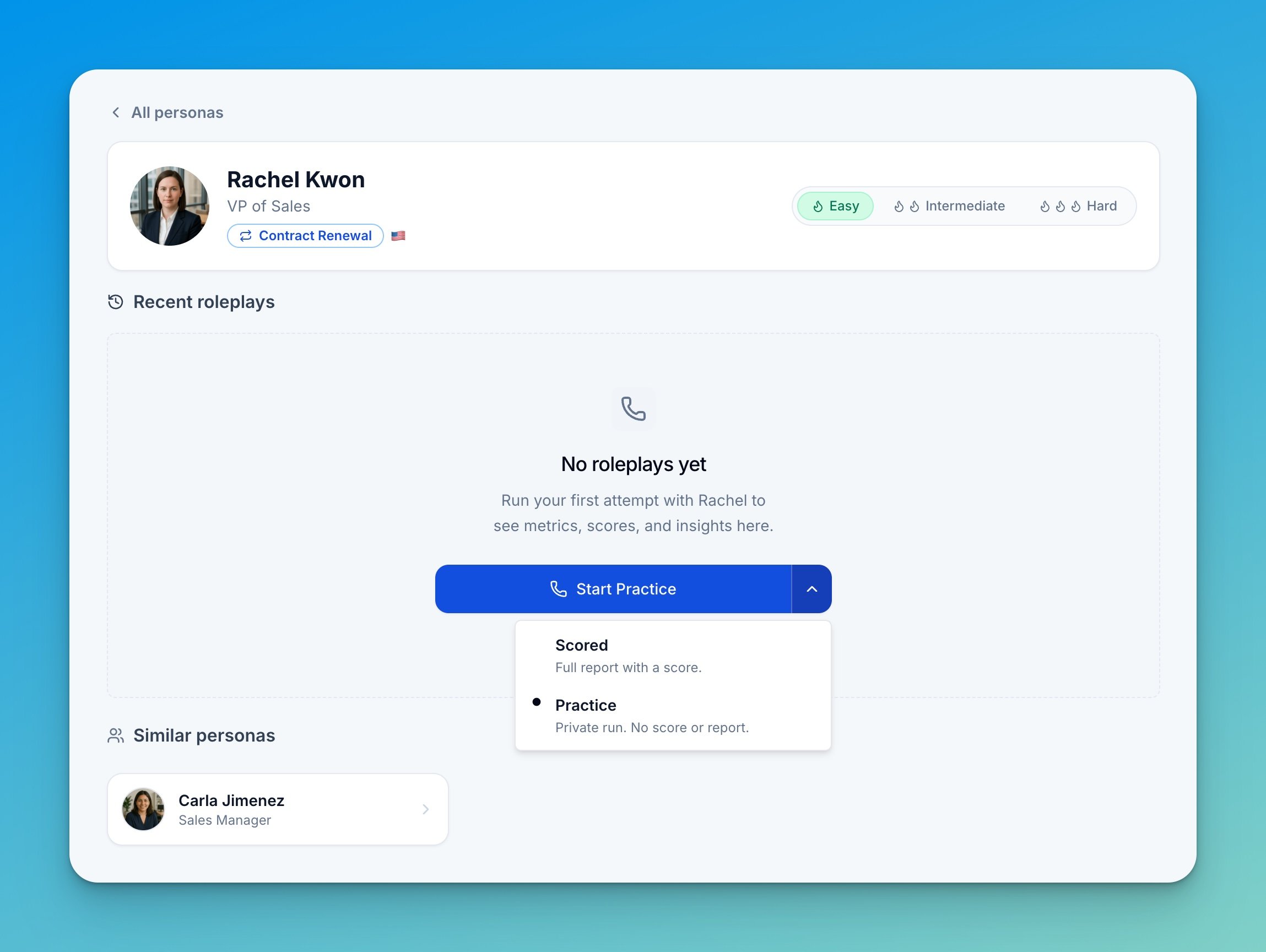
Team analytics for managers
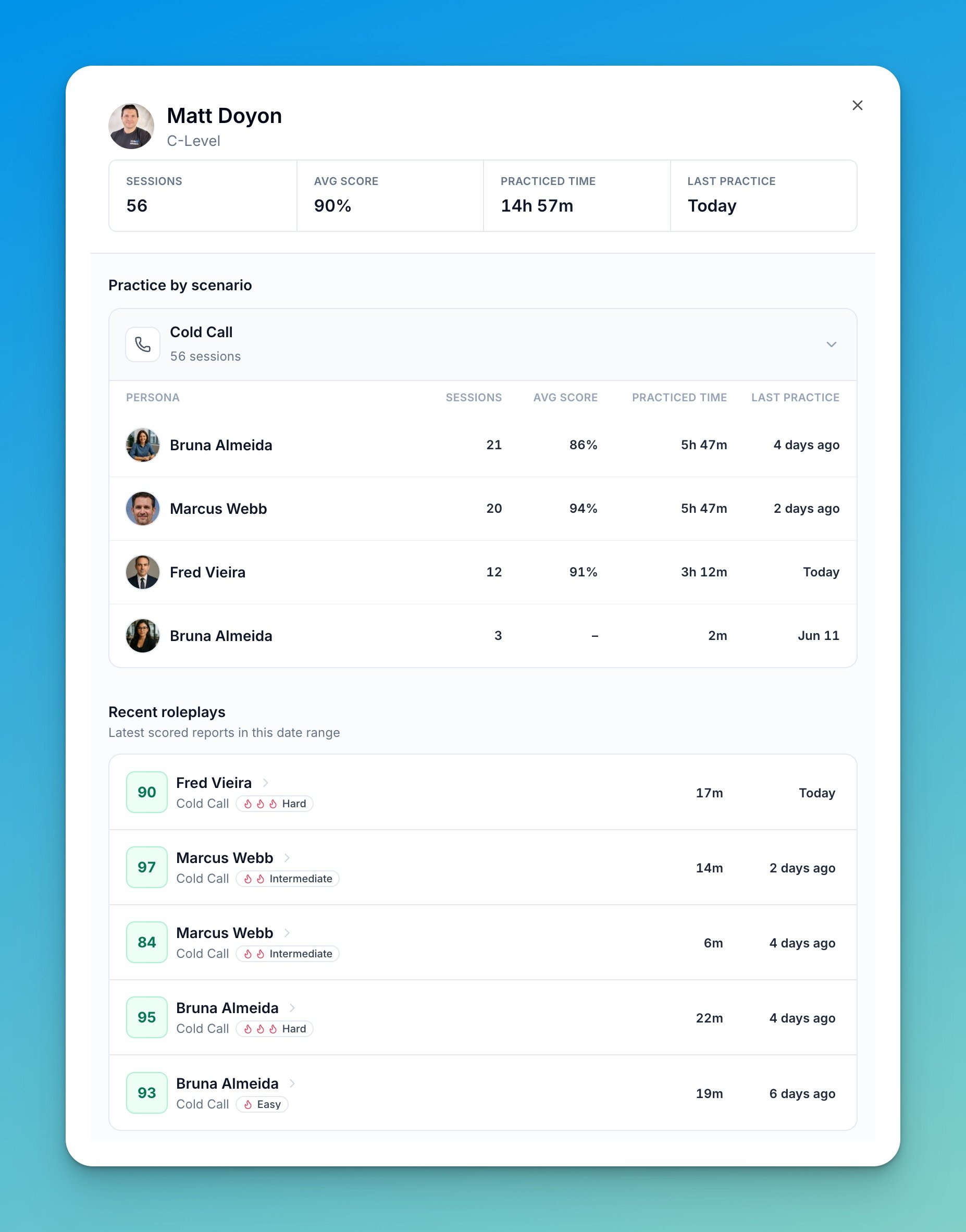
The new Team analytics tab answers the questions managers actually ask about a practice tool: is my team practicing, what are they practicing, how much time are they putting in, and how are they scoring.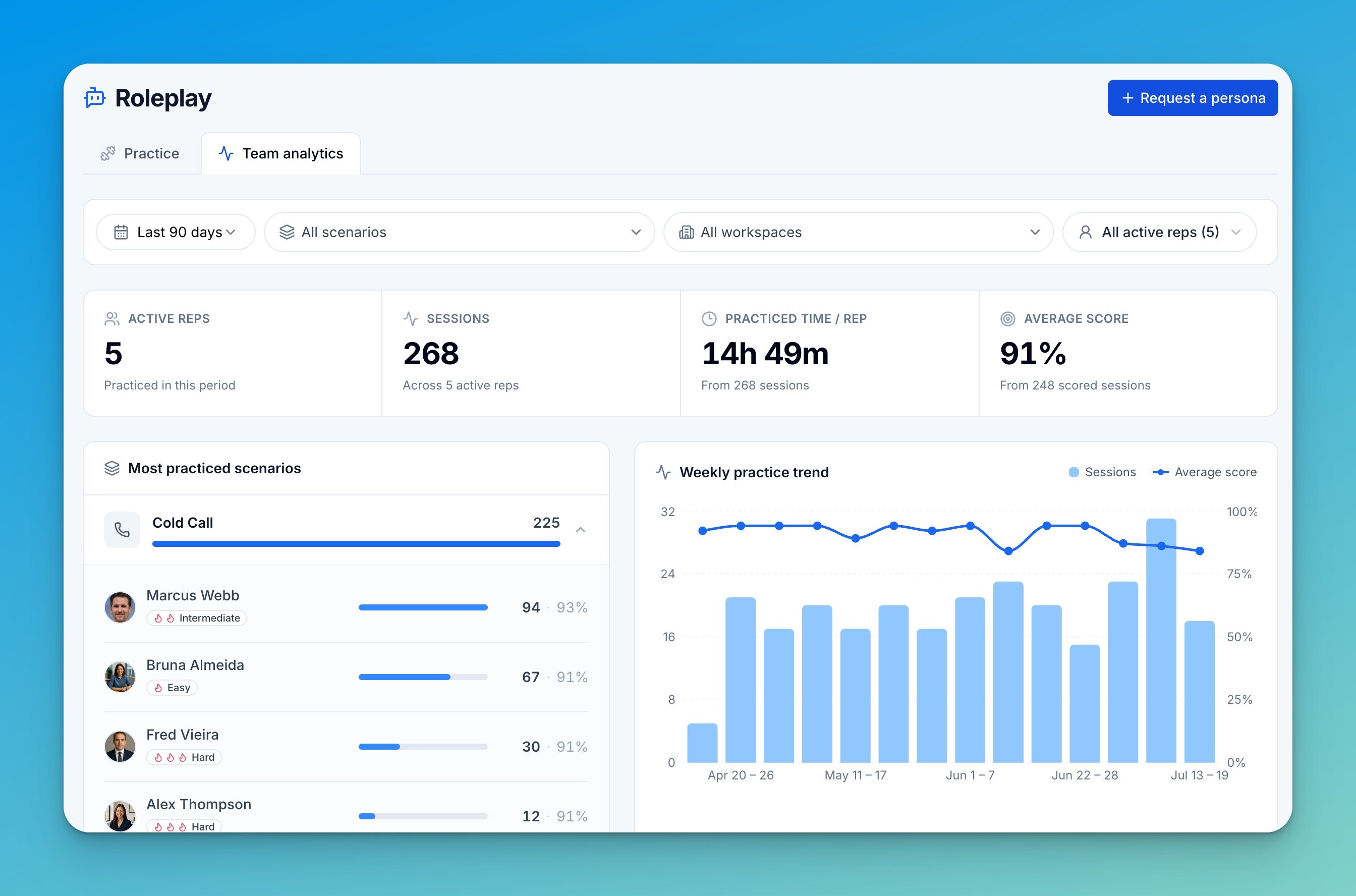
Also in this release
- Audio player on roleplay reports — roleplay call reports now include the session recording, so managers can listen while they review instead of reading the transcript alone.