

June 22, 2026New
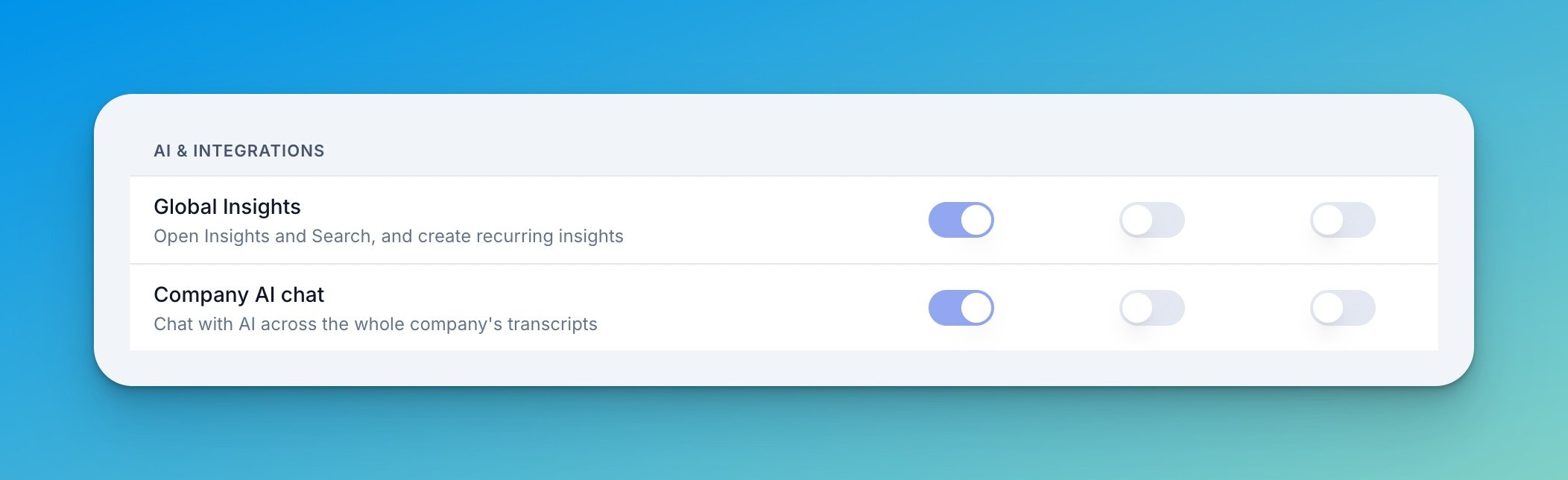
Until now, Global Insights and the company-wide AI chat were locked to admins. They’re now two separate permissions in Settings → Organization → Permissions, so you can open them up to managers or regular members without handing over full admin access.
Role-based access
Two new permissions, each granted independently:- Global Insights — open Insights & Search, and create recurring insights
- Company AI chat — chat with AI across the whole company’s transcripts
Team Insights — redesigned page
The old Company Insights page is now Team Insights, rebuilt around how people actually use it: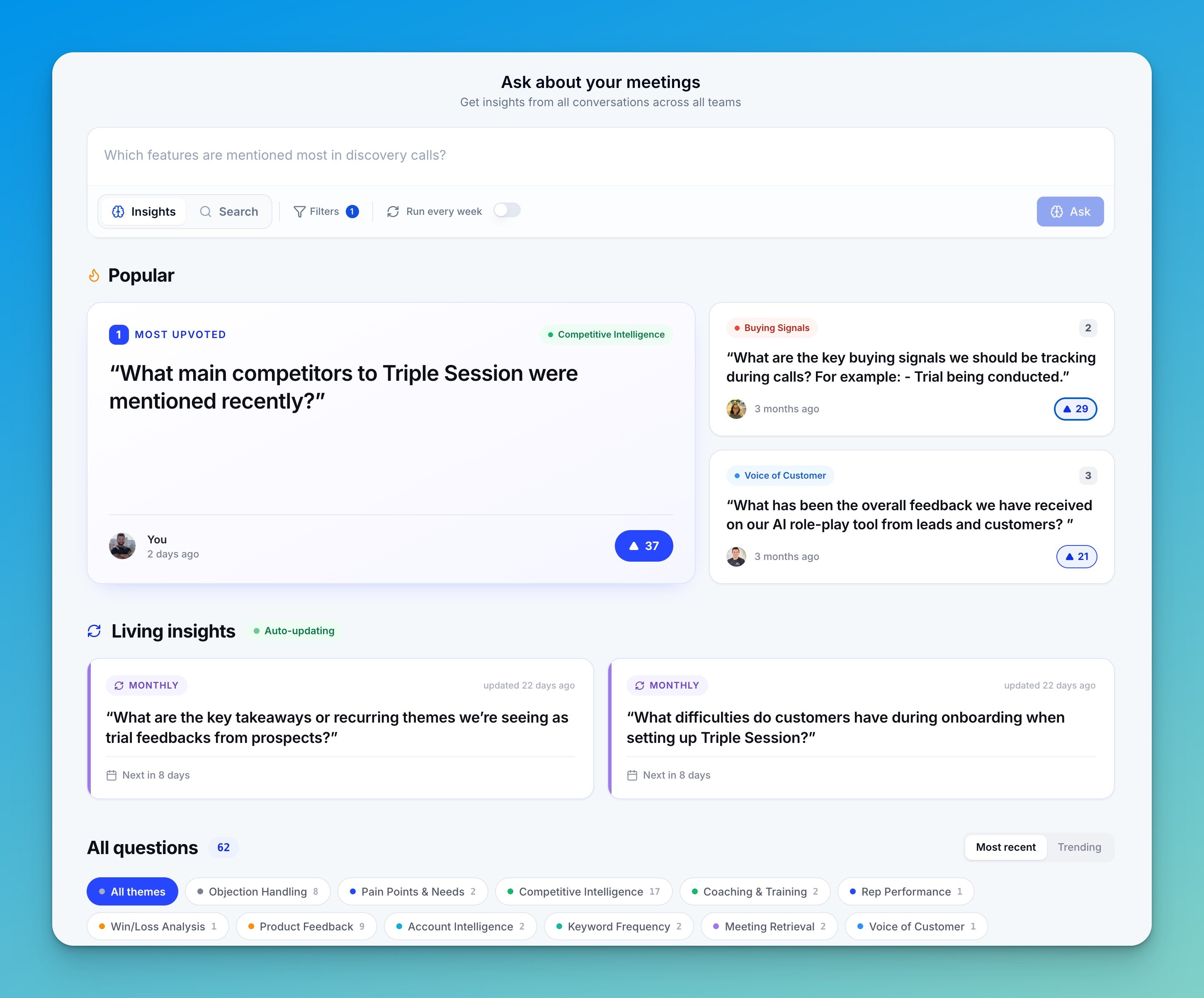
- Themes — questions auto-classify into themes, so you can group and filter instead of scrolling one long list
- Upvotes — anyone can mark a finding as useful, and we track it
- Trending this week — surfaces the most-upvoted questions your team keeps revisiting
- Living insights — the new name for recurring questions (same feature, with its own spot on the page)
- Redesigned insight detail page — cleaner header, key-finding cards, and markdown rendering