
November 3, 2026New
Moments is rebuilt around finding the right example for the skill you’re working on. It now opens on your Training Focus, breaks every moment down step by step, searches by meaning, covers audio meetings and keeps playlists up to date for you.
Moments home
Moments now opens on For your focus: moments for your Training Focus skill, with the ones you haven’t watched first.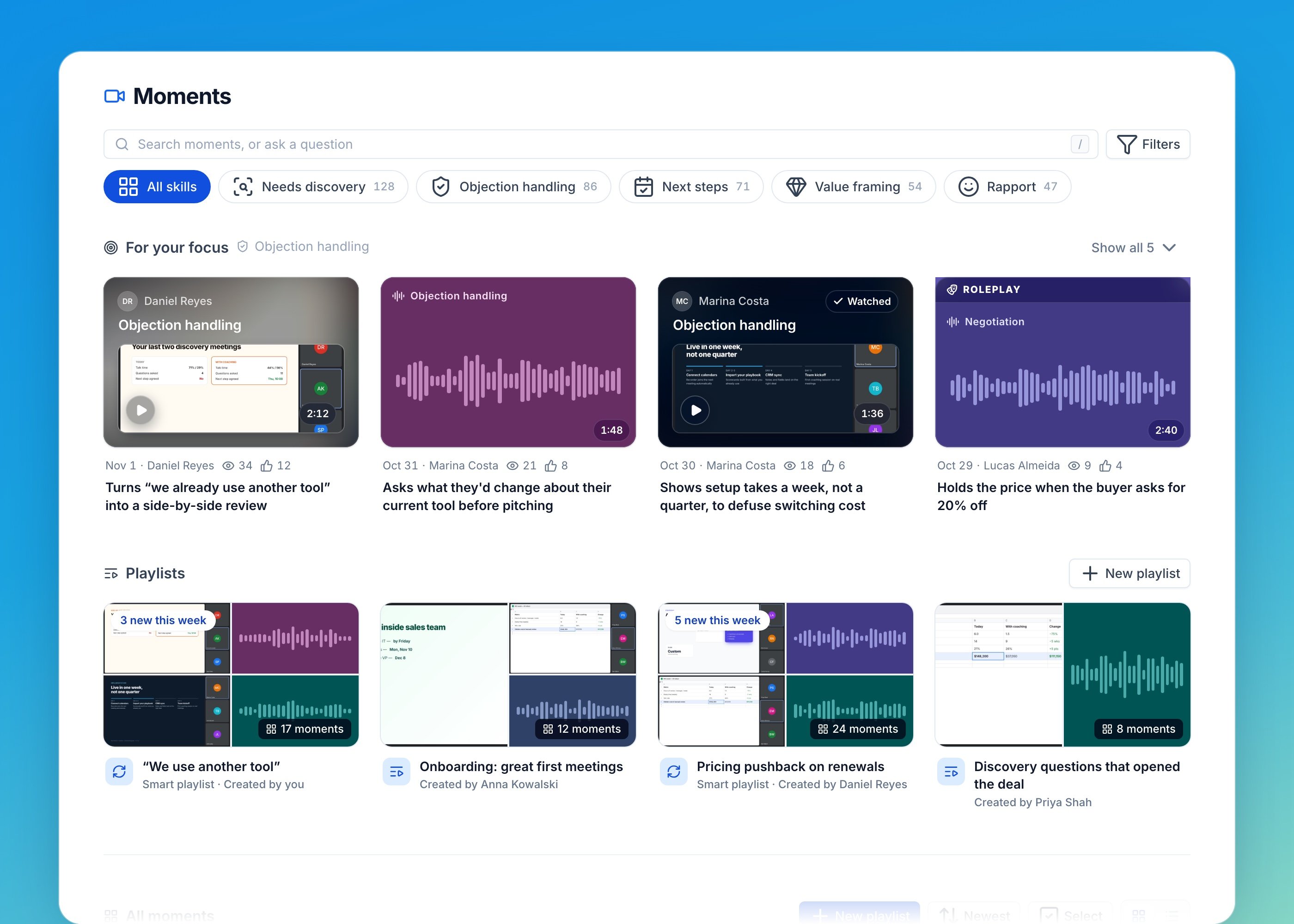
What happens
Every moment now has a What happens panel next to the video that breaks it into steps: the Trigger, the Move, the Response and How it ended.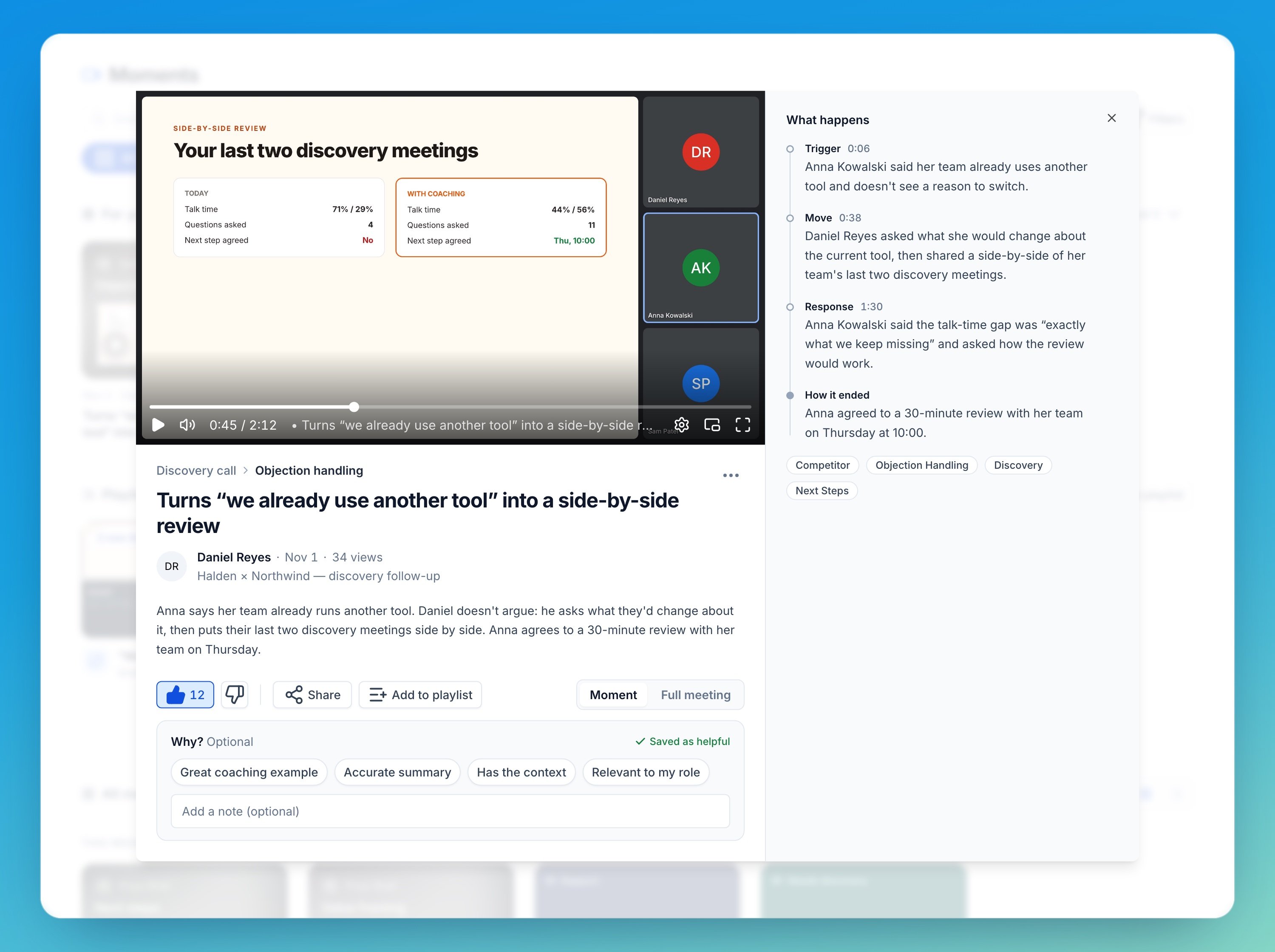
Ratings
Every moment has Helpful and Not helpful, with optional reasons and a note. Ratings rank Most liked and help AI Coach choose better moments for development plans. They replace reactions and Manager’s Picks.Search by meaning
Search understands questions. Ask “how do we answer ‘we already use another tool’?” and you get the moments where teammates handled that objection, even when nobody used those words. Press / anywhere in Moments to search.Audio Moments
Audio Moments is in beta. To turn it on for your team, ask your Customer Success Manager.
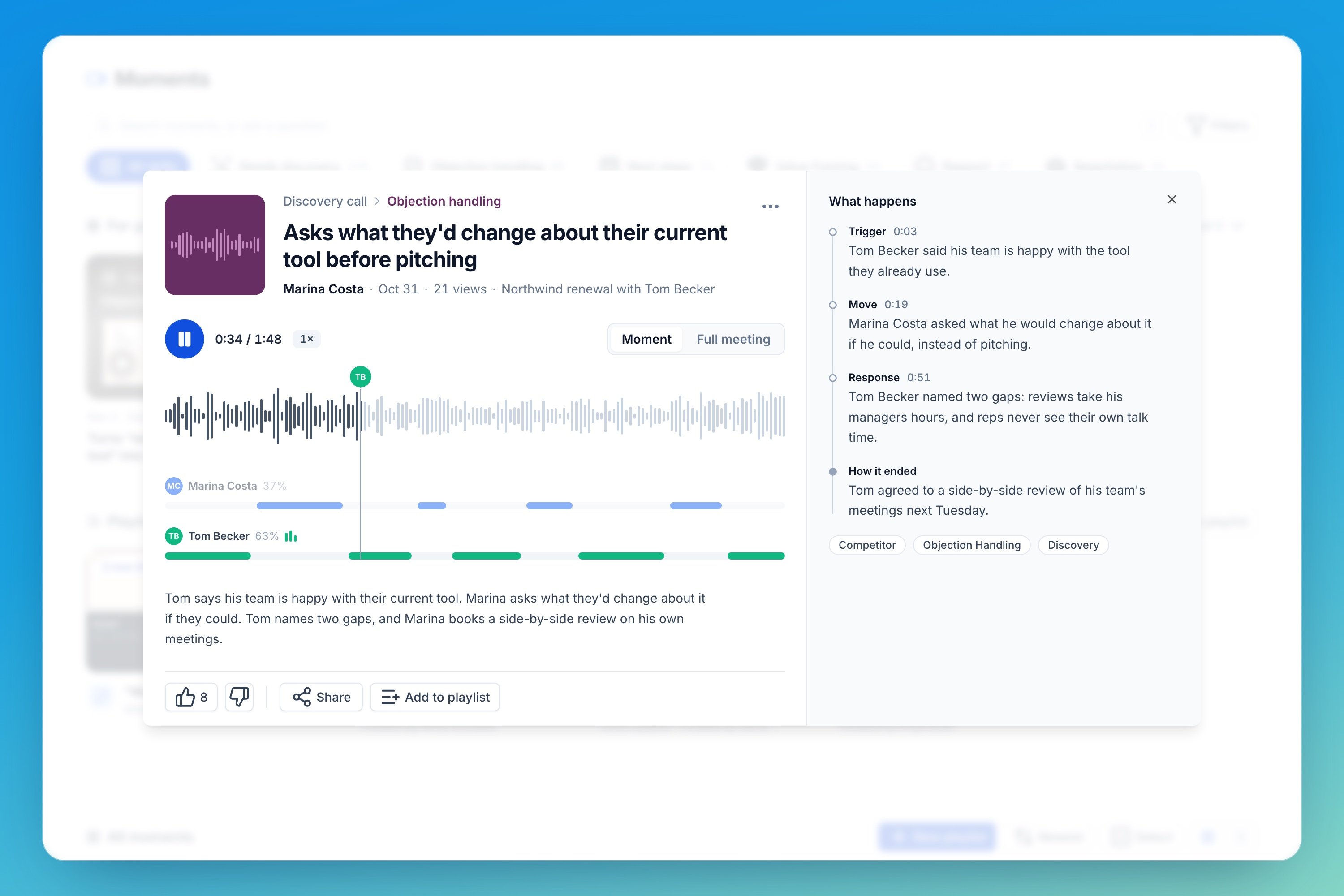
- One lane per speaker under the waveform shows who talks when.
- The current speaker is highlighted as it plays. Hover to see who was speaking at any point, and click to jump there.
- What happens, ratings and Full meeting work as they do for video.
- Make your own by selecting a stretch of the waveform on an audio meeting’s report.
Smart playlists
Smart playlists are in beta. Turn on Keep it up to date when you create a playlist and describe the moments you want, or start from a skill or a suggested idea. A preview shows the moments it starts with.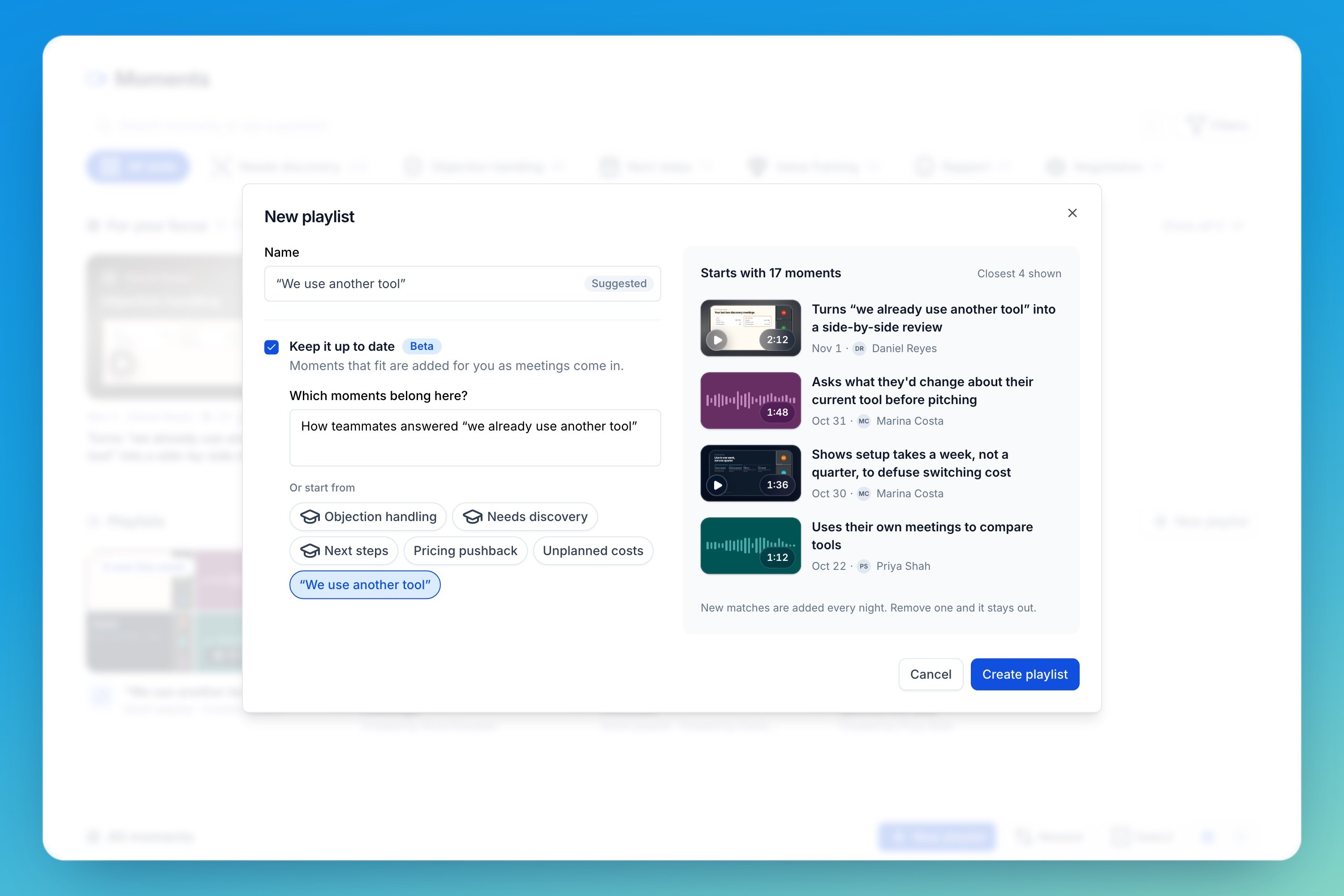
Also in this release
- One library for the whole company. Workspaces are now a filter. Old library and playlist links redirect.
- Filters for workspace, teammate, scorecard, section, skill, audio or video, and conversation type. They apply to search too.
- Select several moments to add them to a playlist, or remove them from one, at once.
- A better playlist page, with Play all, watched progress, Hide watched, drag to reorder, and bulk remove with Undo.
- Create a moment from any transcript line, or from a transcript search result. AI Coach suggests the title and description.
- A mini player on audio meeting reports keeps the audio playing as you move between tabs.