

What you can do
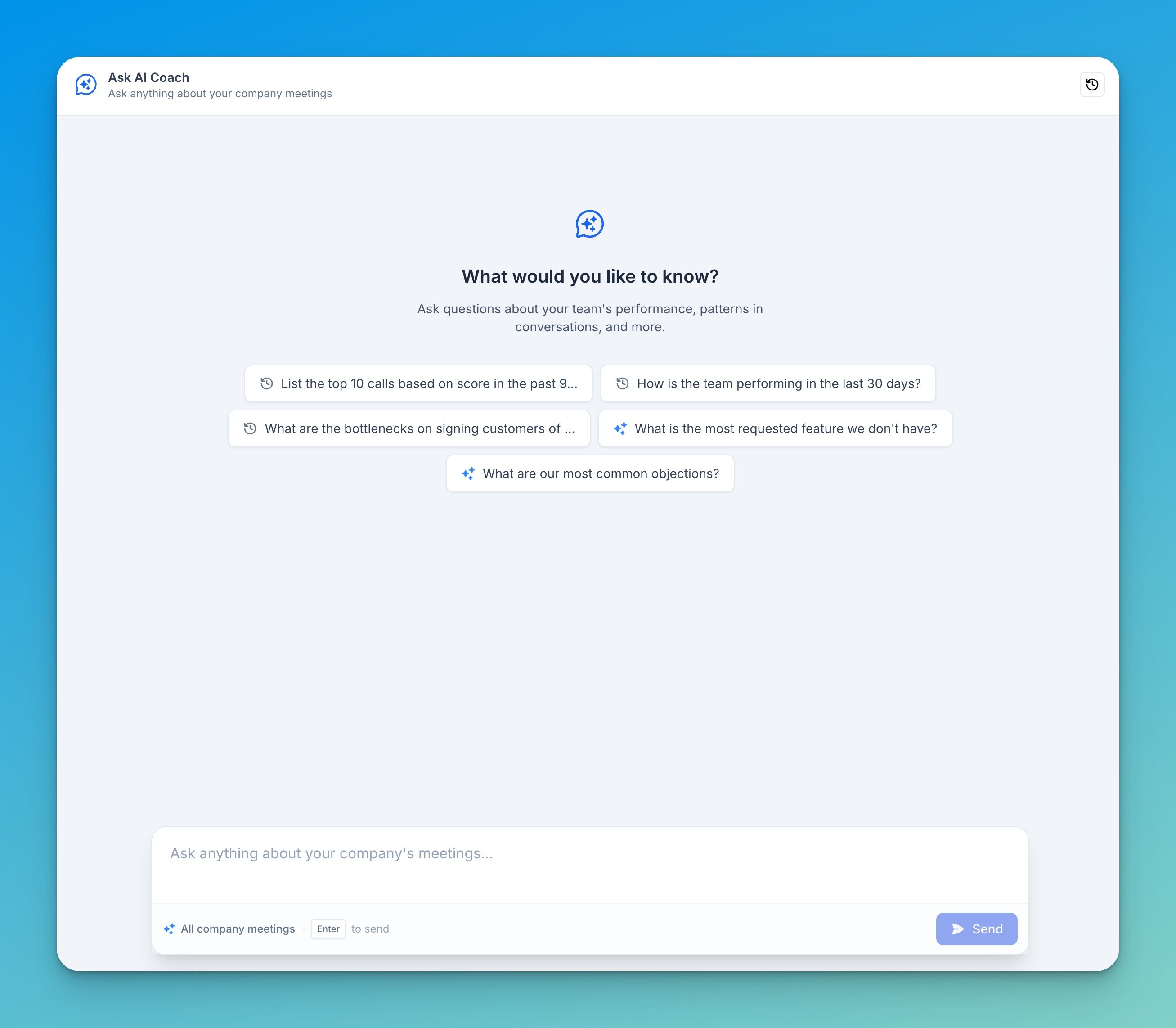
- Ask anything about company meetings — performance, trends, objections, competitors, requested features, and more.
- Have a conversation — follow up, refine, and dig deeper without starting over. The chat keeps context across the thread.
- Start from a suggestion — pick one of the suggested prompts to get going quickly.
- Pick up where you left off — past conversations are saved in your chat history, so you can return to them anytime.
Access
Company AI Chat is available to Admins by default. Admins can extend access to Managers and Members from Settings → Organization → Permissions, in the AI & Integrations section, by toggling Company AI chat on for each role.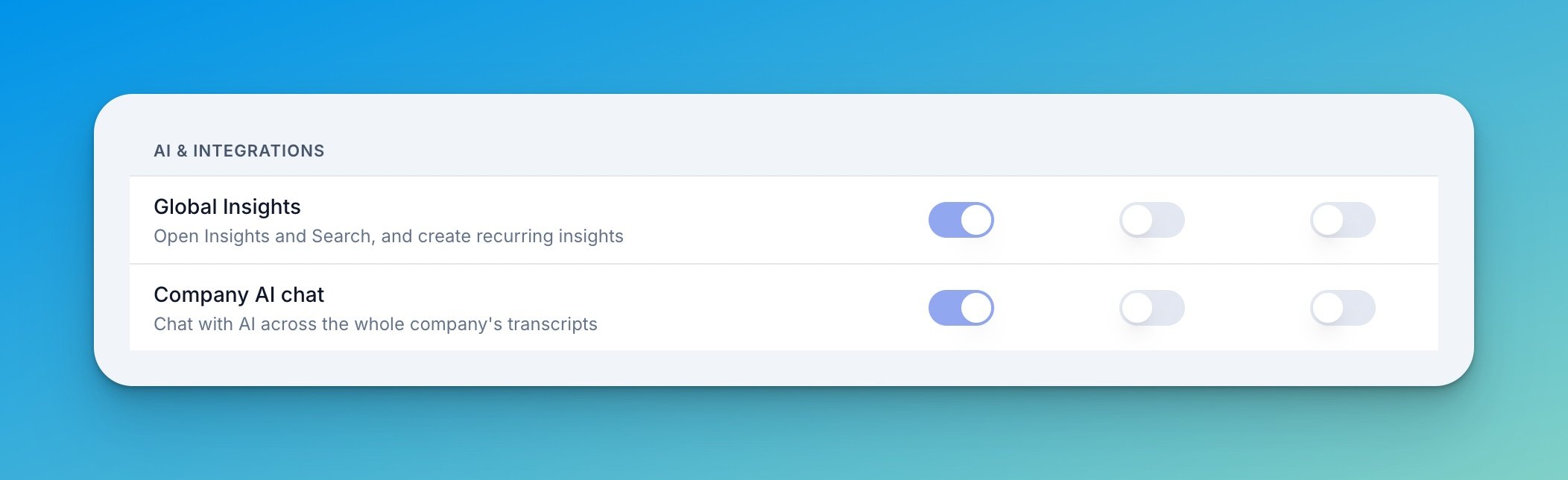
The three toggles map to the company roles Admin, Manager, and Member. Admins always keep access — the toggle stays on. See Roles & Permissions for how roles work.
Example questions
- “How is the team performing in the last 30 days?”
- “What are our most common objections?”
- “What is the most requested feature we don’t have?”
- “What are the bottlenecks on signing customers?”
- “List the top 10 calls based on score in the past 90 days.”
Tips for better answers
Be specific
Be specific
Narrow questions get sharper answers. “How did discovery calls go last month?” beats “How are we doing?”
Ask follow-ups
Ask follow-ups
Treat it as a conversation. Once you get an answer, drill in — “Which reps had the most of those?” — instead of rephrasing from scratch.
Use chat history
Use chat history
Open the history to return to an earlier conversation, or start a new chat when you switch topics so each thread stays focused.