

Where to find scorecards
Go to Settings > Team > Scorecards to see every scorecard available to you in one list, across all your workspaces.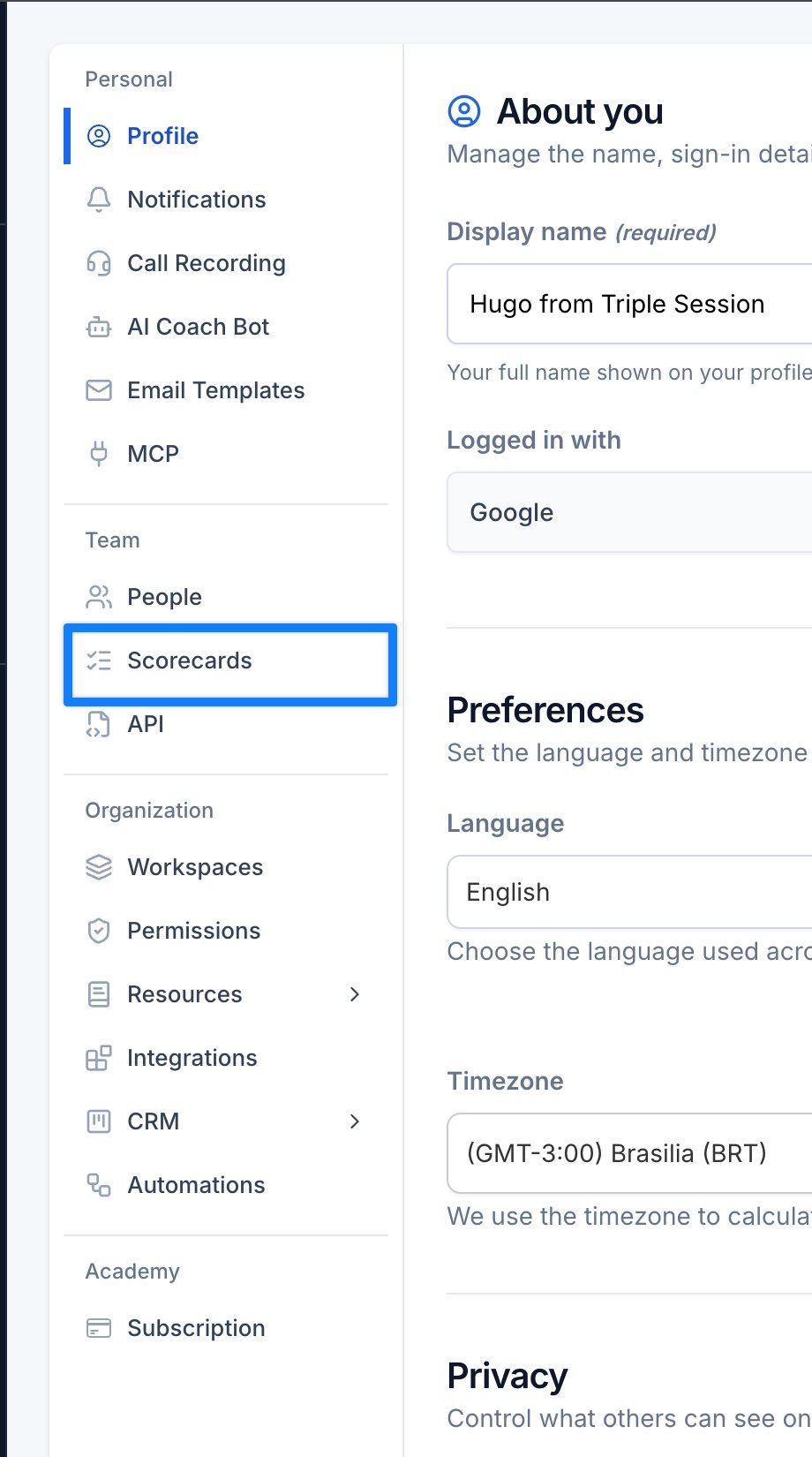
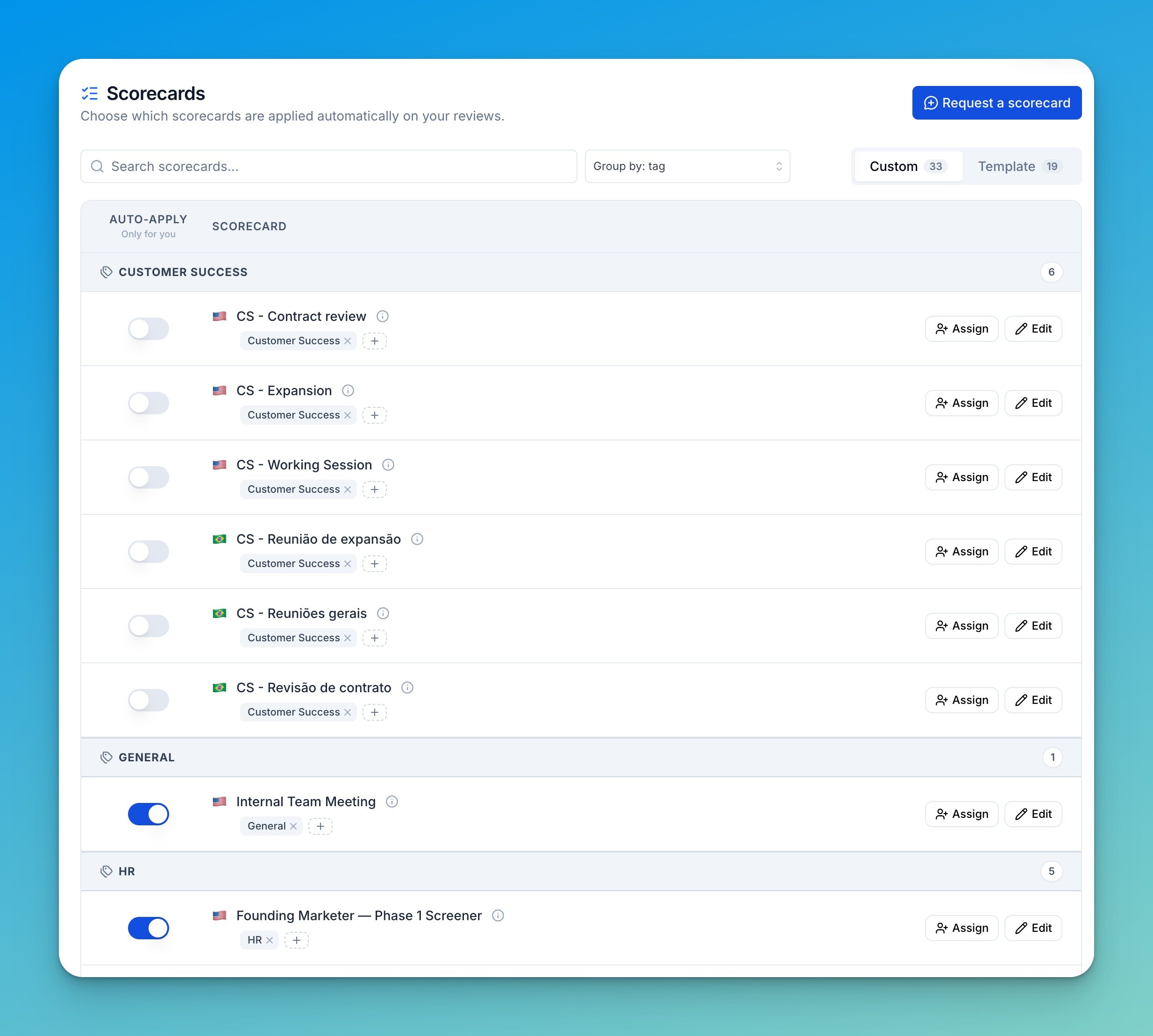
- Auto-apply — turn this scorecard on for your own reviews. It only affects your calls.
- Assign — give the scorecard to other people in a workspace you manage. See Assigning a scorecard to your team.
- Edit — change the scorecard’s criteria, insights, description, hints, or tags.
Template scorecards can’t be edited — see Custom scorecards. If you don’t see Edit on your custom scorecards, ask a company admin — see Company Permissions.
Assigning a scorecard to your team
Click Assign on a scorecard row to give it to other people. Pick the workspace, choose who gets it — Everyone, Only Members, Only Managers, or Specific people — and save. The scorecard is added to whatever each person already has. Switch to Override existing to replace their current scorecards with this one instead.What’s inside a scorecard
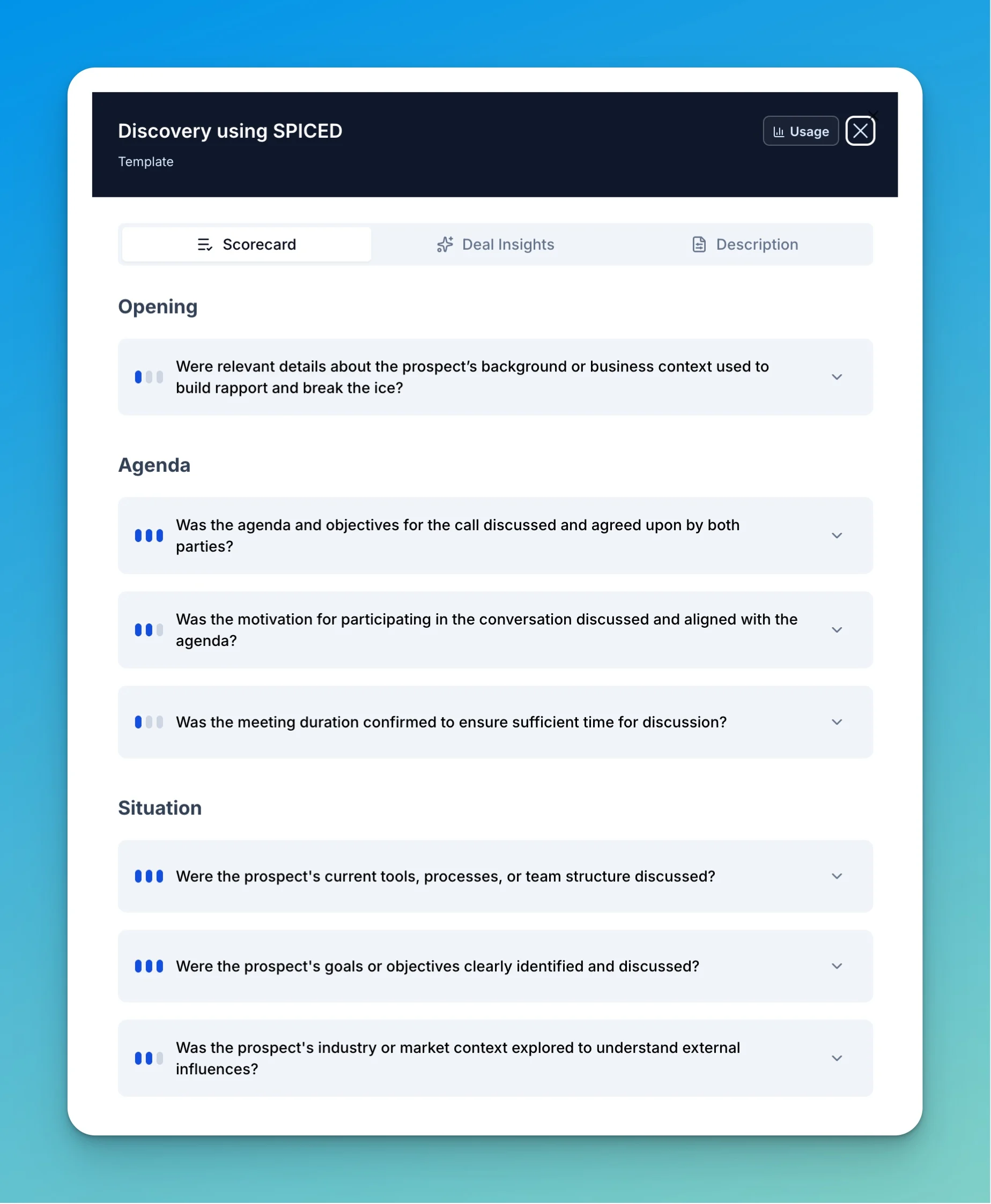
Every scorecard has three parts that work together:Criteria
The questions AI Coach scores the call against, grouped into sections like Opening, Agenda, and Situation.
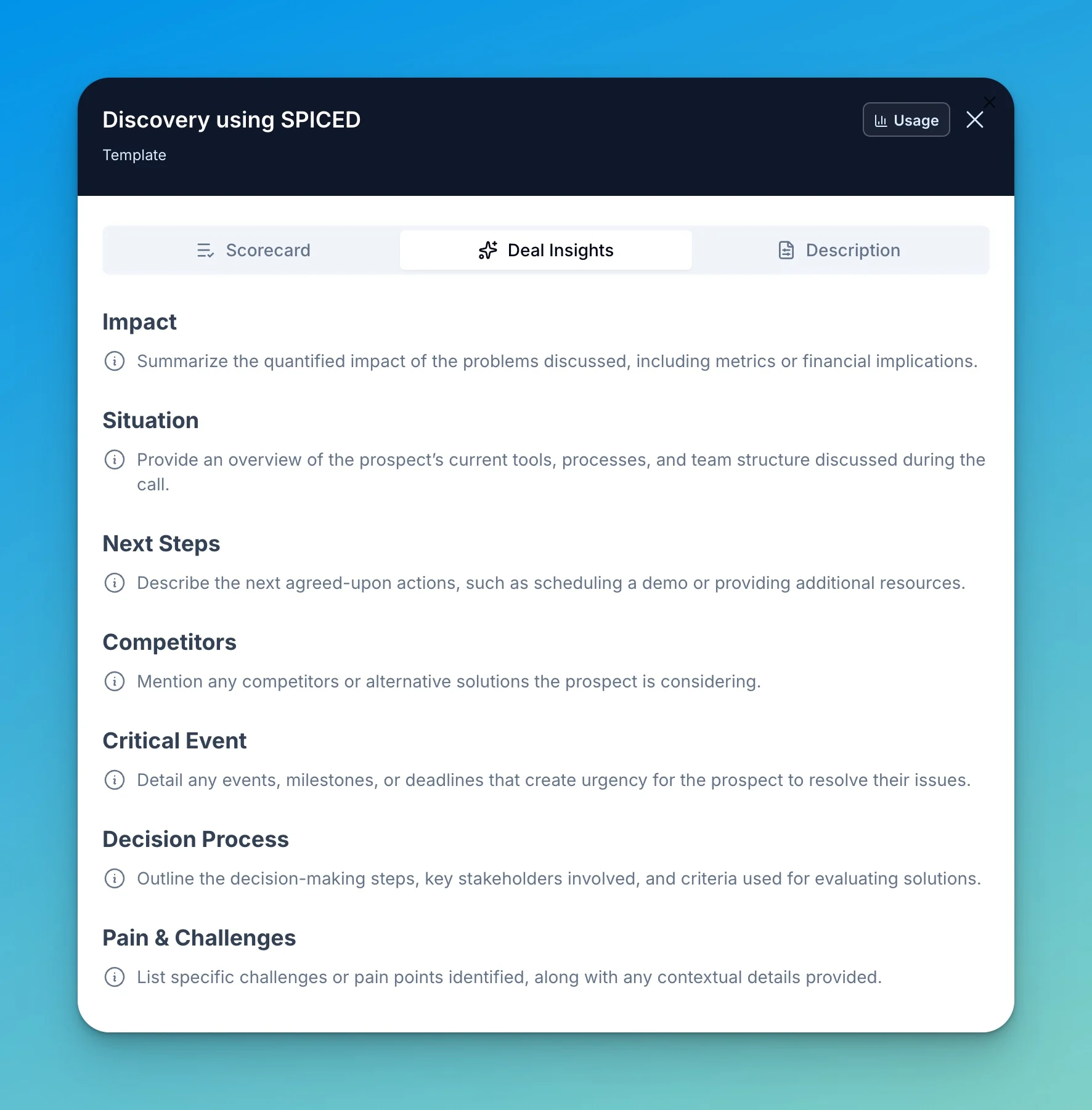
Insights
Structured information AI Coach extracts from the conversation — pain points, next steps, competitors, and more.
Description & hints
The signals that tell AI Coach when this scorecard should be applied to a call.
How criteria are scored
Each criterion is a question AI Coach answers about the call. Every criterion defines what counts as Met, Partially met, and Not met, so the evaluation is consistent from call to call. For example, for “Was the agenda and objectives for the call agreed upon by both parties?”:Met: The rep set a clear agenda and the prospect explicitly aligned on the goals for the call. Partially met: An agenda was mentioned, but in a superficial way or without confirming the prospect agreed. Not met: No agenda or objectives were established at the start of the call.
Weight
Every criterion carries a weight that controls how much it moves the overall score:
Use weights to reflect what matters most for a given call type — a critical step a rep must never miss versus a nice-to-have that only slightly nudges the score.
Skippable criteria
A criterion can be marked with a skippable condition — a rule that tells AI Coach when the question simply doesn’t apply. When the condition is true for a call, the criterion is skipped and left out of the score instead of being marked Not met.Skippable Condition: Skip if no objections were raised during this conversation.This keeps scores fair: a rep isn’t penalized for not handling objections on a call where none came up.
Built-in scorecards
Triple Session provides a set of ready-to-use scorecards covering the most common call types:Cold Call
Evaluates performance on outbound cold calling, covering how reps introduce themselves, handle early objections, and secure next steps.
Discovery Call
Assesses how thoroughly reps uncover prospect pain points, goals, and decision-making criteria during discovery conversations.
Demo Call
Measures how effectively reps present the product, tie features to prospect needs, and advance the opportunity during demonstrations.
Discovery using MEDDICC
A discovery scorecard structured around the MEDDICC qualification framework — Metrics, Economic Buyer, Decision Criteria, Decision Process, Identify Pain, Champion, and Competition.
Discovery using SPICED
A discovery scorecard built on the SPICED methodology — Situation, Pain, Impact, Critical Event, and Decision.
Scorecard details and language
Open a scorecard and go to the Details tab to set its name, language, and tags.
- Scorecard Name — How the scorecard appears in lists and reviews.
- Scorecard language — The language used for scorecard prompts, criteria, and generated evaluation text. Set this to the language you want the criteria breakdown and scores written in.
- Tags — Comma-separated labels used for quick search, grouping, and filtering in the scorecard list.
Insights language
Insights have their own language setting, found on the Insights tab. Insights language controls the language used for generated insight titles and prompts — independent of the scorecard language. A team can score calls in English while producing insights in Portuguese, for example.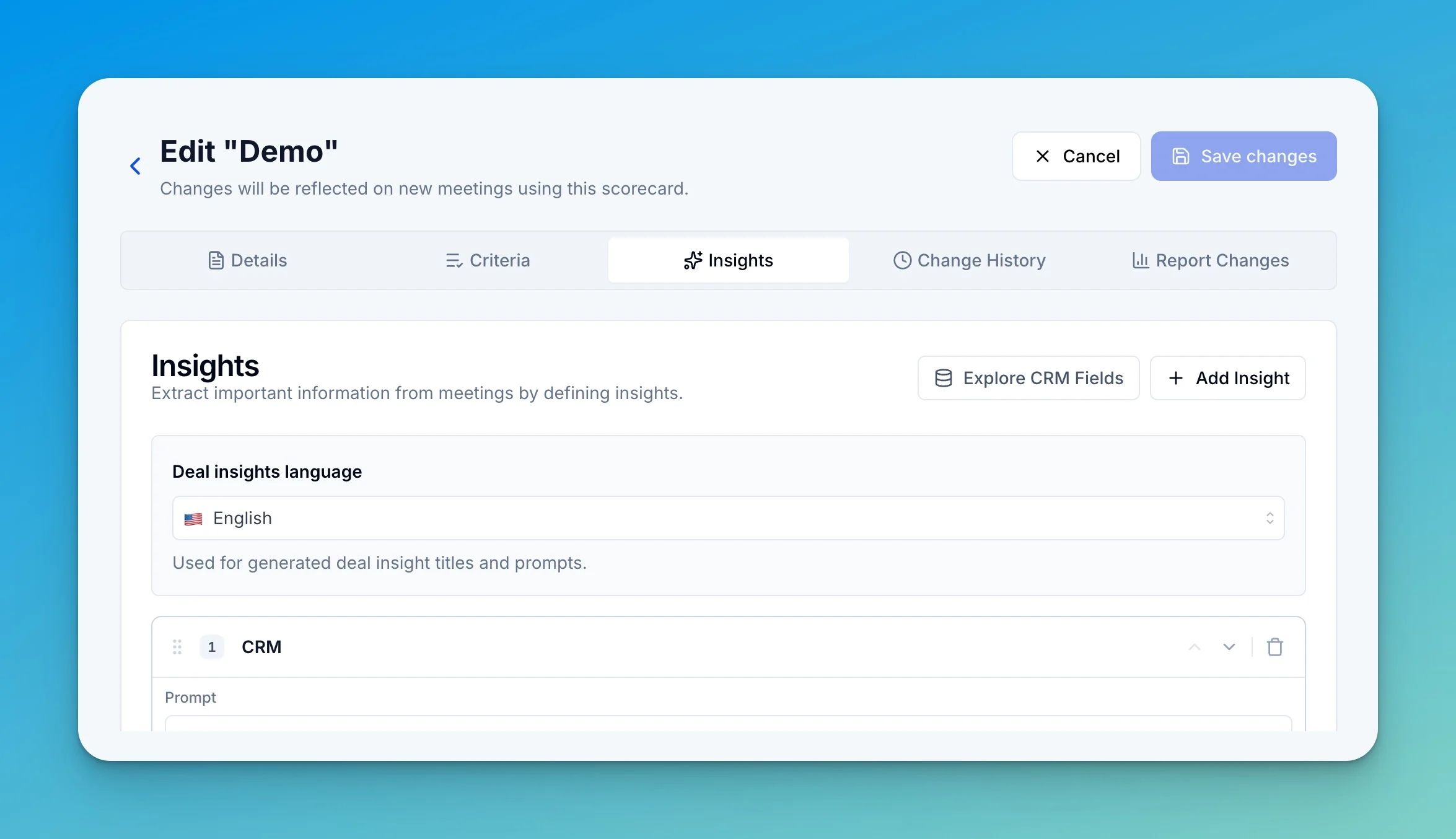
Scorecard language and insights language are set per scorecard. Changes apply to new meetings reviewed with that scorecard.
Learn more
Smart Scorecards
Let AI Coach pick the right scorecard for each meeting.
Custom scorecards
Get a scorecard built around your own playbook.
Unscored scorecards
Review calls against criteria without giving them a score.