

How to set up Automated Reviews
1
Connect a supported calling tool
Automated Reviews require an active integration with at least one supported call recording platform. Follow the setup guide for your tool:
2
Turn on Auto Reviews for the tool
Auto Reviews are an opt-in setting on each integration. When you connect a tool, you’ll be prompted to confirm your Auto Review settings during setup — you can also change this any time from the integration’s panel in settings.Turn on Automatically review meetings for each tool you want AI Coach to process. When it’s on, AI Coach reviews meetings recorded through that tool as soon as they end.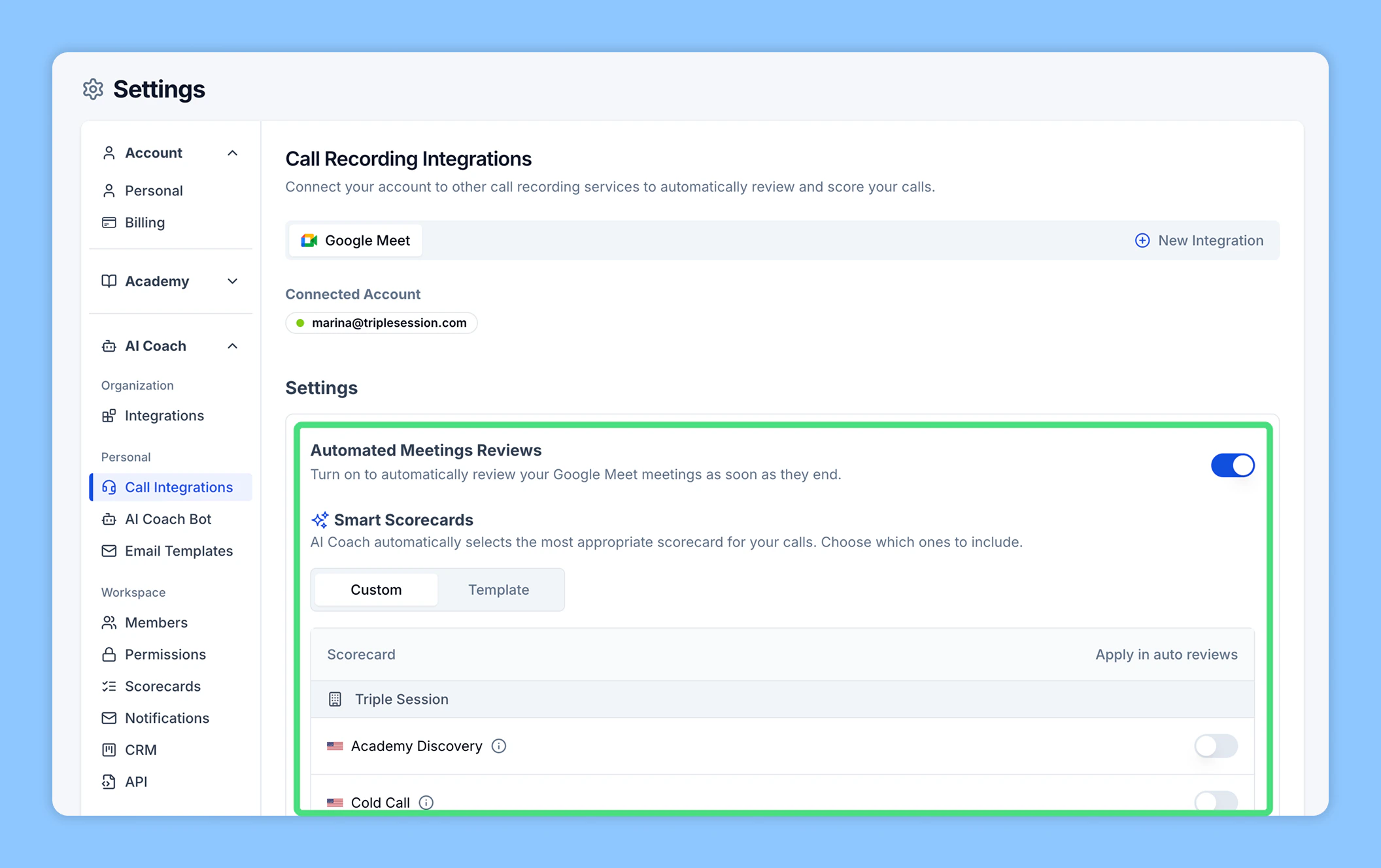
3
Review insights in your dashboard
After each meeting ends, AI Coach processes the recording and delivers results to your AI Coach dashboard. You can view performance scores, scorecard breakdowns, and coaching plans for every reviewed call.
Smart Scorecards
Smart Scorecards let Automated Reviews pick the right scorecard for each meeting with no manual input. AI Coach matches the call against your eligible scorecards — using each one’s description and smart selection hints — and applies the best fit. Control which scorecards AI Coach picks for your calls at Settings > Team > Scorecards: toggle Auto-apply on a scorecard to include or exclude it. See Smart Scorecards to tune how matching works.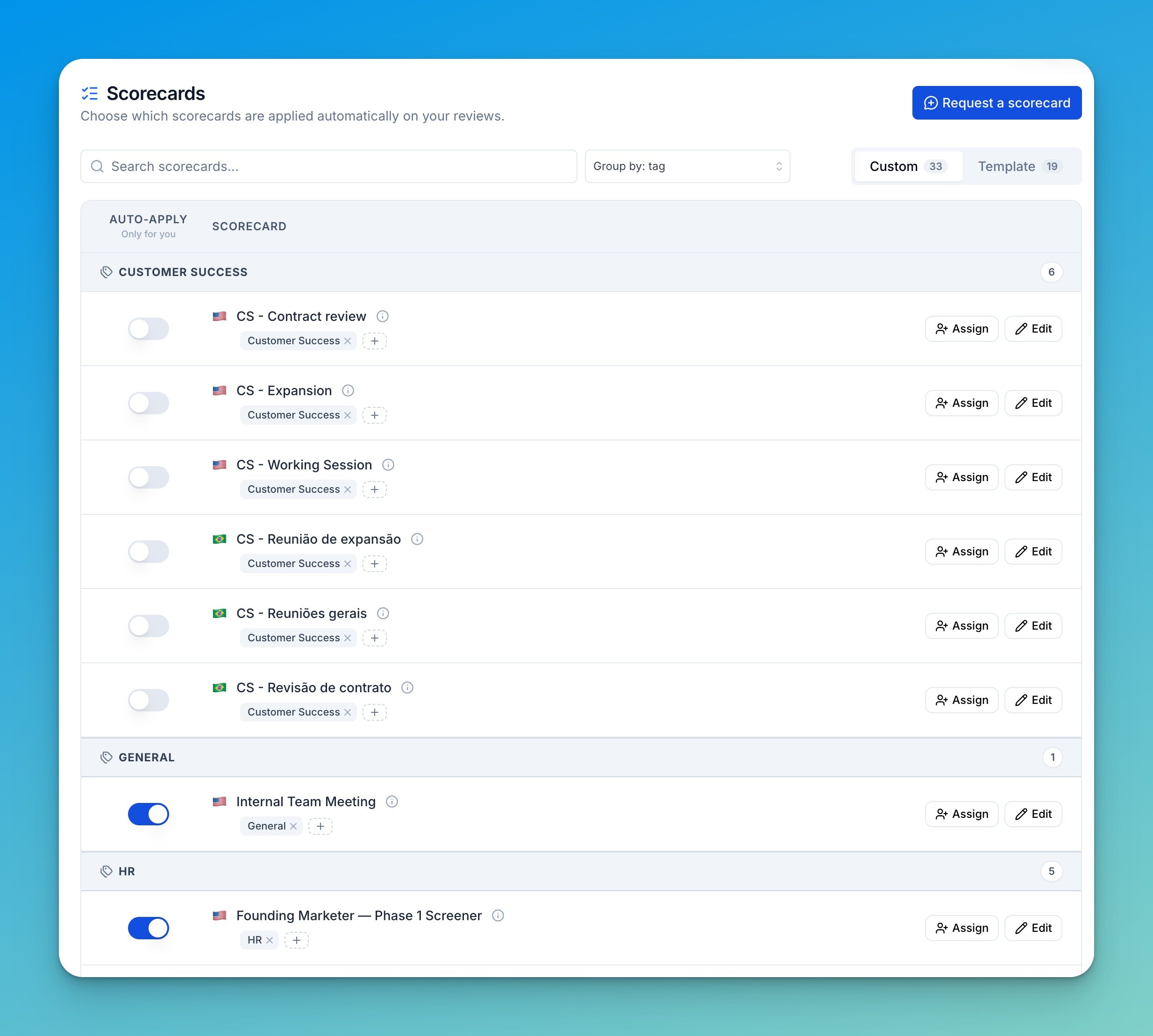
Auto-apply is personal — it only affects your own reviews. Admins and Managers set which scorecards apply to their team from the same page’s Assign action, or from People.
Controlling which meetings get reviewed
You can be more selective about what AI Coach picks up:- AI Coach Bot recording preferences — choose which calendar meetings the Bot records: all one-time meetings, external only, internal only, or by title keyword, with an option to include recurring meetings. See Recording preferences.
- HubSpot Call Sources — if you use HubSpot, select which call sources (VoIP and/or other integrations) AI Coach reviews. See HubSpot.
Turning off Auto Reviews
Auto Reviews are controlled per integration. If you prefer to review certain meetings manually, turn off Automatically review meetings for that tool in its settings panel. You can still manually upload or import meetings for review at any time.Have questions or run into issues? Contact the support team at support@triplesession.com.