

Why use the AI Coach Bot
- No special subscriptions required: You don’t need a Google Business or Zoom paid plan. The bot joins and records calls on your behalf.
- Faster processing: Processing time is significantly faster than native integrations with Google Meet, Zoom, or Microsoft Teams.
- Never miss a recording: The bot joins every qualifying meeting automatically. You only need to allow it in, and it starts recording.
How to enable the AI Coach Bot
1
Open Settings
In Triple Session, click Settings in the left-hand sidebar.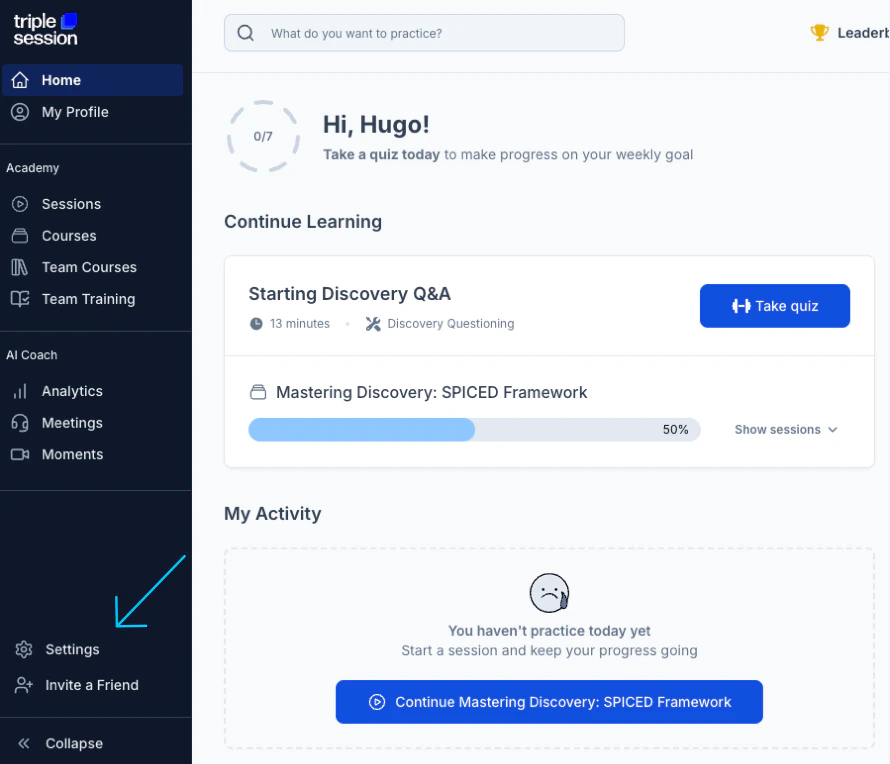
2
Navigate to AI Coach Bot
Under the AI Coach section, select AI Coach Bot.
3
Connect your calendar
On the AI Coach Bot page, connect your Google Calendar or Microsoft Outlook account. The bot uses your calendar to detect upcoming meetings.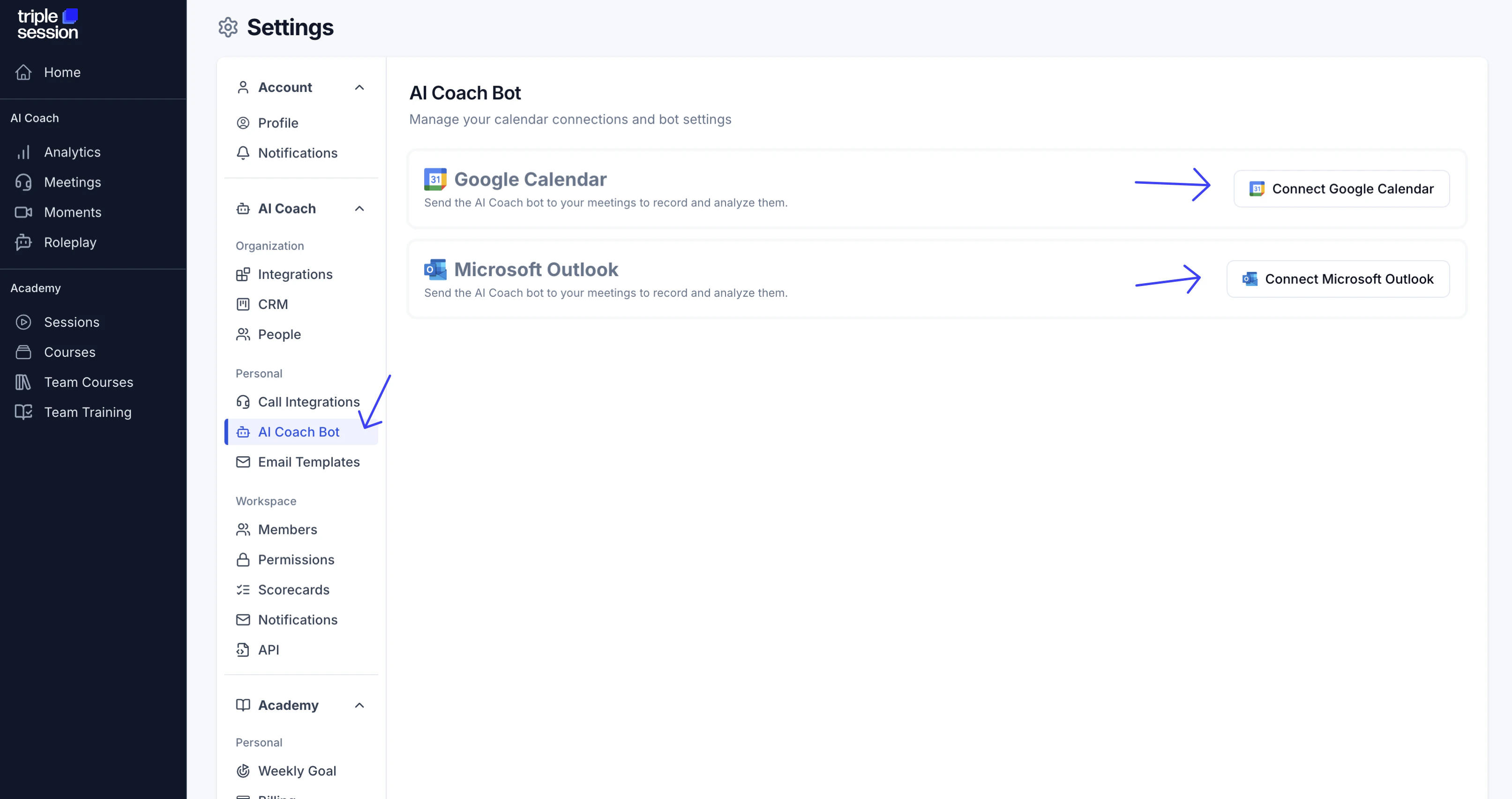
4
Enable the bot and set your preferences
After connecting your calendar, enable the bot and configure your preferences. The bot is now ready to join your upcoming meetings.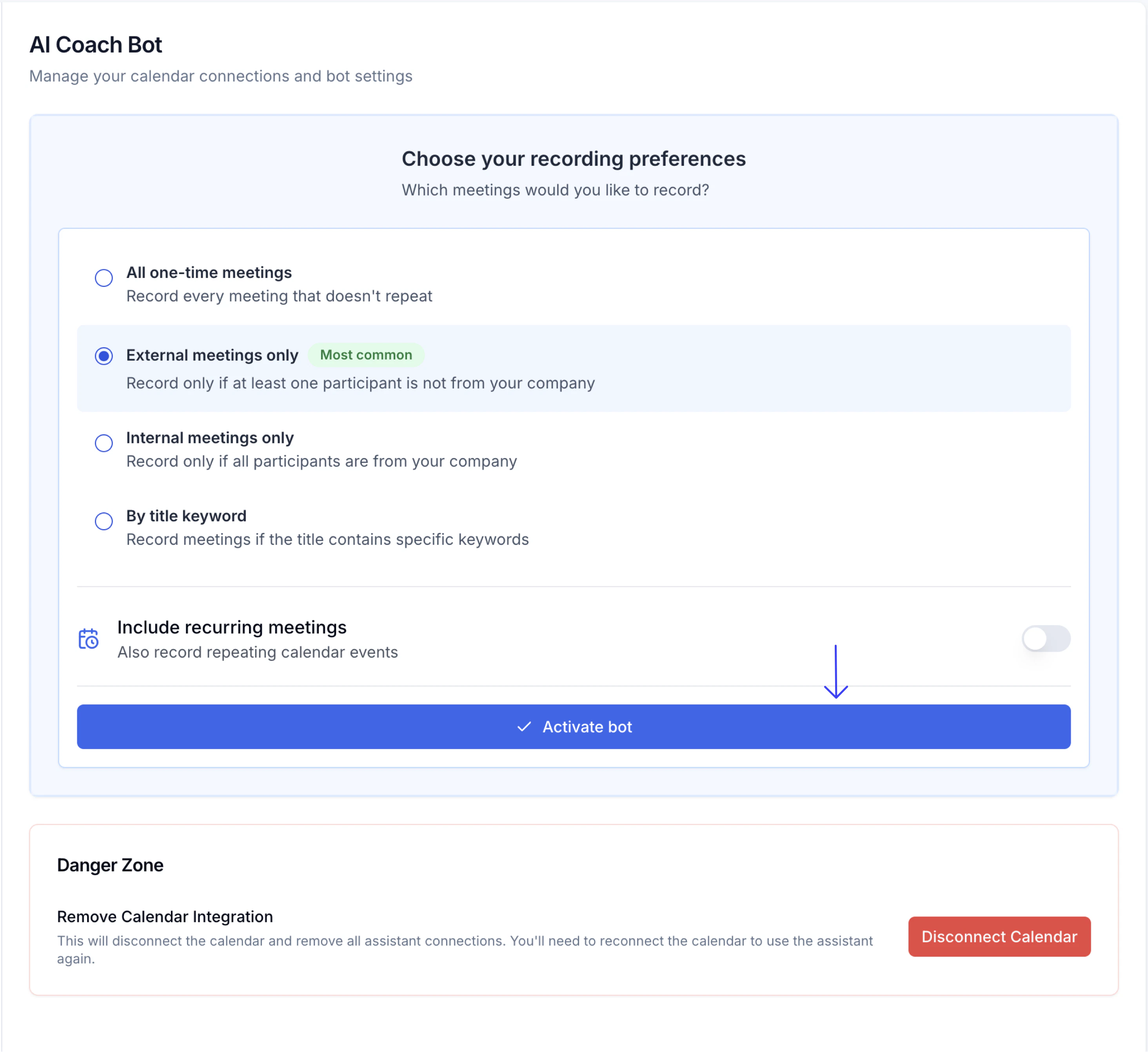
Customization options
Once the bot is active, you can adjust the following settings:- Bot display name: By default, the bot appears in meetings as Your Name’s AI Coach Notetaker. You can change this to any name you prefer.
- Meeting selection: By default, the bot joins every non-recurring meeting on your calendar. You can remove it from specific meetings where you don’t want it to attend.
Supported platforms
The AI Coach Bot supports meetings on:- Google Meet
- Zoom
- Microsoft Teams
Zoom requires additional configuration to allow the bot to record. See Set Up the AI Coach Bot on Zoom for the required settings.
Recording duration limit
The AI Coach Bot records up to 2 hours and 10 minutes per meeting. If a meeting runs longer, the bot stops recording at that point and processes only the captured portion.If you expect a longer meeting
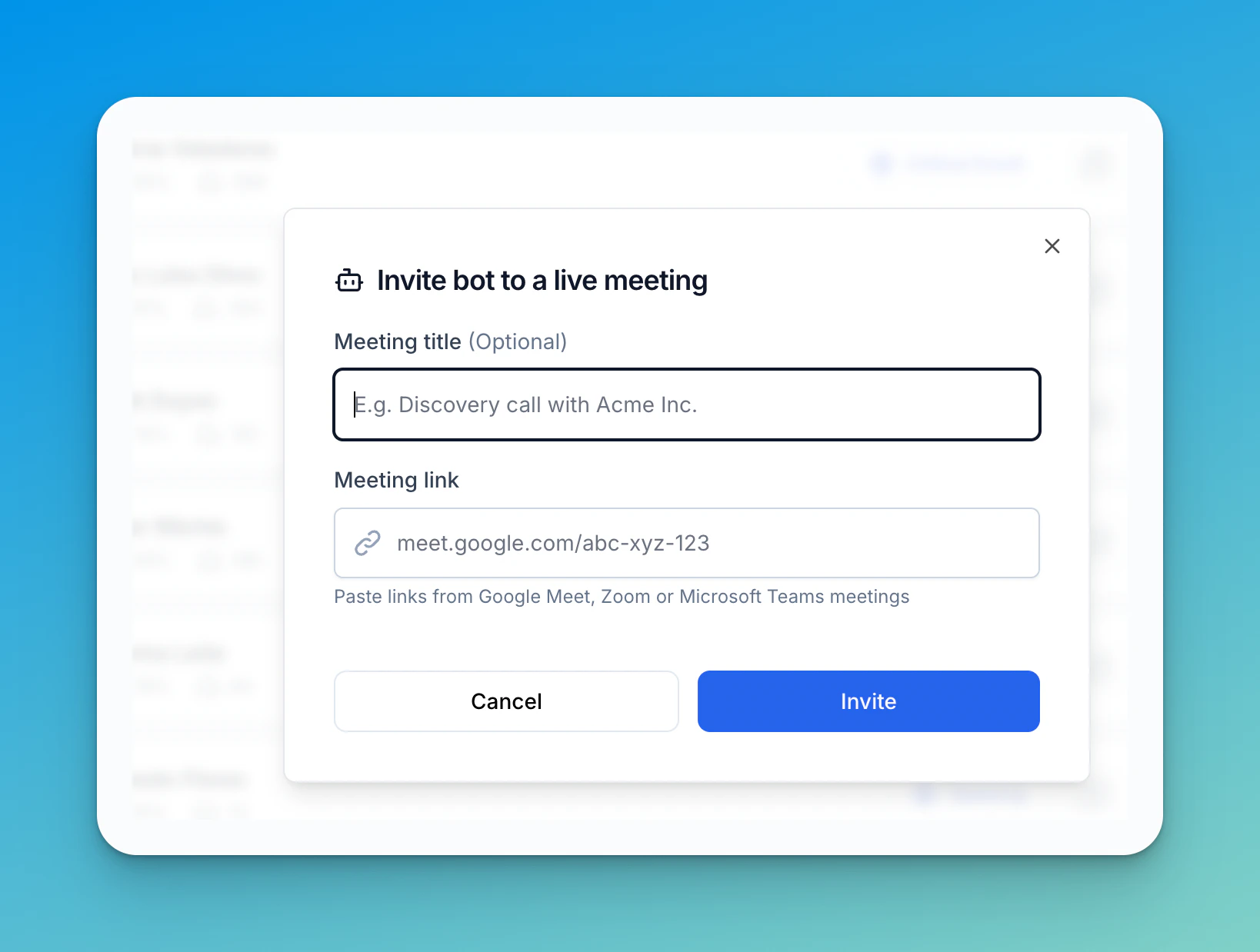
Split into back-to-back sessions (recommended) Schedule two separate meetings instead of one long one. Keep each under 2h10m. The bot joins both automatically and produces a separate report for each session. This is the most reliable approach and gives you cleaner, focused reports. Re-invite the bot mid-meeting When the bot reaches the 2h10m limit it leaves automatically. You can immediately invite it back to continue recording the rest of the meeting:- In AI Coach, click Invite bot (the bot icon in the top-right corner of the Meetings page).
- Paste the meeting link (Google Meet, Zoom, or Microsoft Teams) and optionally add a title.
- Click Invite — the bot rejoins and starts a new recording from that point.
- Download the recording file.
- Split it into segments under 2h10m using a tool like QuickTime, iMovie, or Audacity.
- Upload each segment individually via Review Call → Upload a file in AI Coach.
Manually uploaded segments are processed independently. Each produces its own report — review them together to get a full picture of the meeting.