

Connect Fireflies to AI Coach
1
Copy your Fireflies API key
Log into your Fireflies account. Click Settings, then Developer Settings. Copy your API Key — you’ll need it in a later step.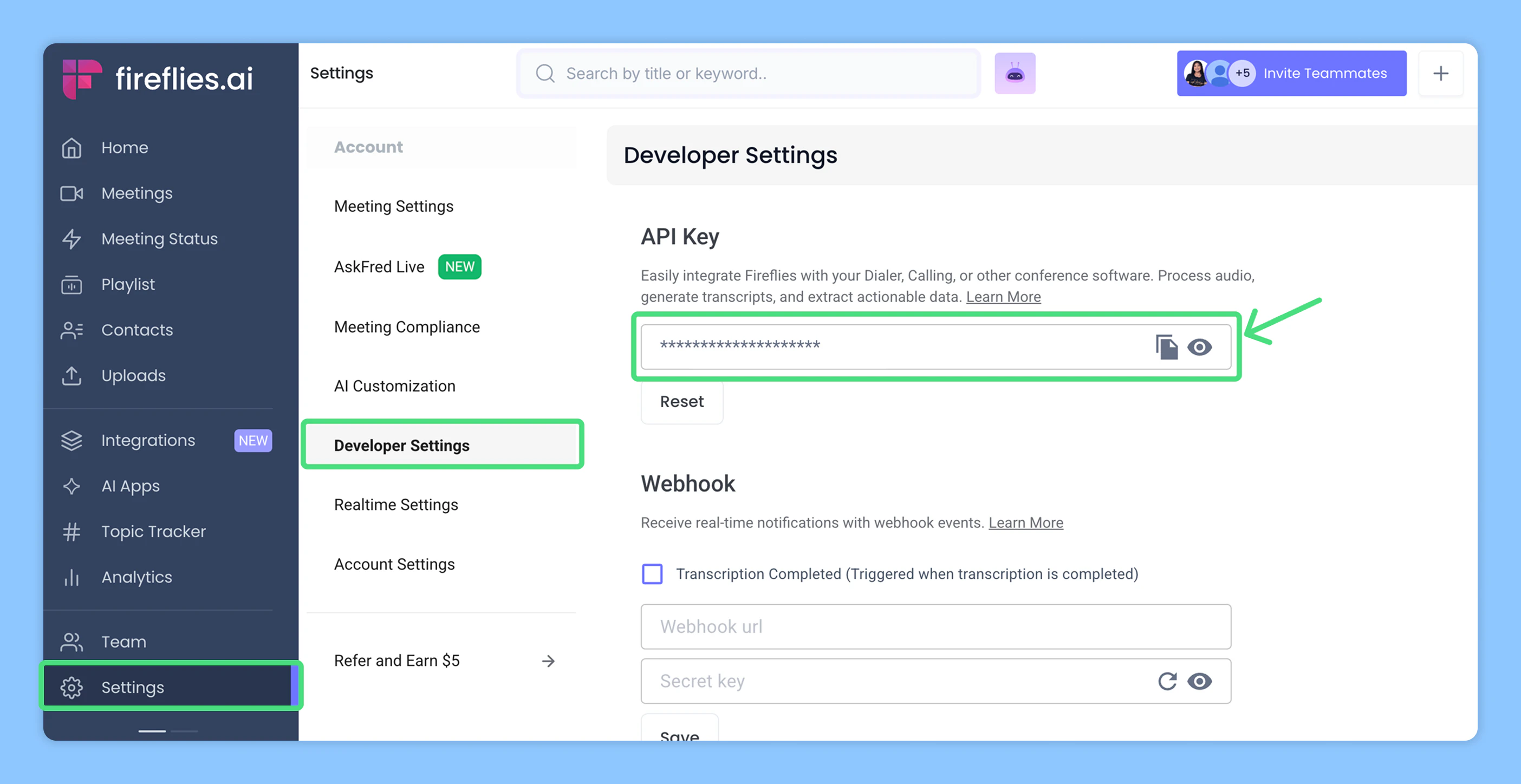
2
Go to AI Coach settings
Log into your Triple Session account. Click the Settings tab from the sidebar menu. You can also access Settings from within any AI Coach page — Analytics, Meetings, or Moments.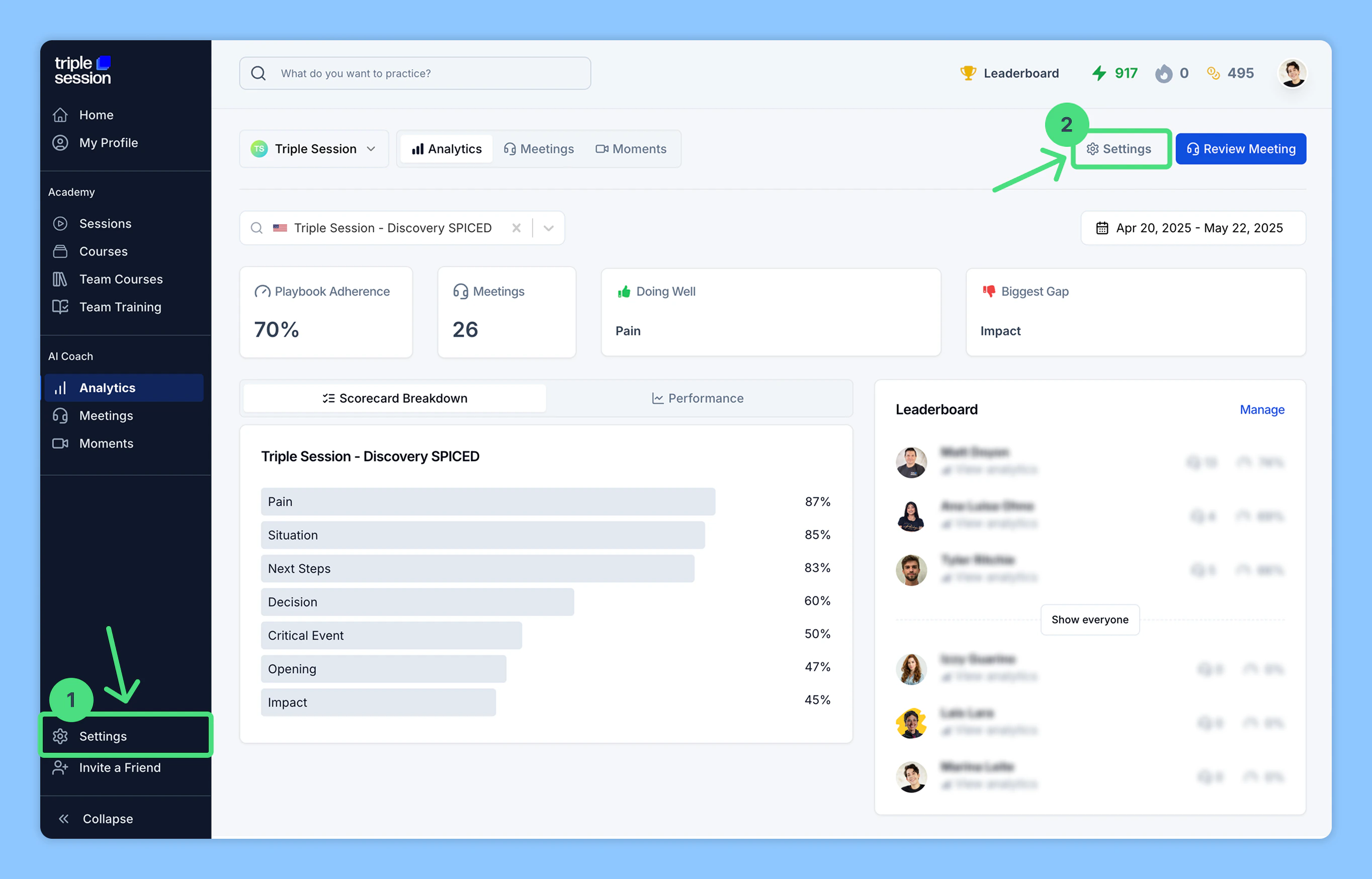
3
Connect Fireflies under Call Recording
Go to Settings > Personal > Call Recording, find Fireflies among the listed call recording tools, then click Connect.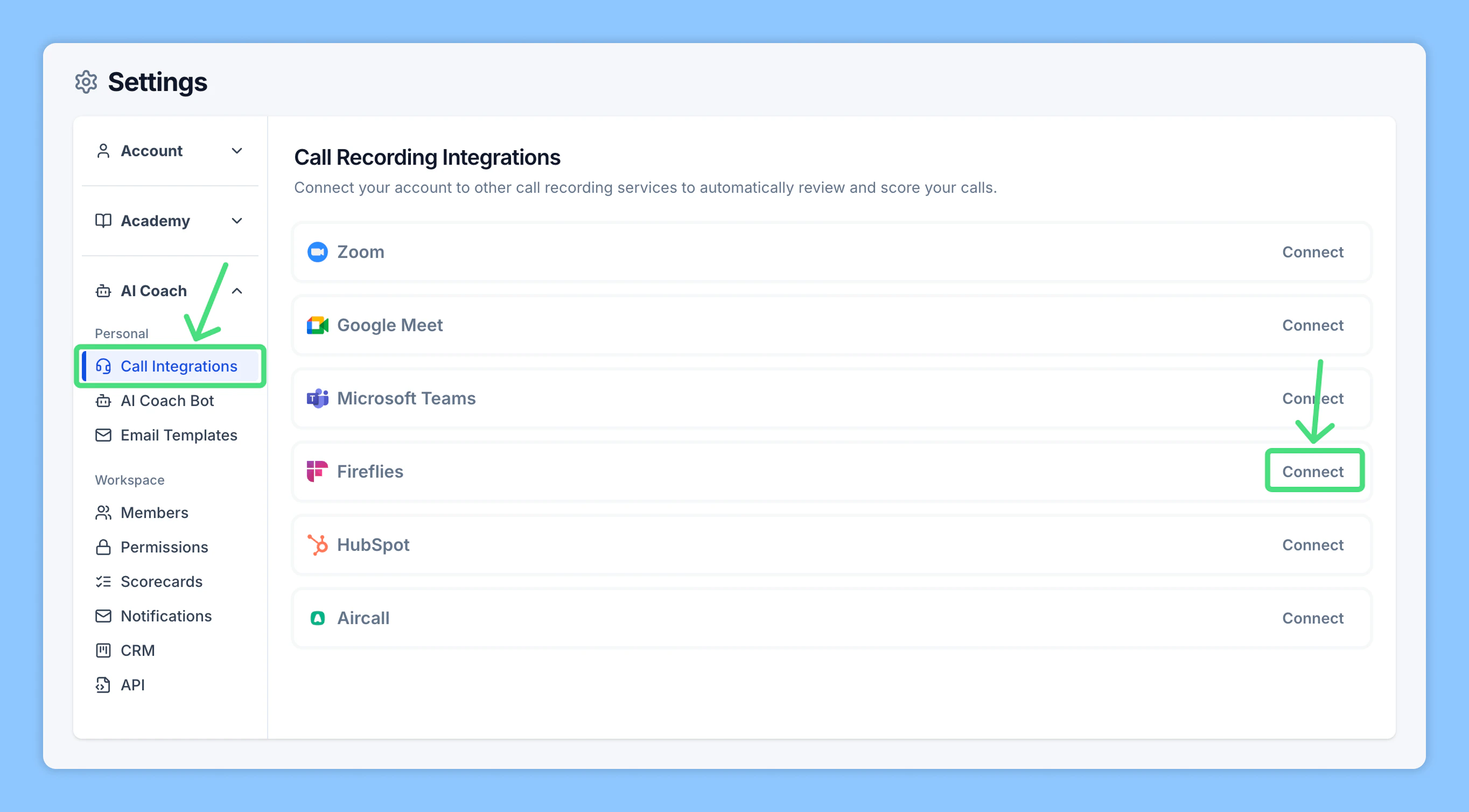
4
Paste your Fireflies API key
Paste the API key you copied from your Fireflies account, then click Connect to Fireflies.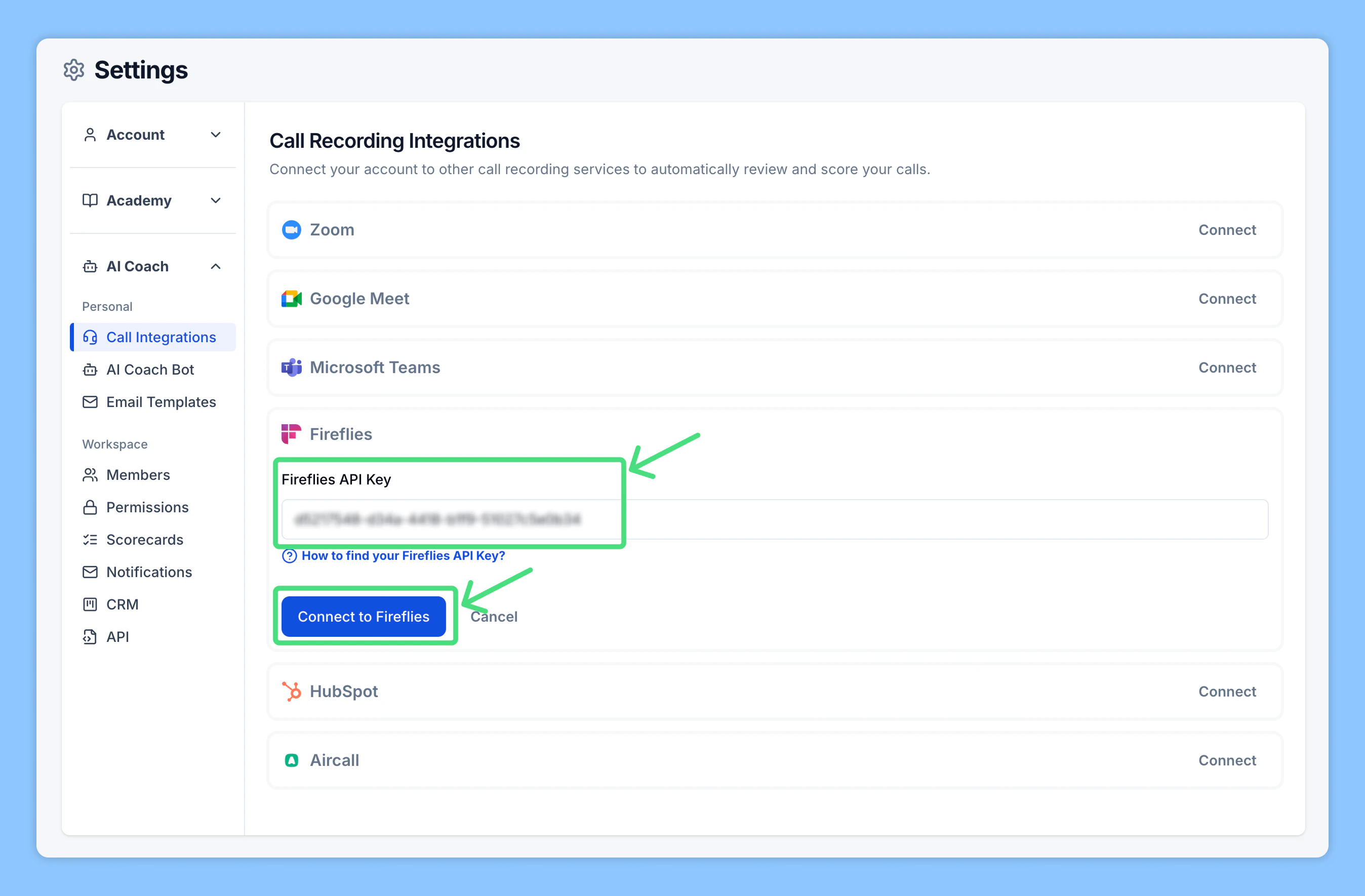
5
Enable Automated Reviews
Once Fireflies is connected, you’ll see a unique Webhook URL generated by AI Coach.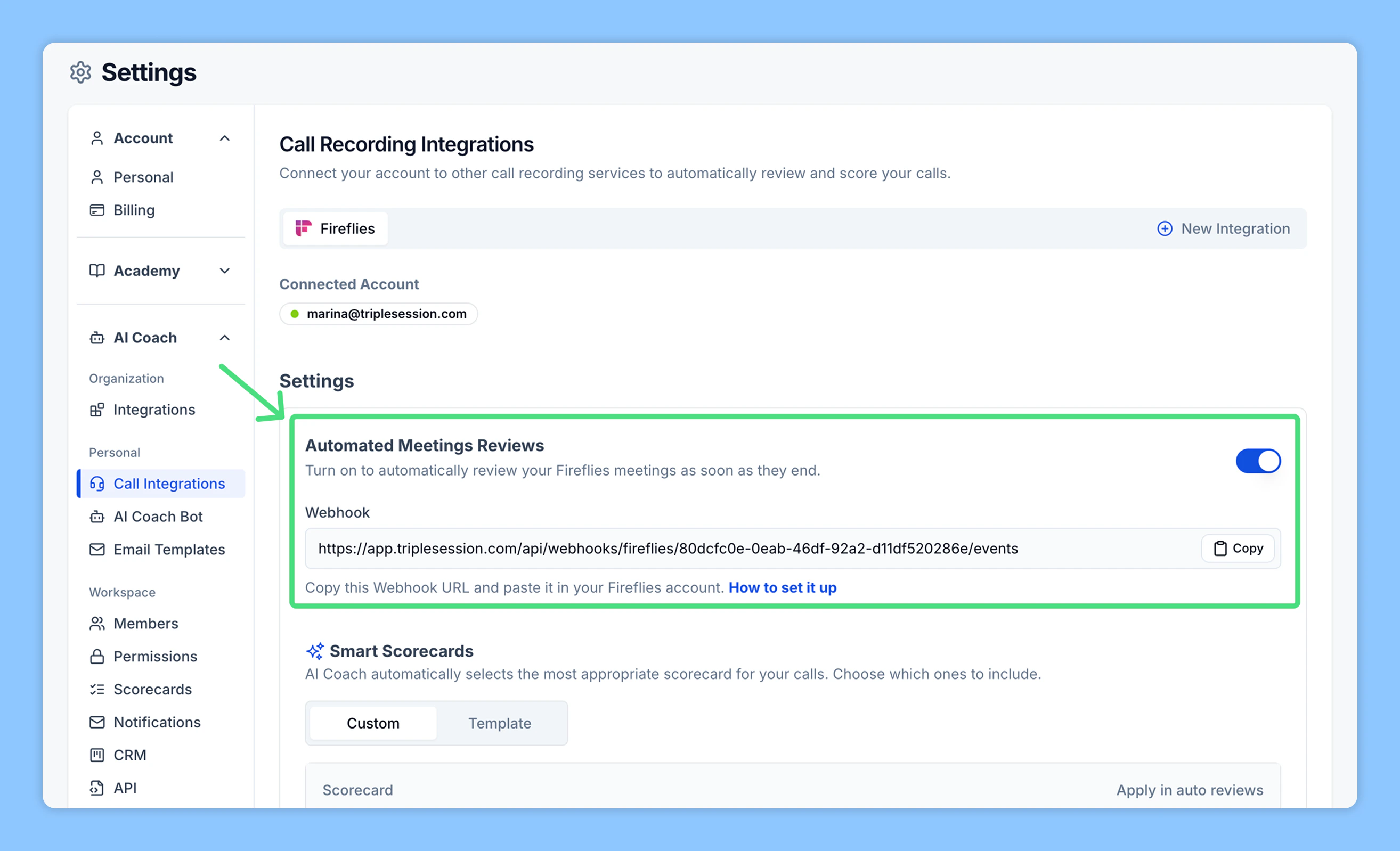
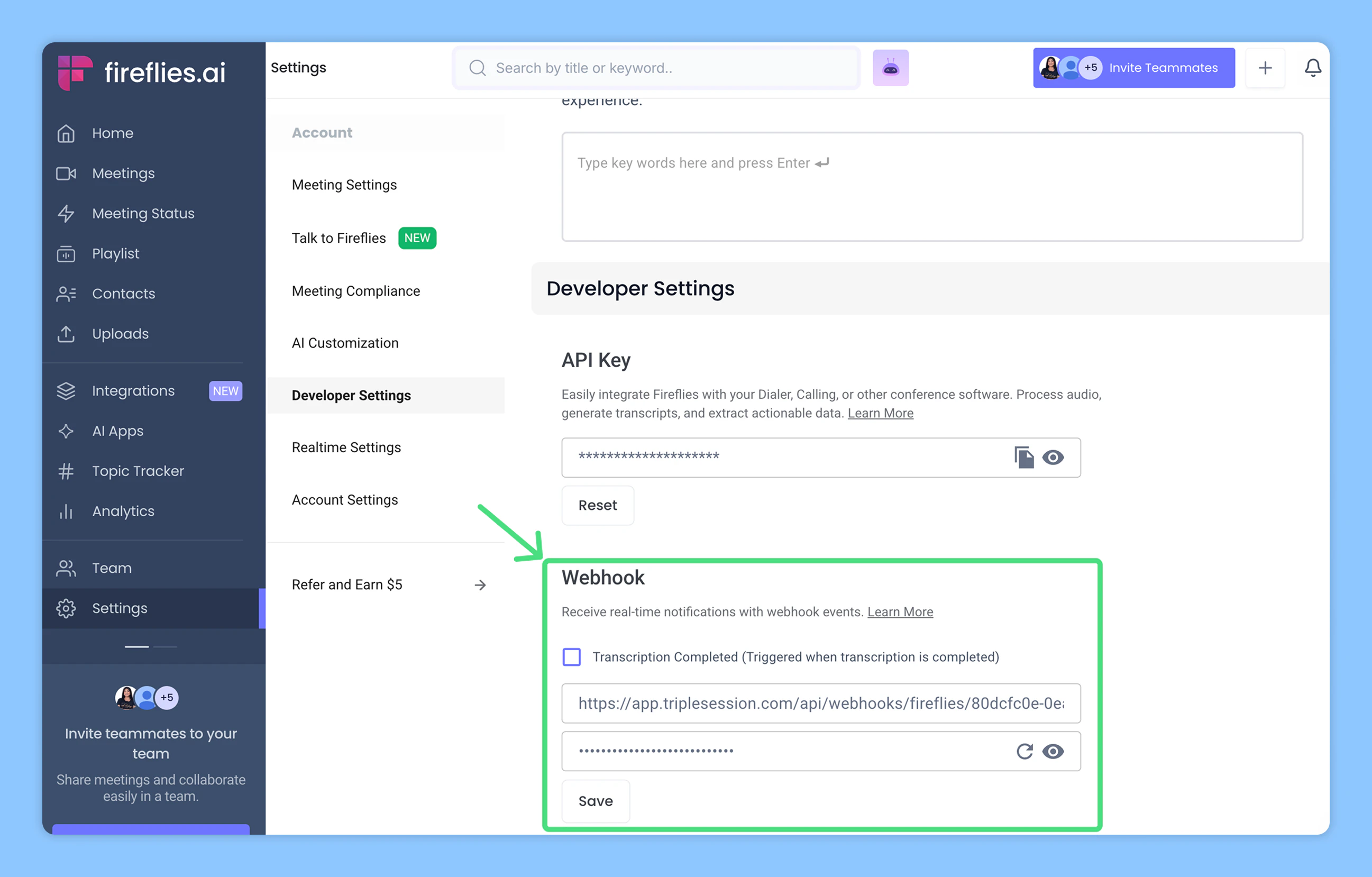
- Turn on Automated Reviews.
- Copy the Webhook URL displayed.
- Go back to your Fireflies account → Settings → Developer Settings.
- Paste the webhook into the appropriate field and save your changes.
- Import from Fireflies: Use the integration to select and import past meetings.
- Upload a file: Upload a Fireflies meeting file directly (video, audio, or transcript).
Import calls from Fireflies
You can manually import individual Fireflies recordings for analysis at any time. Before you start:- Make sure you’ve connected Triple Session and Fireflies using the API key.
1
Click Review Call in your AI Coach dashboard
In AI Coach, click Review Call to open the review options.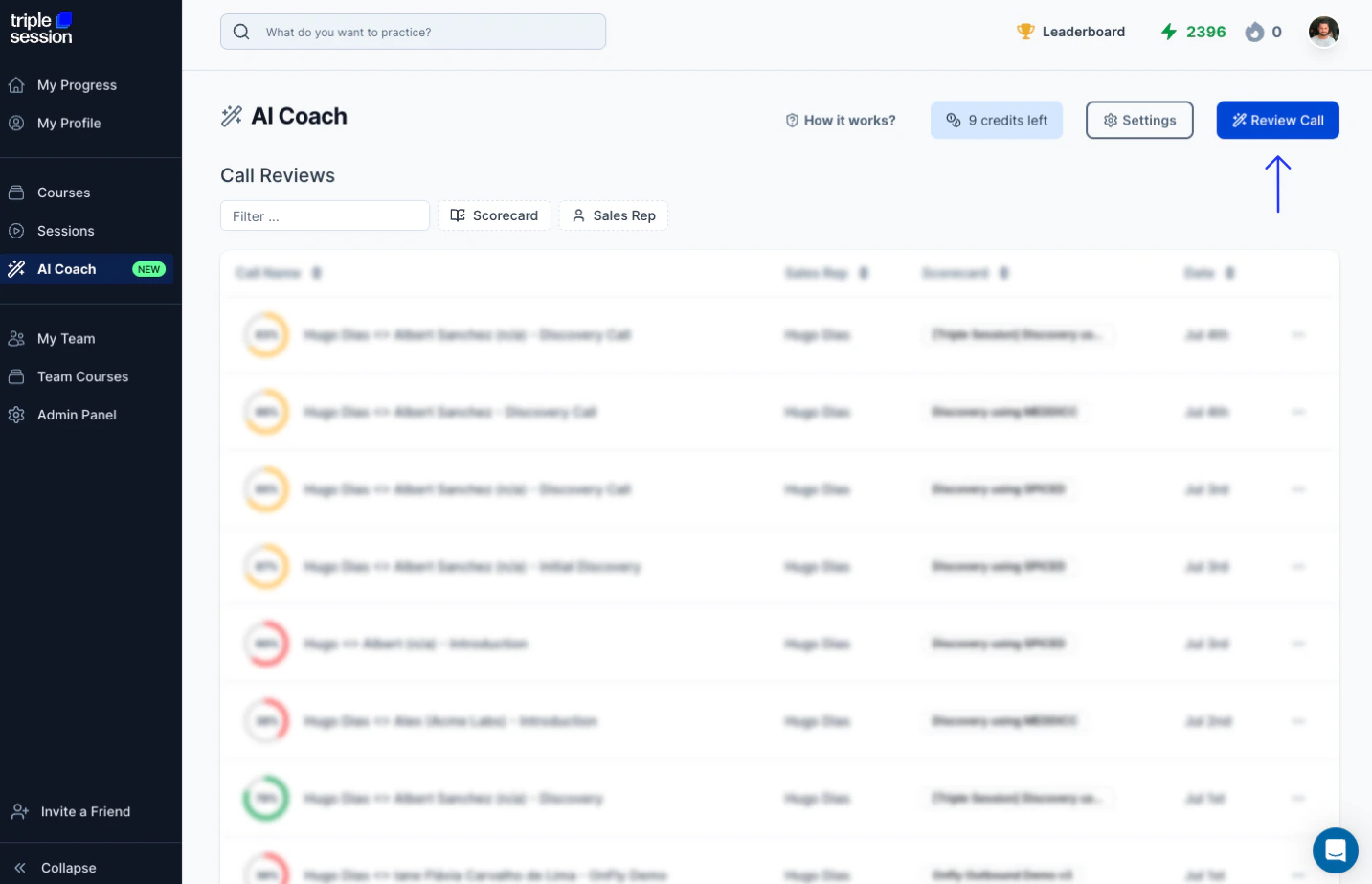
2
Select the meeting to review
Under Import from Fireflies, pick the meeting you want to review from your Fireflies account. Then select a scorecard and click Start Review.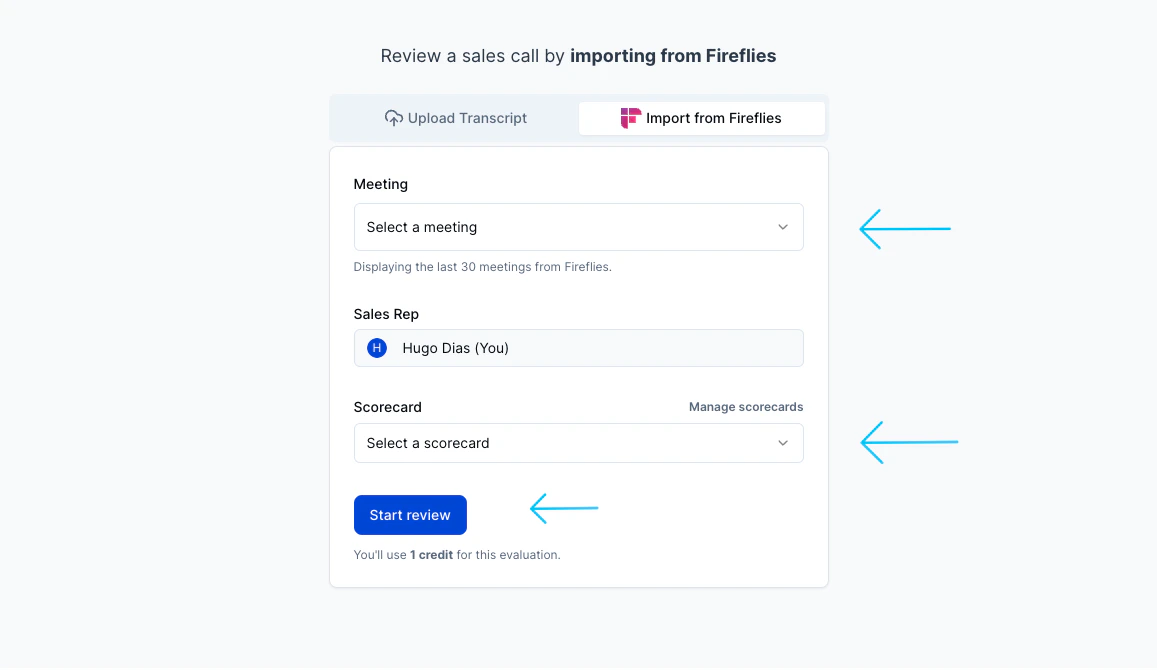
Download transcripts from Fireflies
You can download transcript files from Fireflies and upload them directly to AI Coach.1
Open Meetings in Fireflies
In your Fireflies account, click Meetings.
2
Select a meeting
Choose the meeting you want to export.
3
Download the transcript
From your Notepad, click Download, then select Download Transcript.
4
Choose SRT format
Select the SRT format. Enable the timestamp and speaker toggles before downloading.
5
Upload to AI Coach
In AI Coach, start a new review. Name the rep, select a scorecard, and upload the SRT file you downloaded from Fireflies. Click Start Analysis — your report will be ready in about 4 minutes.