

Prerequisites
Before connecting, make sure you have:- HubSpot admin access — required to create a private app in HubSpot.
- Triple Session admin access — required to connect a CRM integration under Settings > Organization > CRM.
What the integration does
Triple Session AI Coach uses a HubSpot Private App to securely interact with your CRM. Once connected, the integration can:- Fetch deals — retrieve details about open deals to provide relevant context during call evaluations.
- Map deal objects to AI Coach Deal Insights — connect your HubSpot Deal object to an AI Coach Deal Insight.
- Update deals — automatically push evaluation data to HubSpot to keep your CRM up to date.
- Access contact and company data — use HubSpot CRM objects to enrich call context with account and contact information.
- Work with tickets — add meeting notes to open tickets and update ticket properties through Automations.
Connect HubSpot to AI Coach
1
Navigate to Legacy Apps in HubSpot
In HubSpot, open Settings. In the left sidebar, expand Integrations and click Legacy Apps.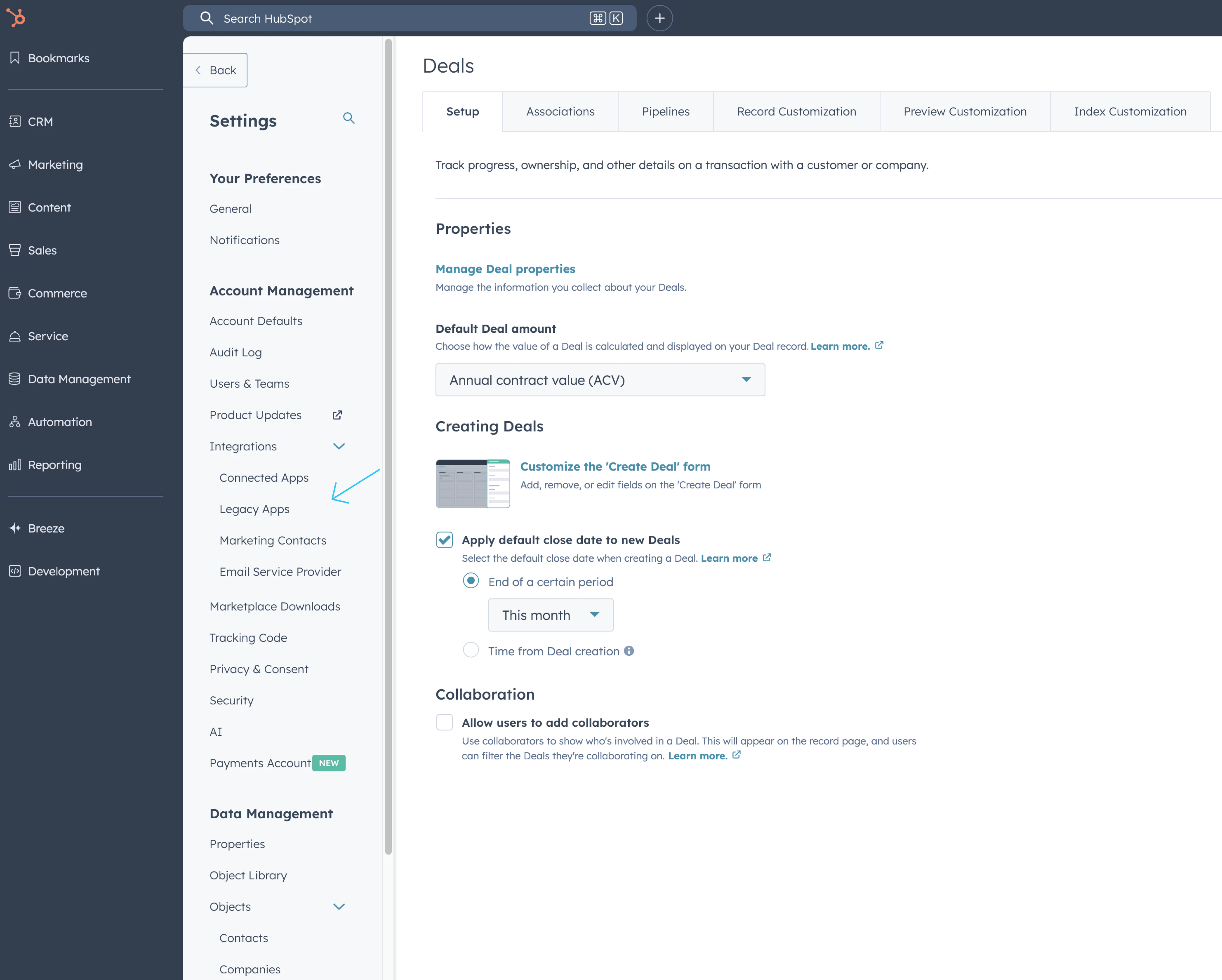
2
Create a new private app
Click Create to start creating a new legacy app. When asked what kind of legacy app to create, select Private — for one account.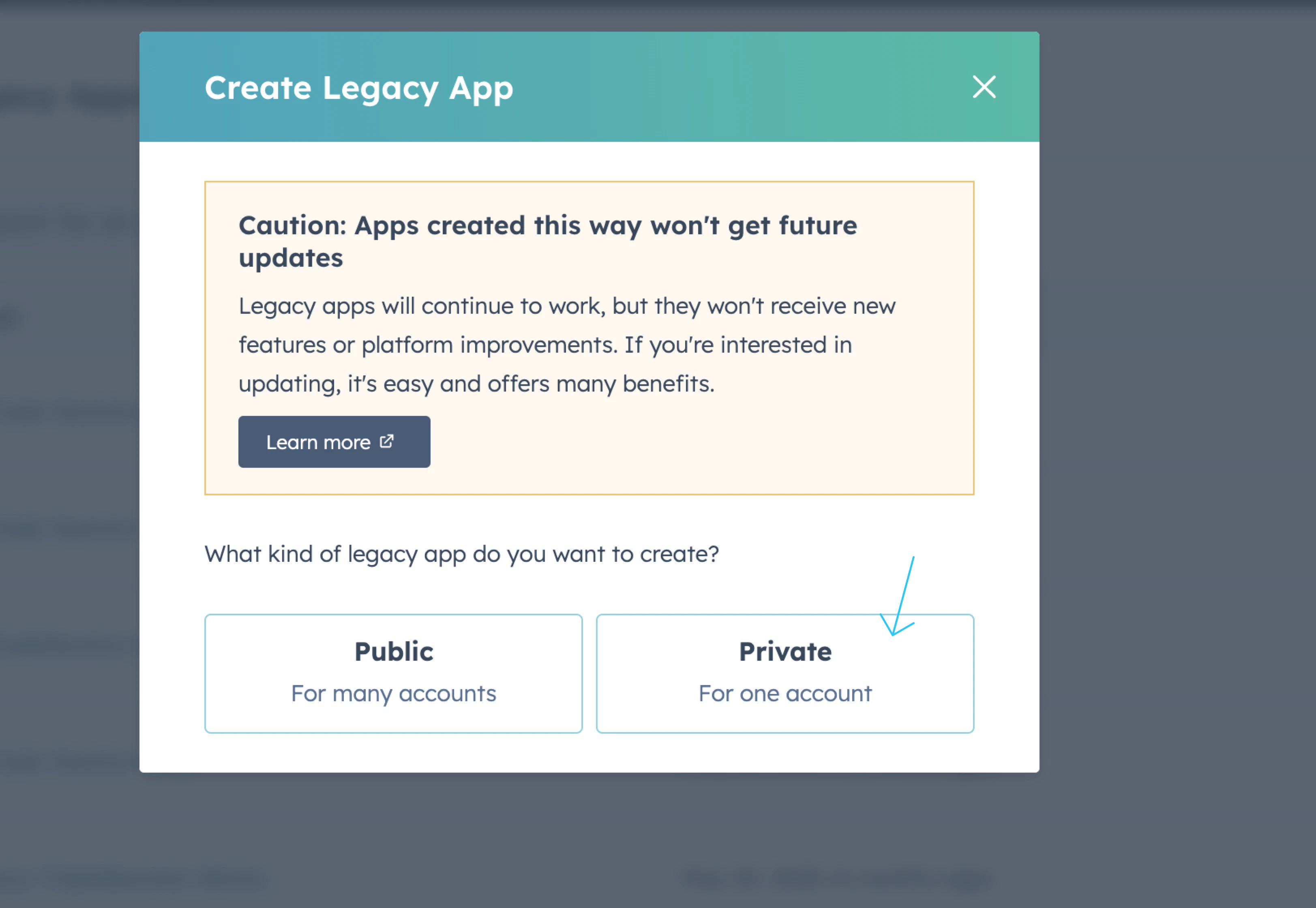
3
Add the recommended scopes
In the app configuration, go to the Scopes section. Add the following scopes exactly as listed. The 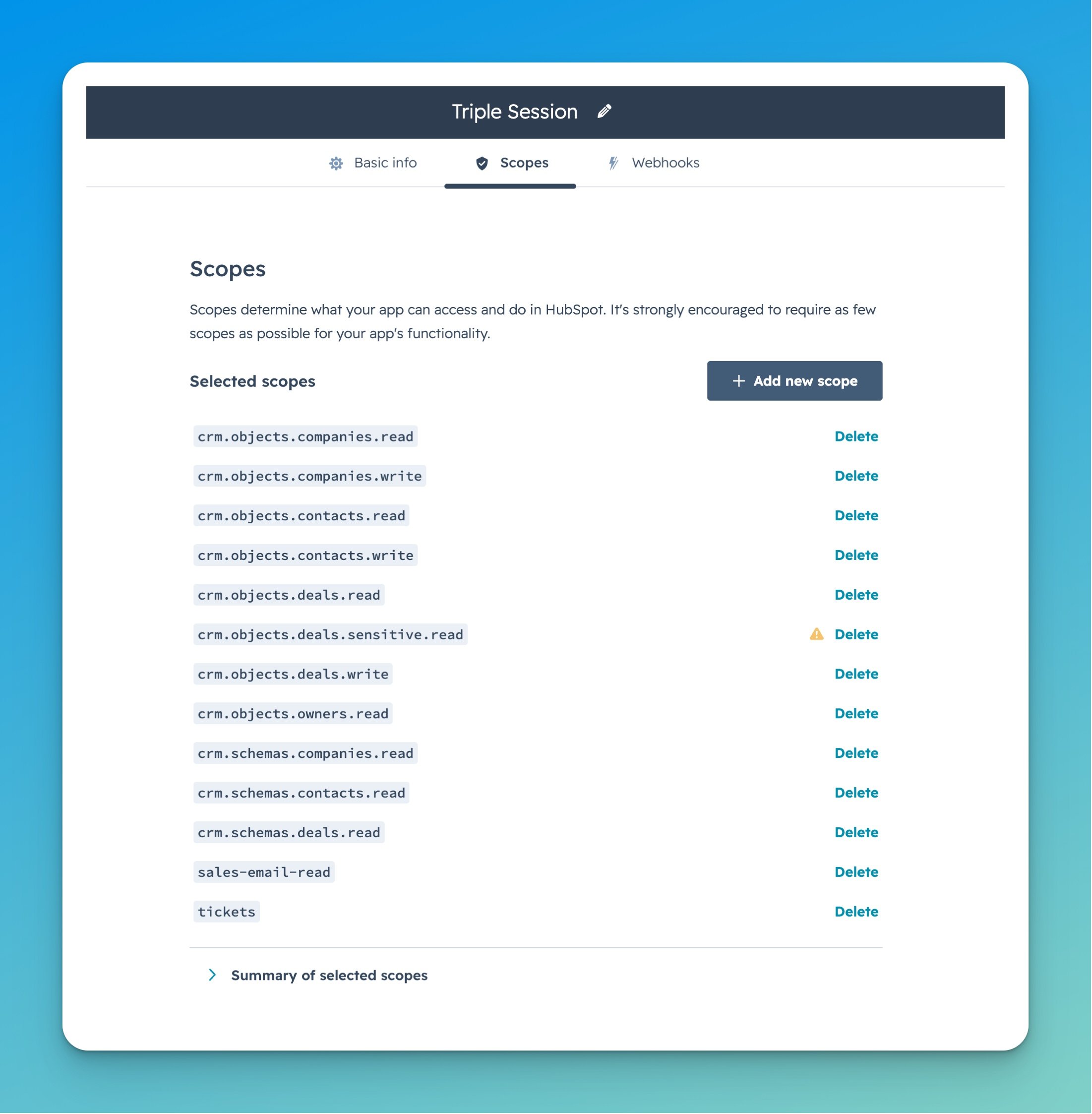
tickets scope enables HubSpot ticket automations.4
Create the app and copy your access token
Complete the app setup. Once the app is created, HubSpot will display your access token. Copy the token — you’ll need it in the next step.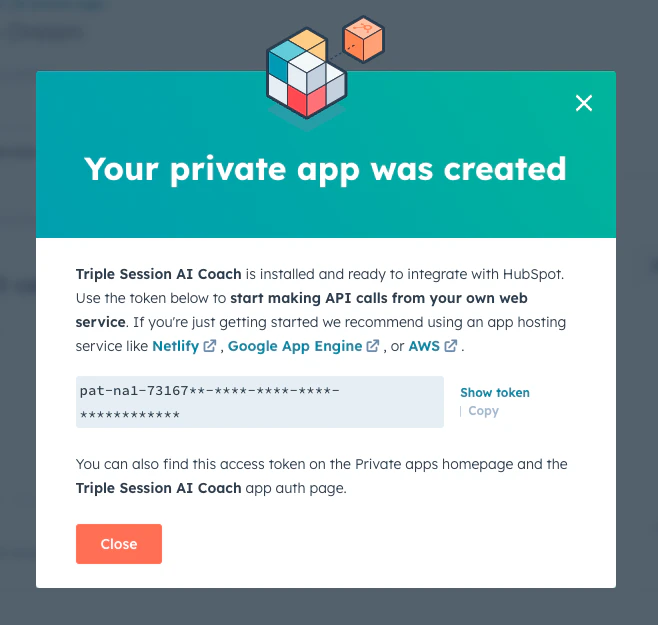
5
Go to CRM settings in Triple Session
In Triple Session, open Settings from the sidebar. Under Workspace, select CRM. You’ll see HubSpot listed with a Connect HubSpot button.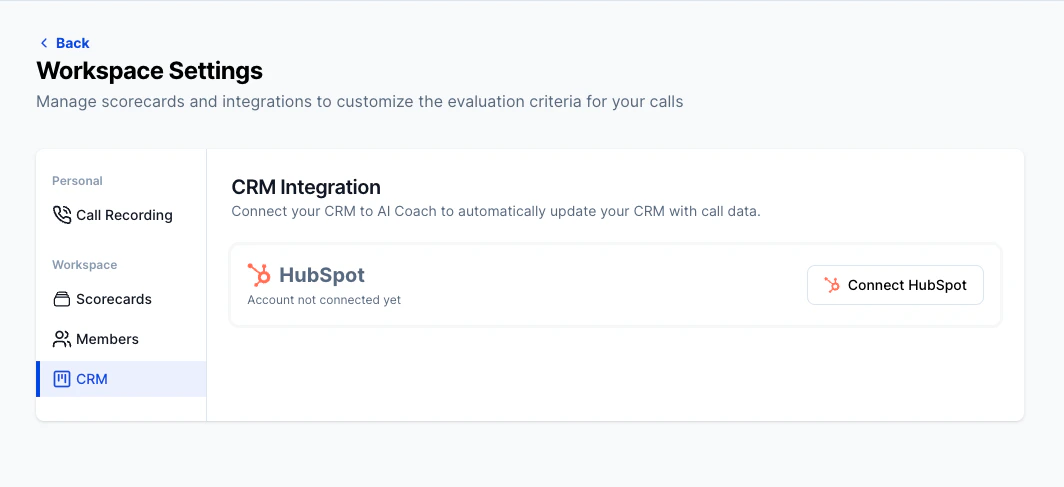
6
Paste your access token and connect
Paste the access token from HubSpot into the HubSpot Access Token field, then click Connect to HubSpot.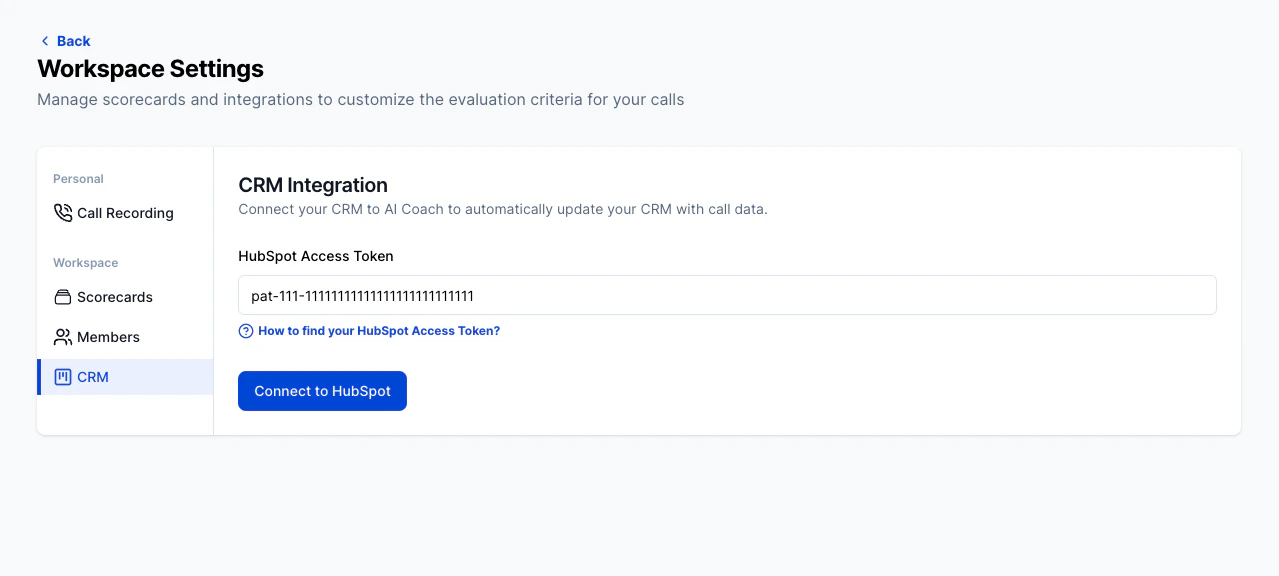
After connecting, see Keep Your CRM Updated to learn how to push insights manually or automatically, and Map Fields to configure which deal properties get updated.
How to find your access token for an existing app
If you already created a HubSpot private app for Triple Session and need to retrieve the token:1
Go to HubSpot Settings → Legacy Apps
In HubSpot, open Settings → Integrations → Legacy Apps.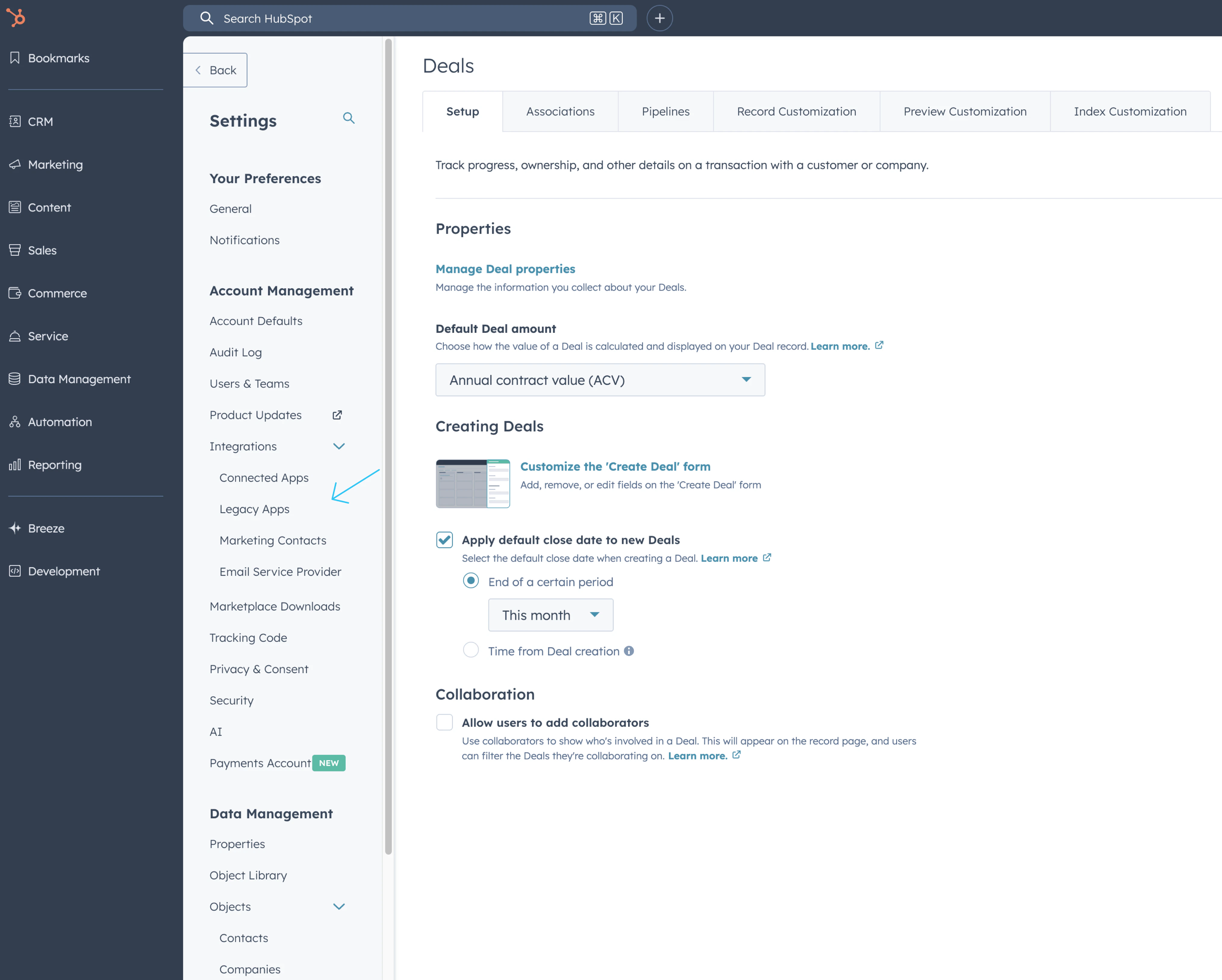
2
Find the Triple Session app
In the Development section, navigate to Legacy Apps. Click on your Triple-Session-AICoach private app.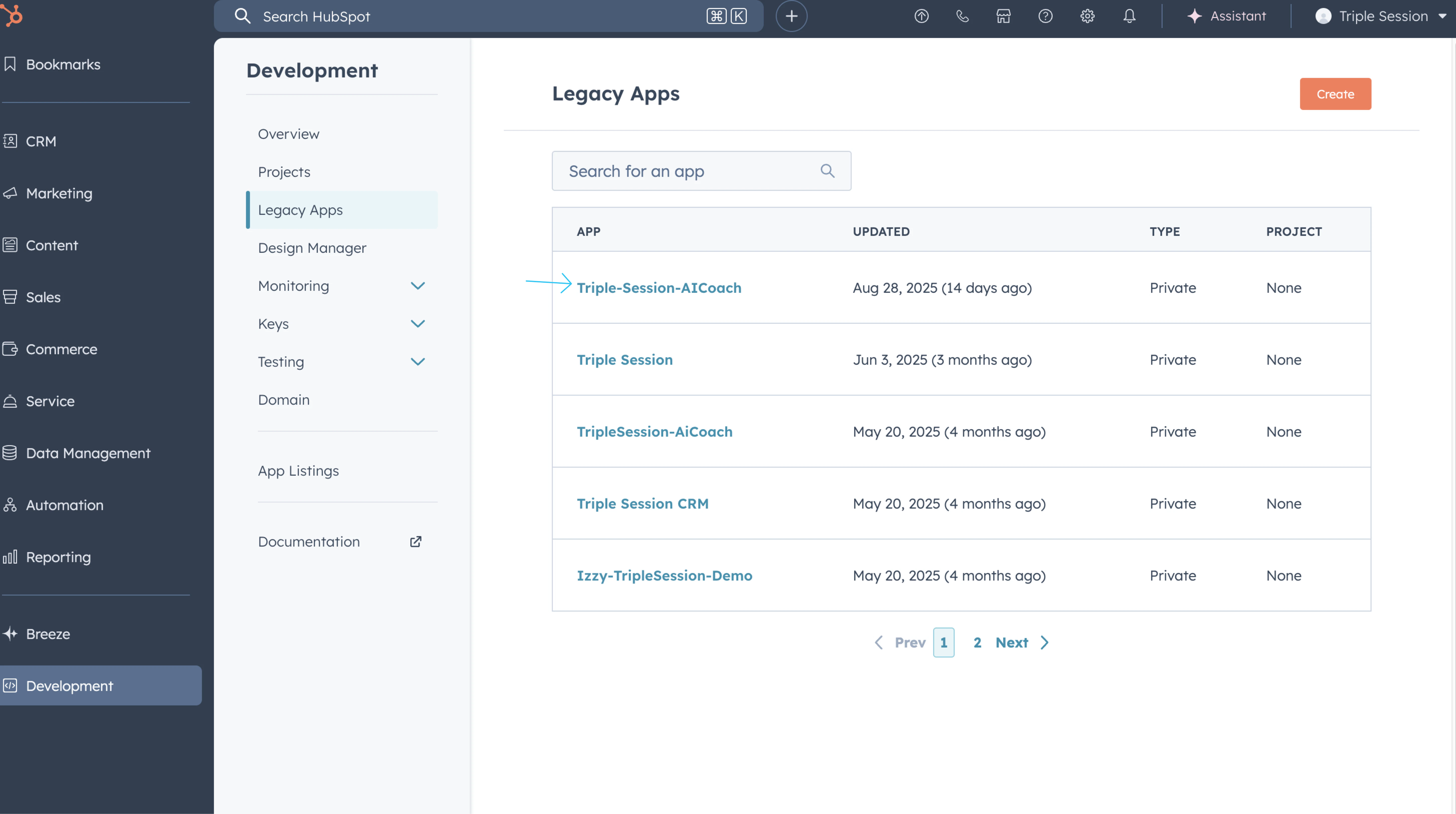
3
Verify scopes and copy the token
Confirm all recommended scopes, including 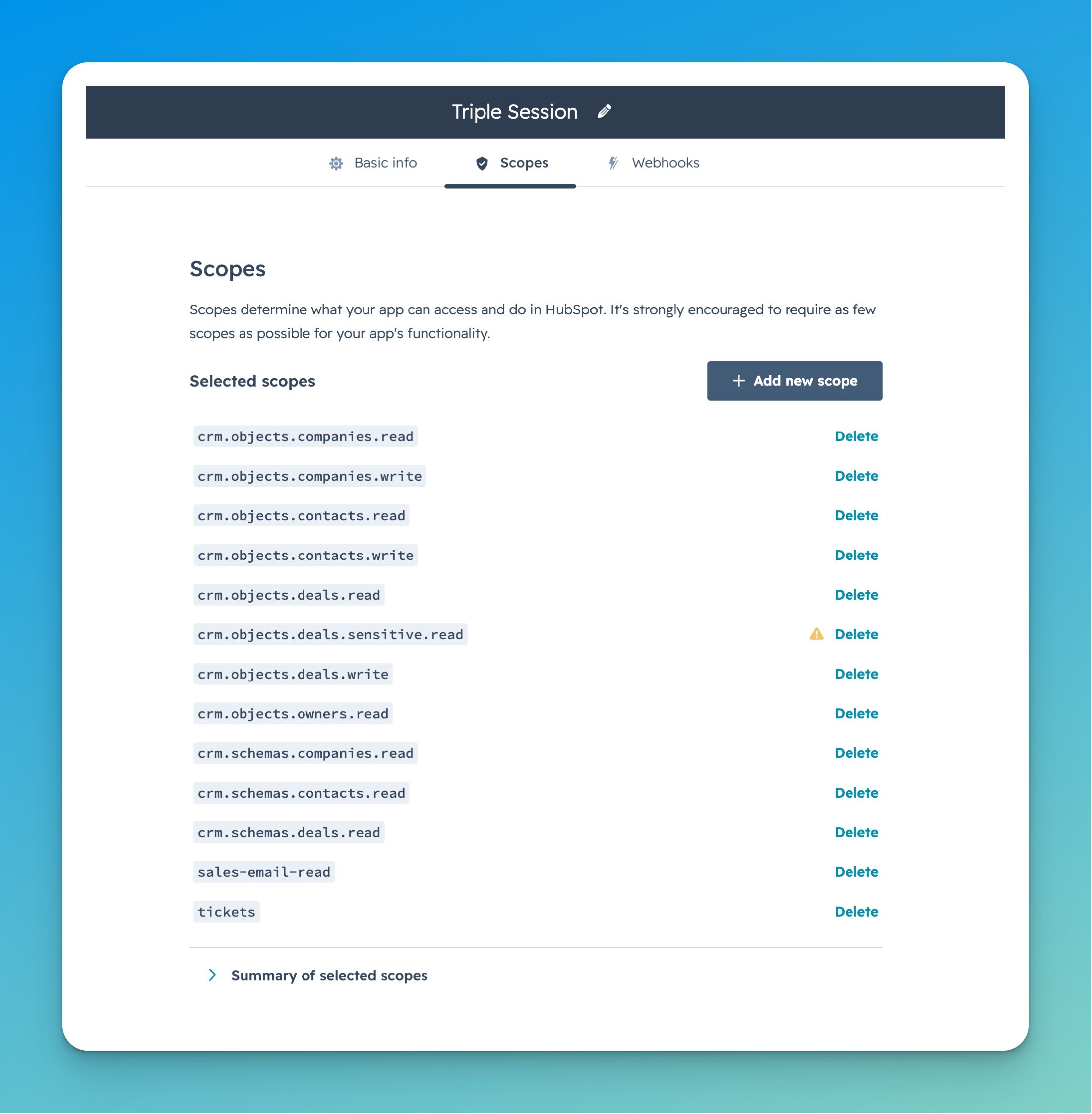
tickets, are present in the Scopes section. Then navigate to the Auth tab to copy your access token.Support
- Missing scopes: If the connection fails or ticket automations are unavailable, double-check that all thirteen recommended scopes listed above are added to the private app.
- Need help? Contact the Triple Session support team at support@triplesession.com.