Requirements
- Your account must have access to Automations.
- You must be an admin in your Triple Session workspace.
Example use case
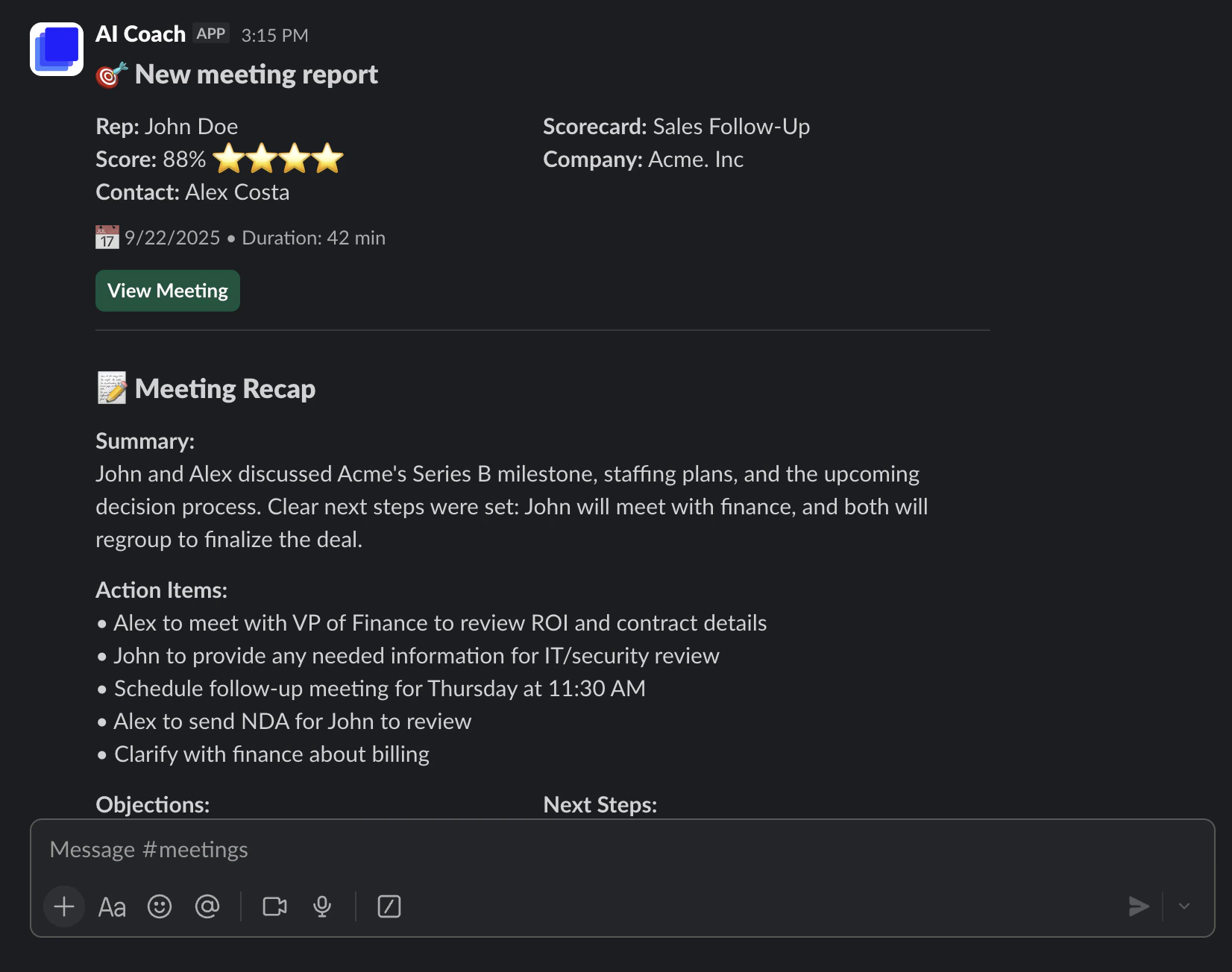
“When a sales rep finishes a discovery call with a score above 70, notify the sales managers in #sales with the deal insights.”Setup
1
Connect Slack
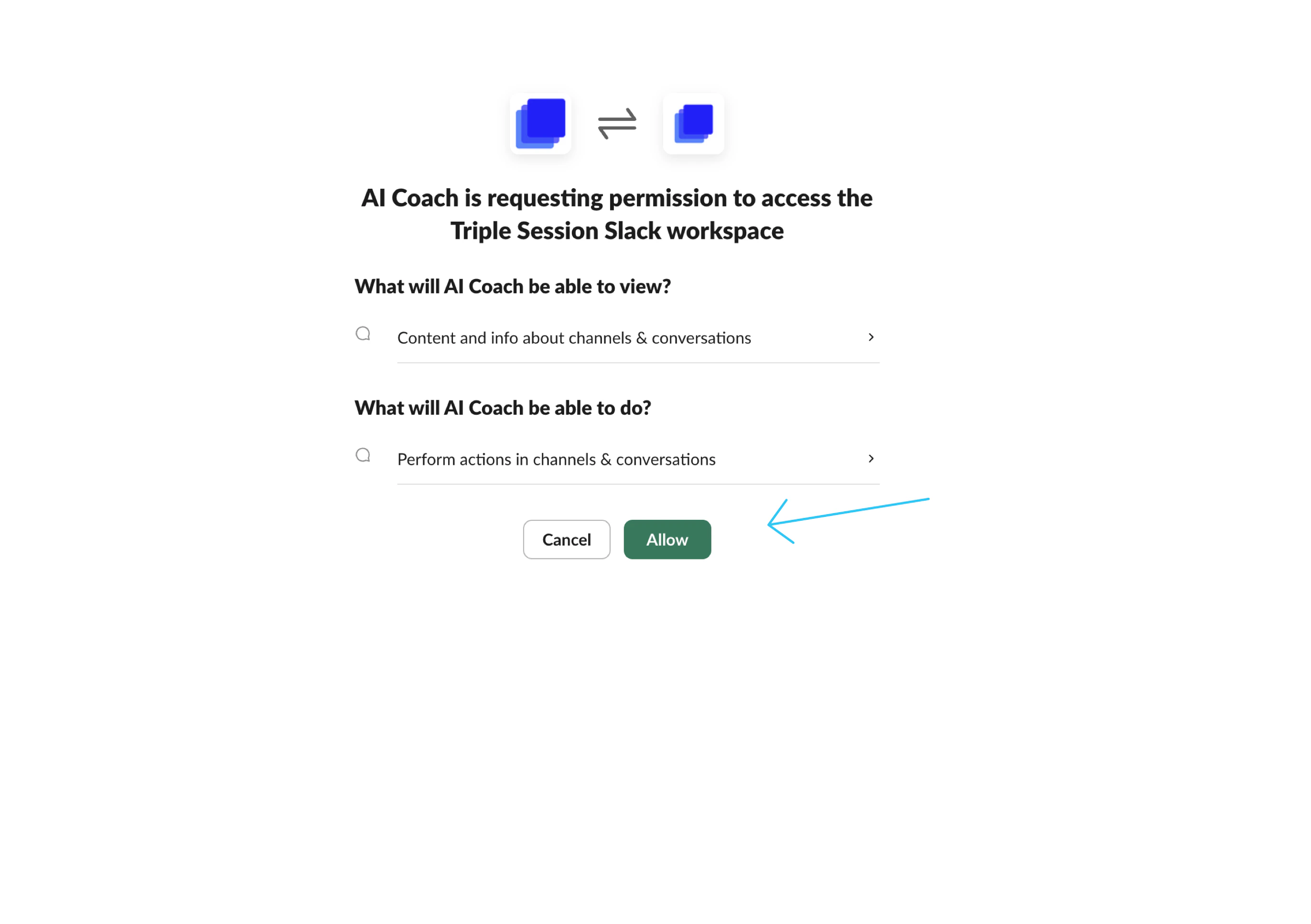
Go to Settings > Integrations and click Connect next to Slack. Follow the OAuth flow to authorize the integration.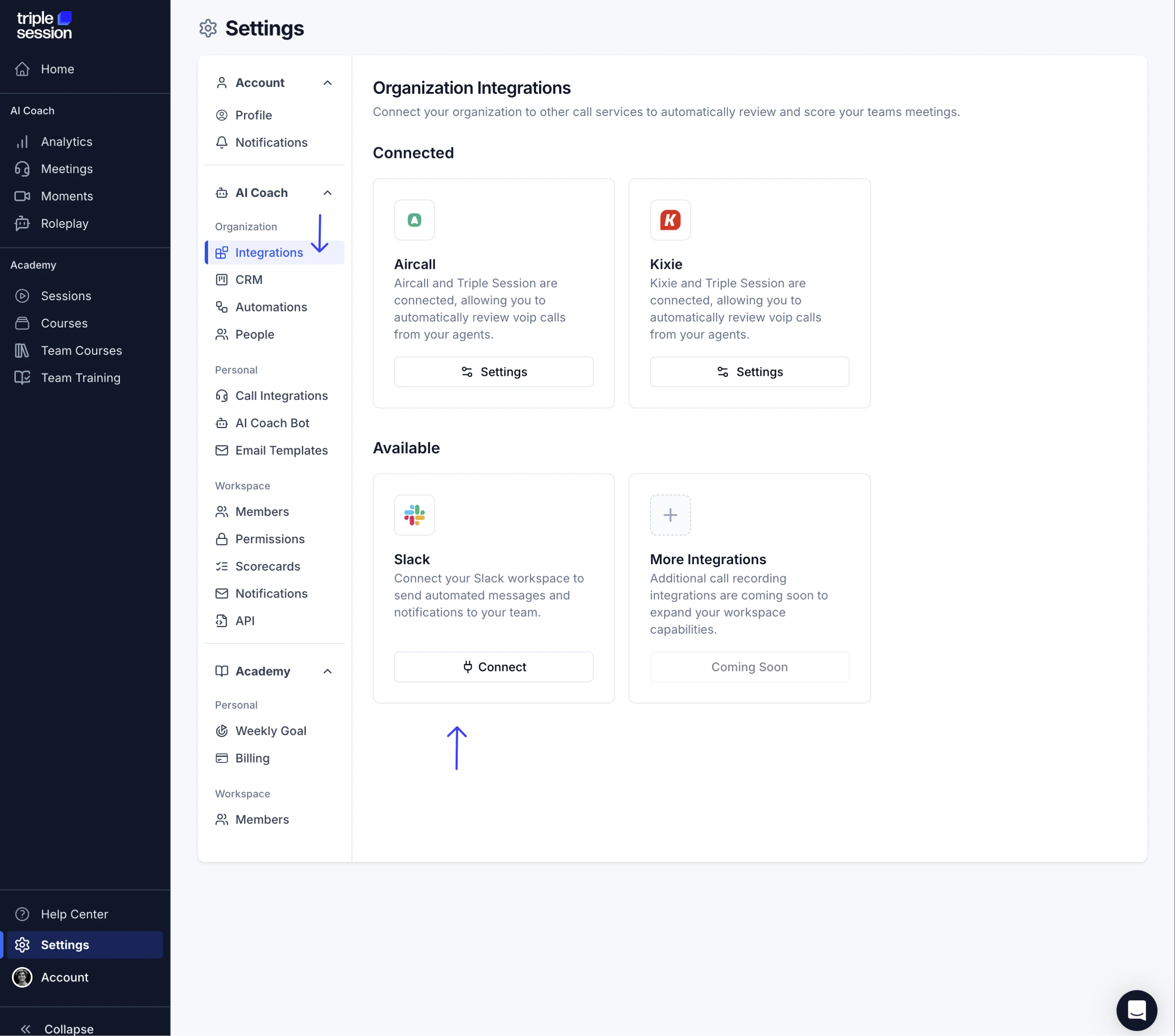
2
Invite the AI Coach app to your Slack channel
In Slack, open the channel where you want to receive notifications and invite the AI Coach app. This step is required — without it, the app cannot post messages to the channel.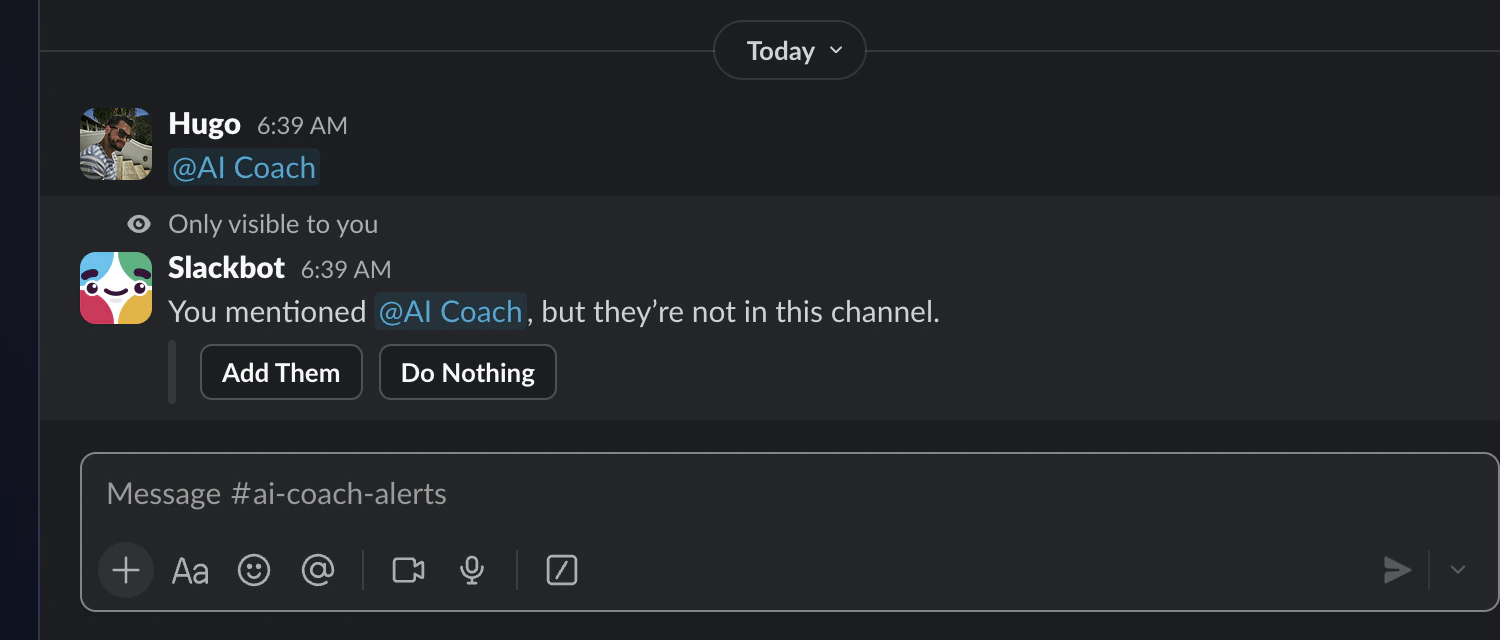
3
Create a new automation
Go to Settings > Automations and click New Automation.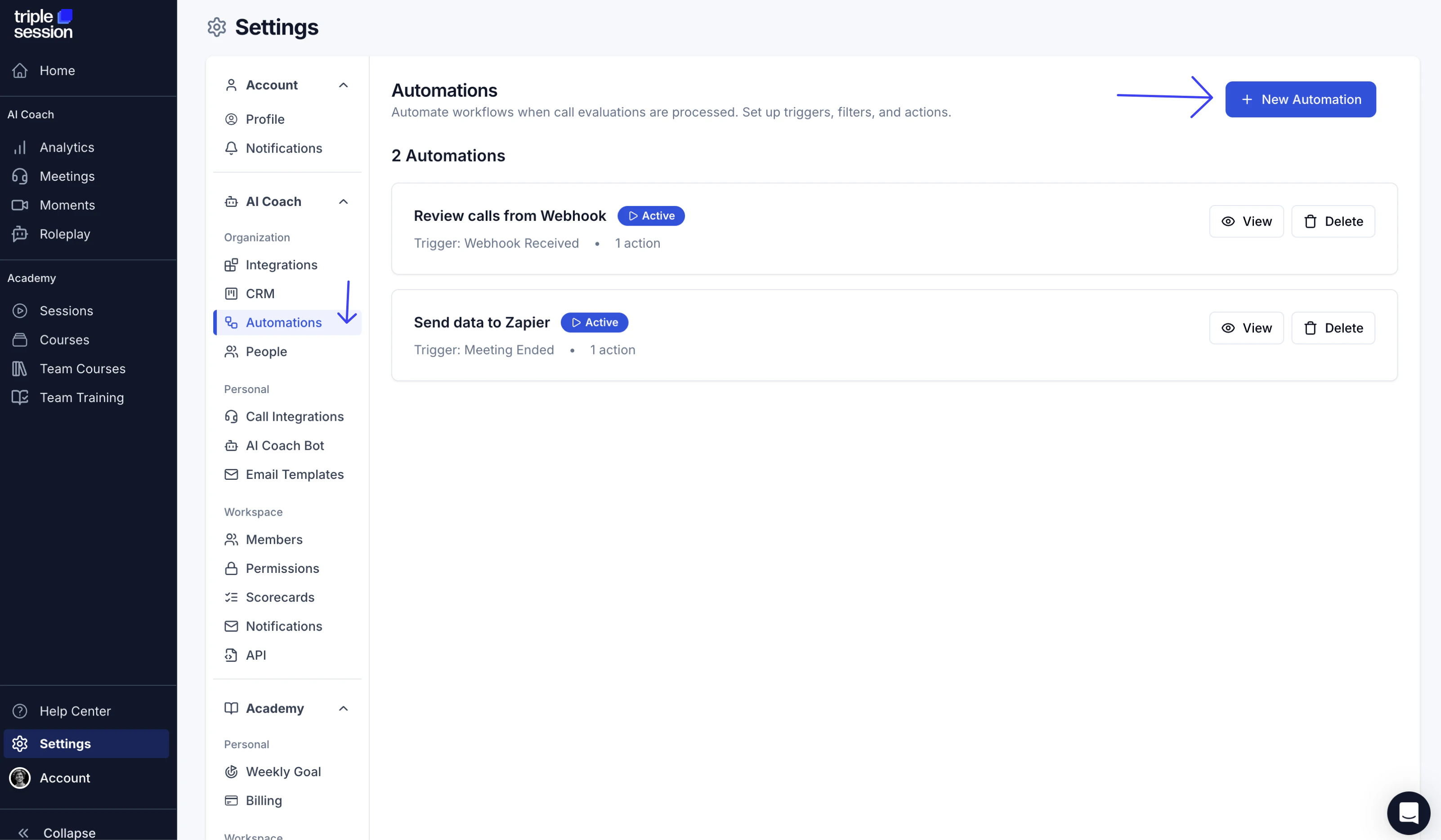
4
Configure the trigger and action
In the automation editor: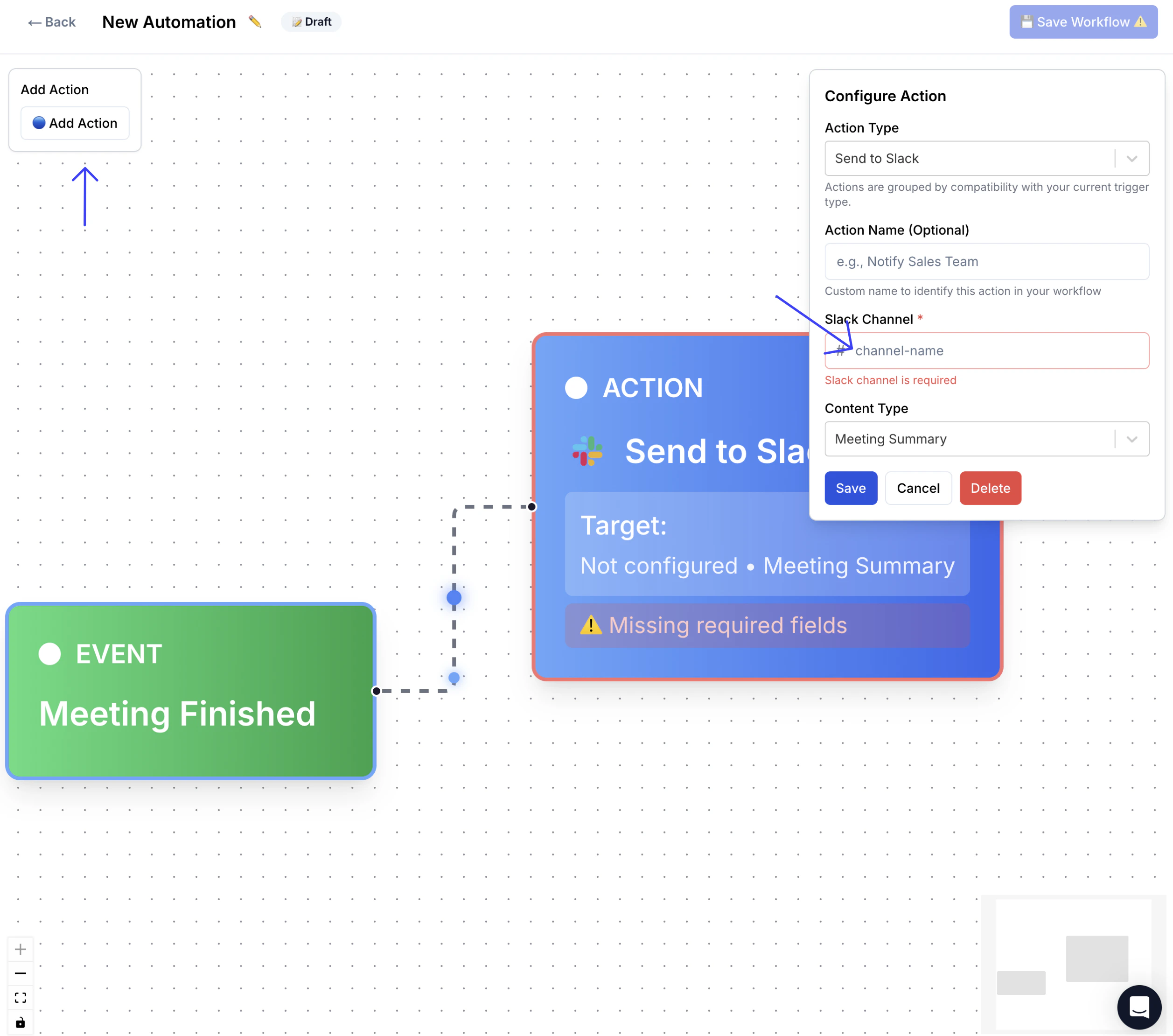
- Set the Trigger to Meeting Finished.
- Set the Action to Send to Slack.
- Enter the name of the Slack channel you want to post to.
5
Save and enable the automation
Click Save Workflow, then click Live to activate the automation.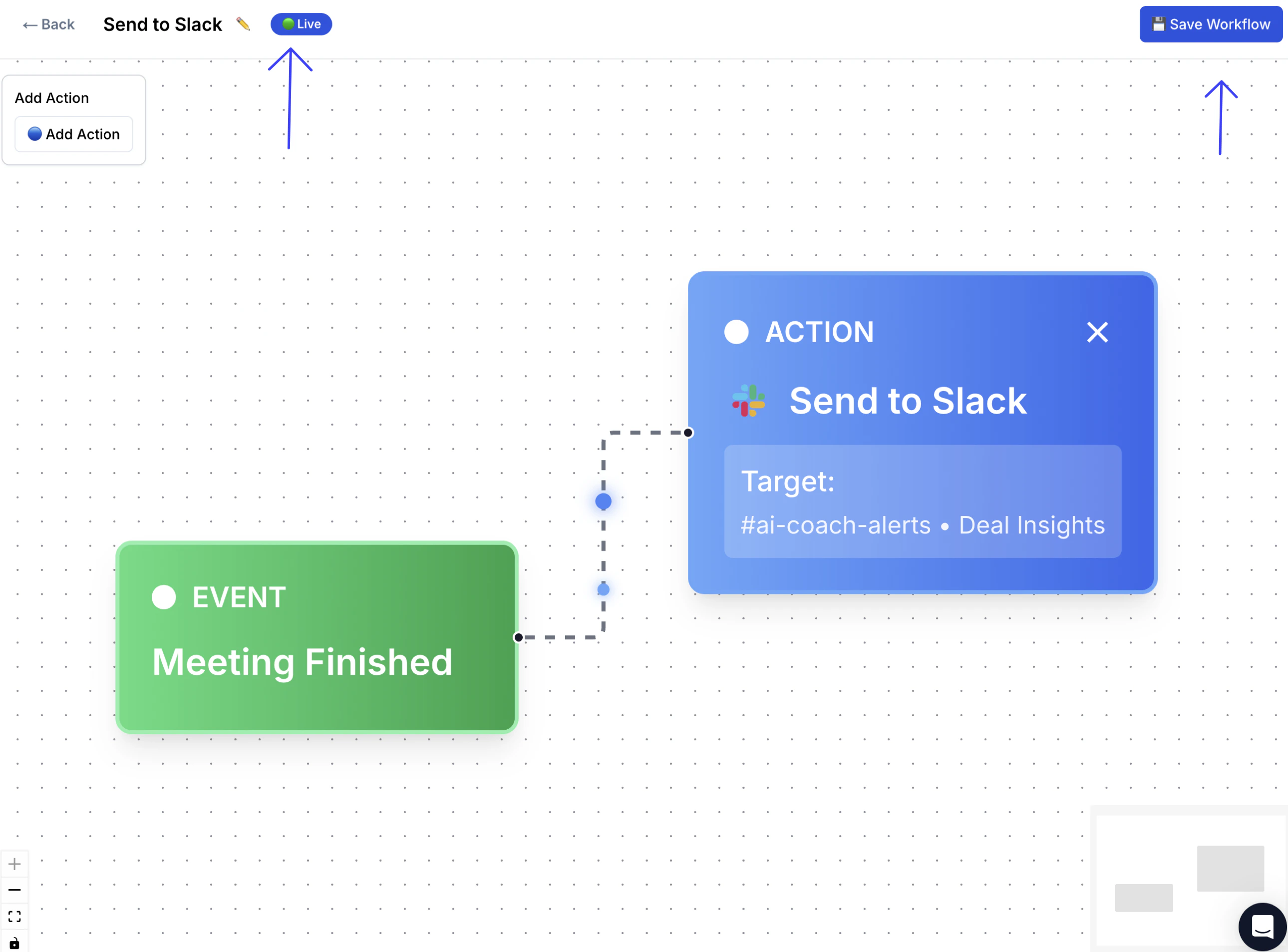
What happens next
Once the automation is live, every new meeting that meets your filter criteria will trigger a Slack notification as soon as the AI Coach finishes processing it. The message appears in the channel you specified and includes the deal insights from the review.