Requirements
Before setting up the Quo integration, make sure you meet these requirements:- Quo account with owner or admin access: You must be an owner or admin in your Quo workspace to generate an API key.
- Admin access in Triple Session: Only users with Company Admin privileges can complete this setup.
Connect Quo to AI Coach
1
Go to AI Coach settings
Log into your Triple Session account. Click the Settings tab from the sidebar menu. You can also access Settings from within any AI Coach page — Analytics, Meetings, or Moments. Click Integrations, find Quo, then click Connect.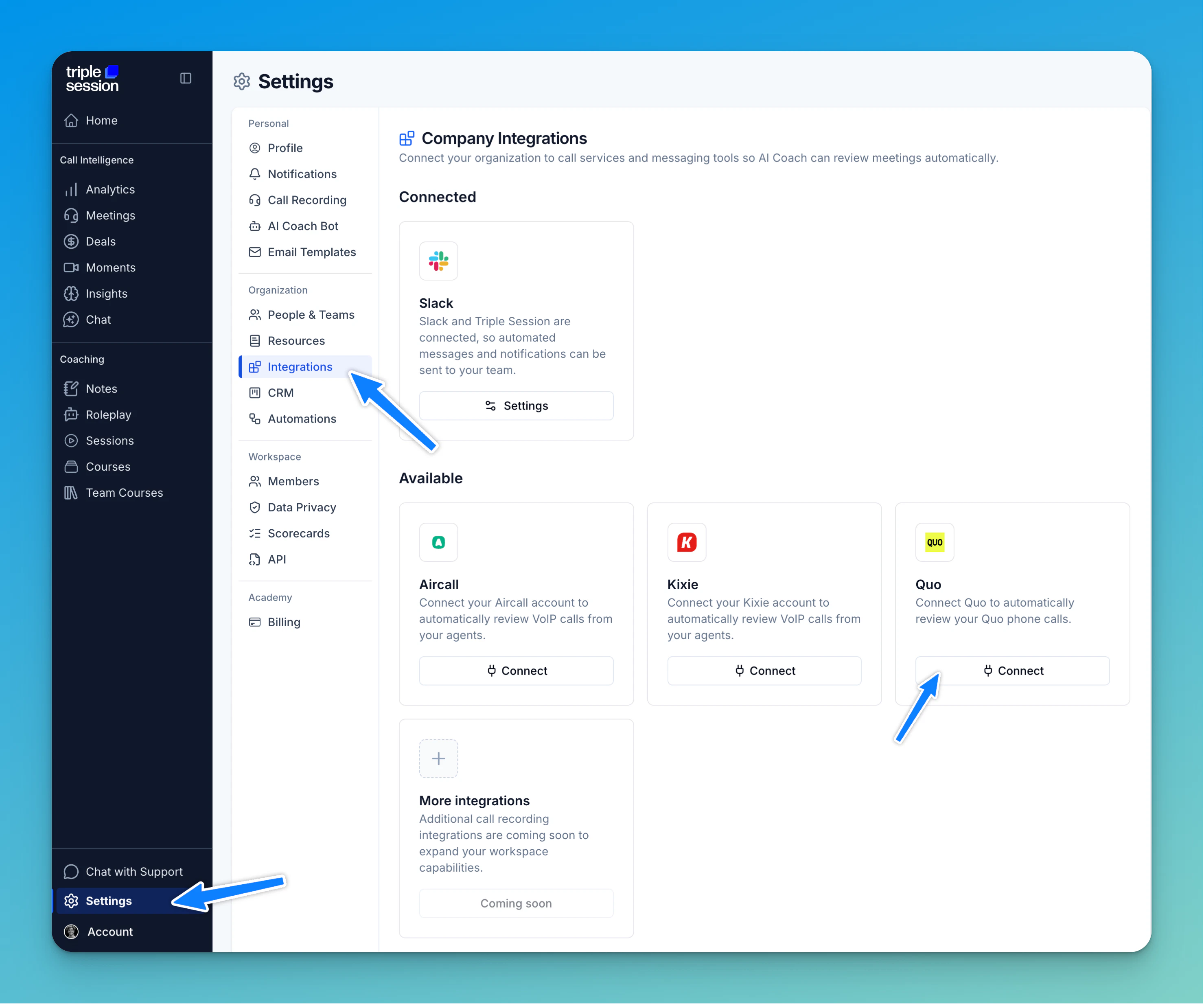
2
Generate a Quo API key
Log in to Quo as an owner or admin. Open Workspace Settings → API, create a new API key and name it 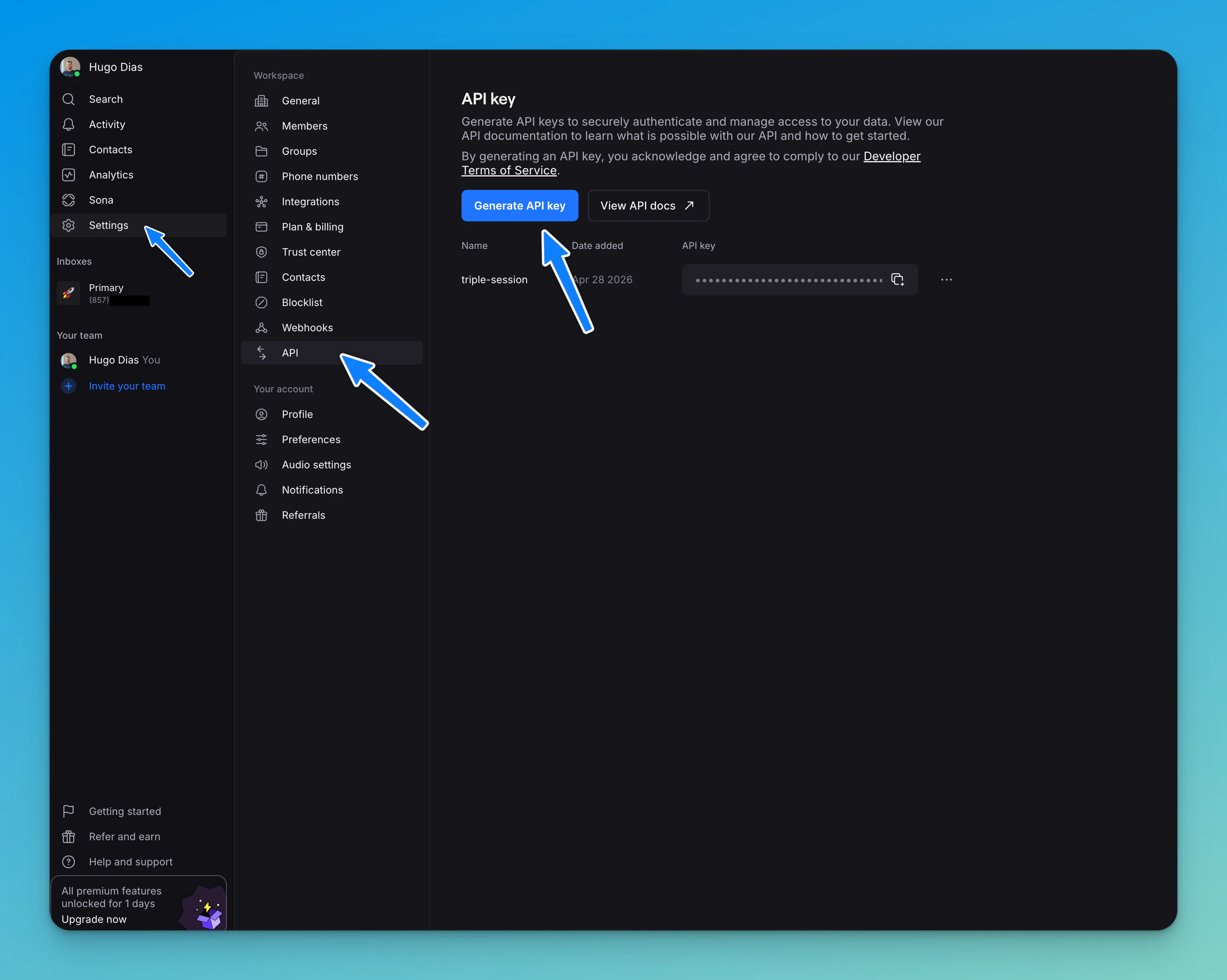
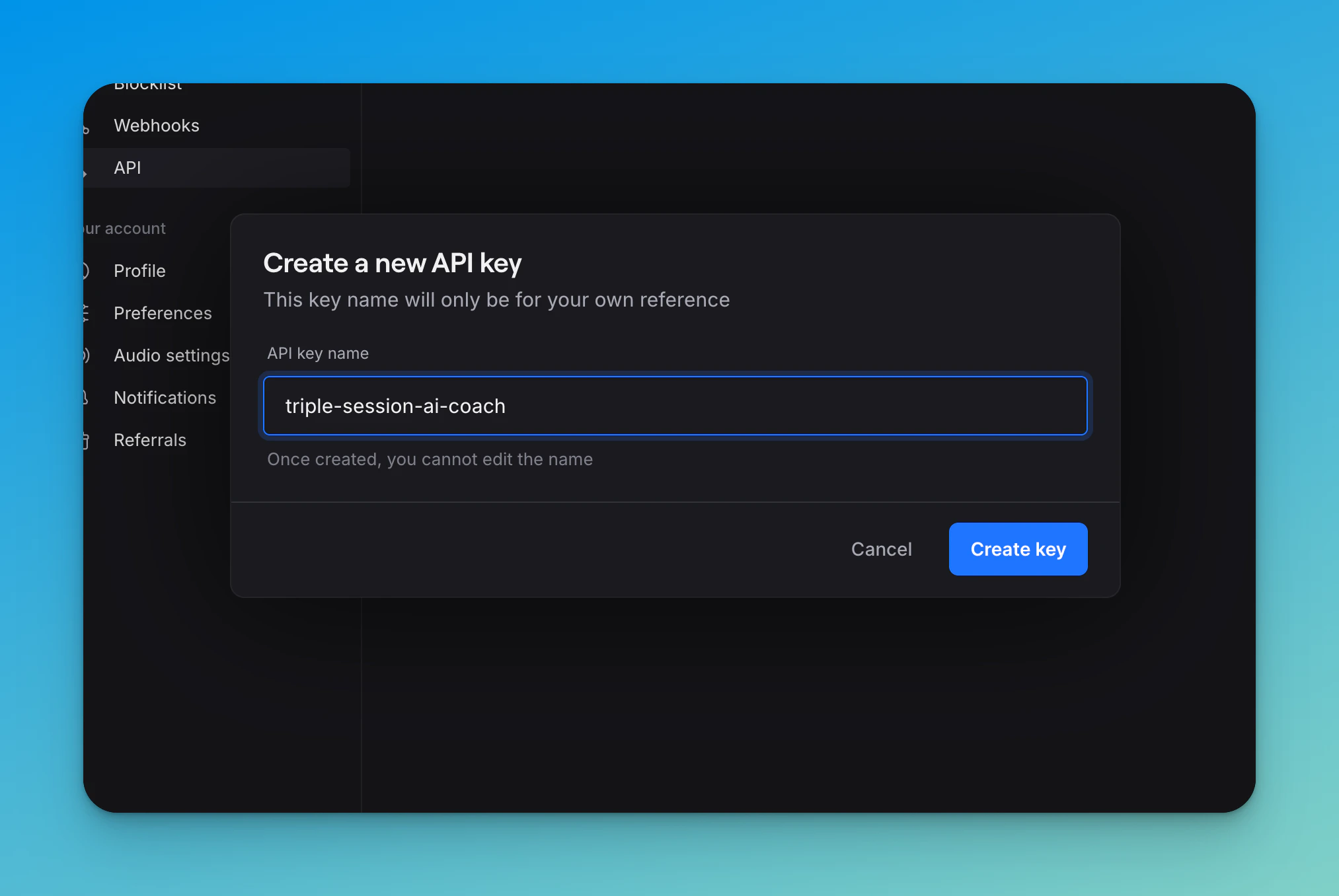
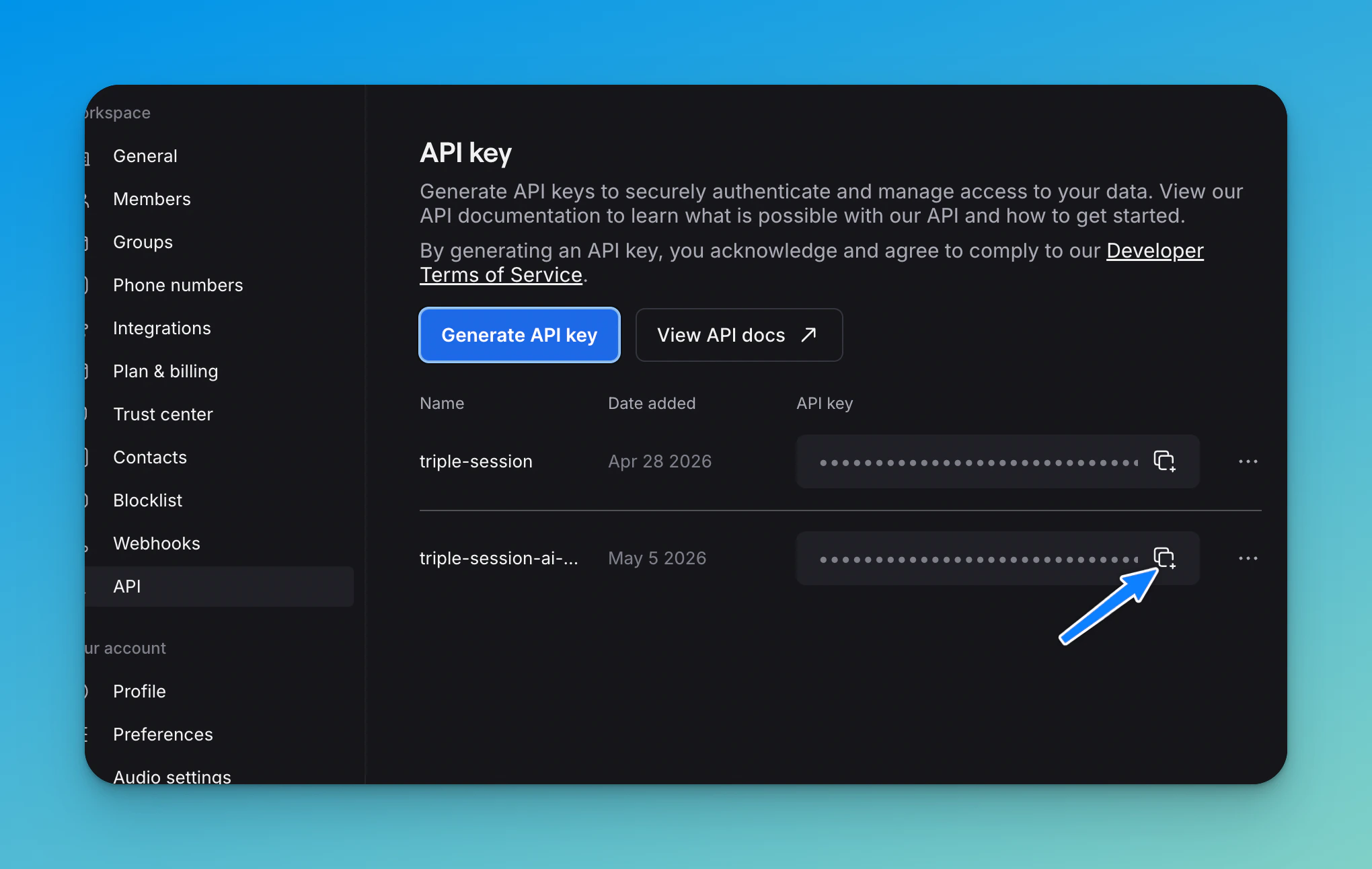
triple-session, then copy the generated API key.3
Paste the API key in Triple Session
Return to Triple Session’s Quo integration settings page. Paste your Quo API key into the API key field, then click Verify key. Triple Session will verify the connection and display the available Quo phone numbers.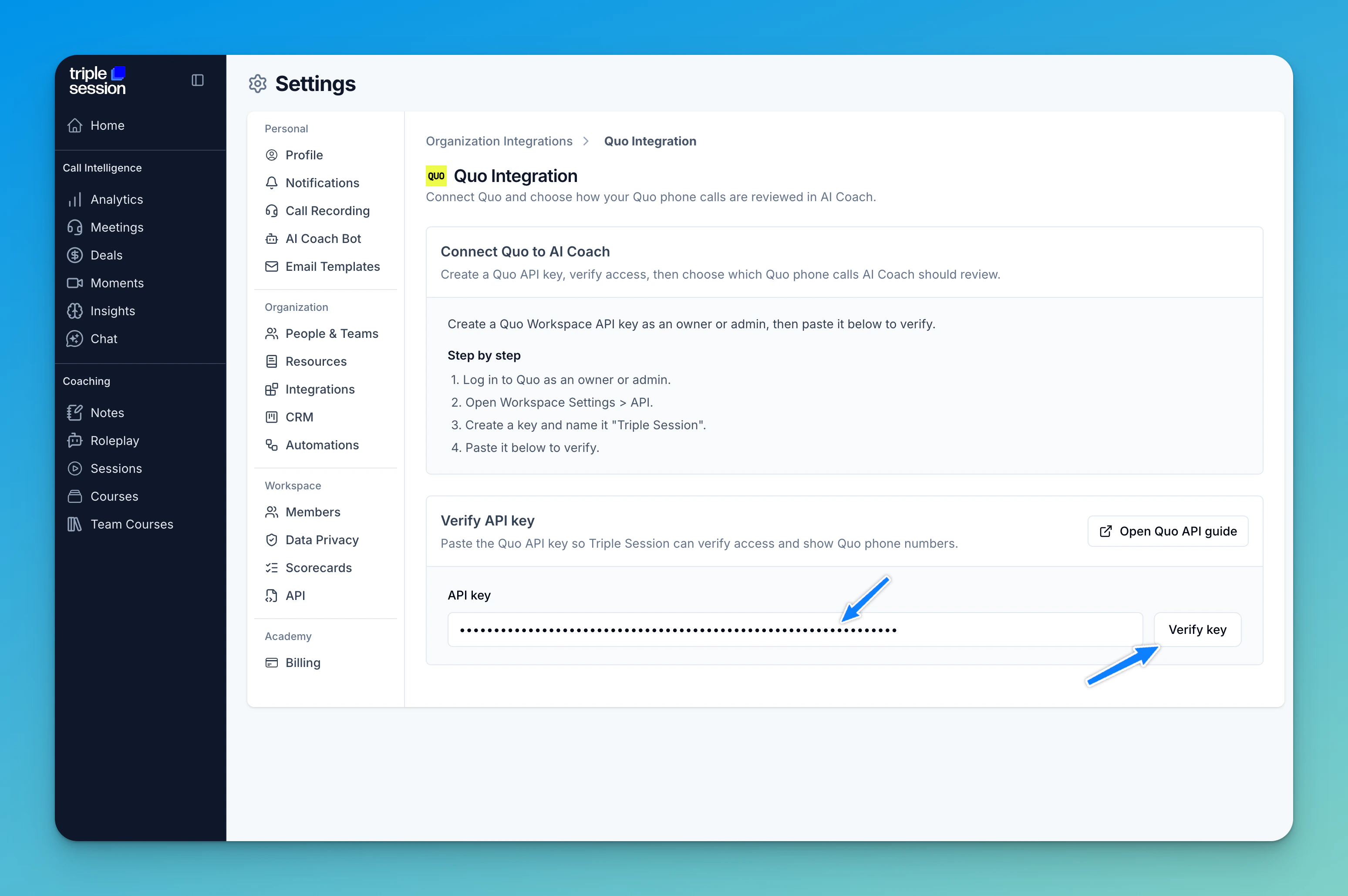
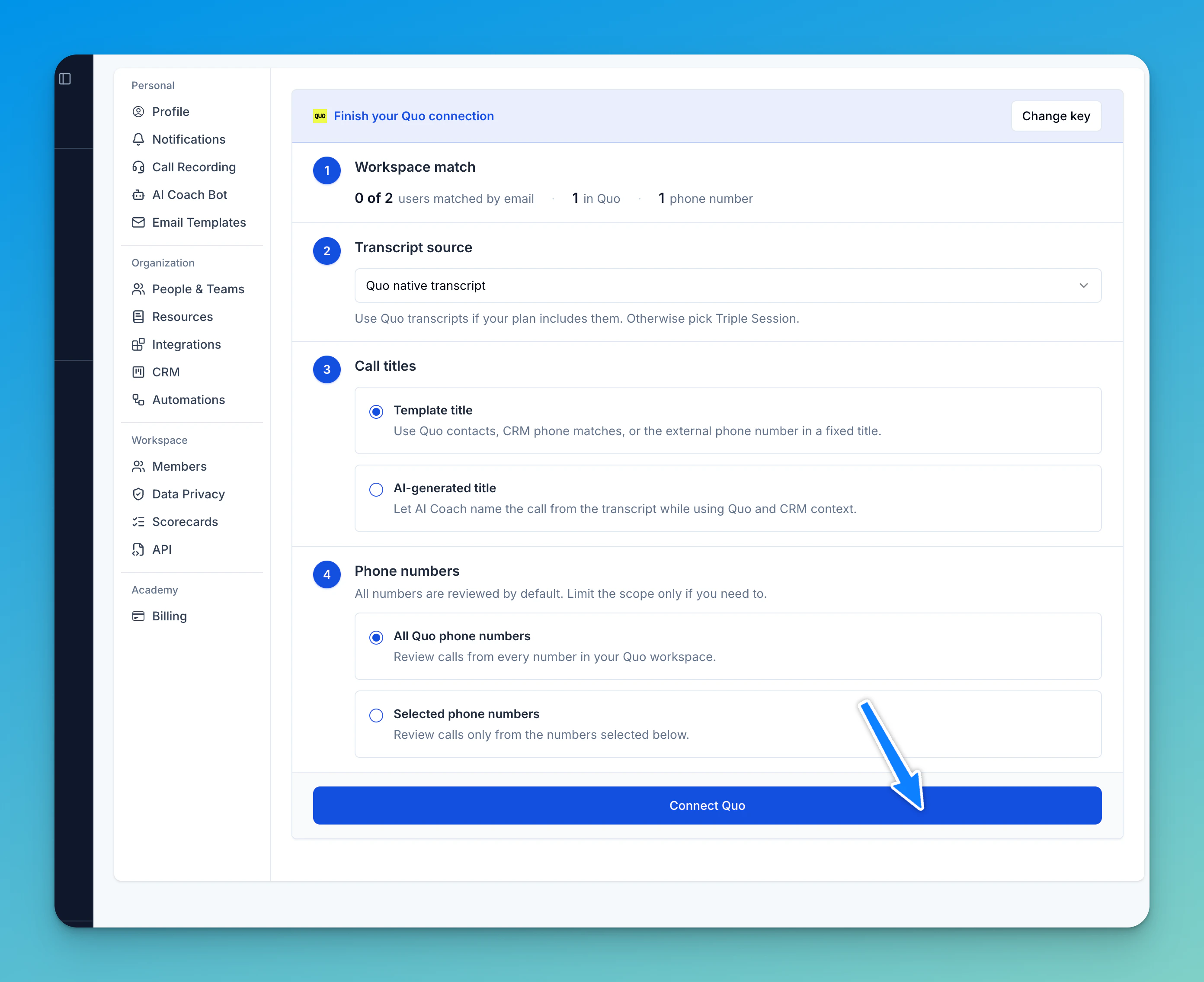
4
Confirmation
You’ll see a confirmation message once the integration is active. Triple Session will start matching calls by user email and analyzing them with your active Smart Scorecards.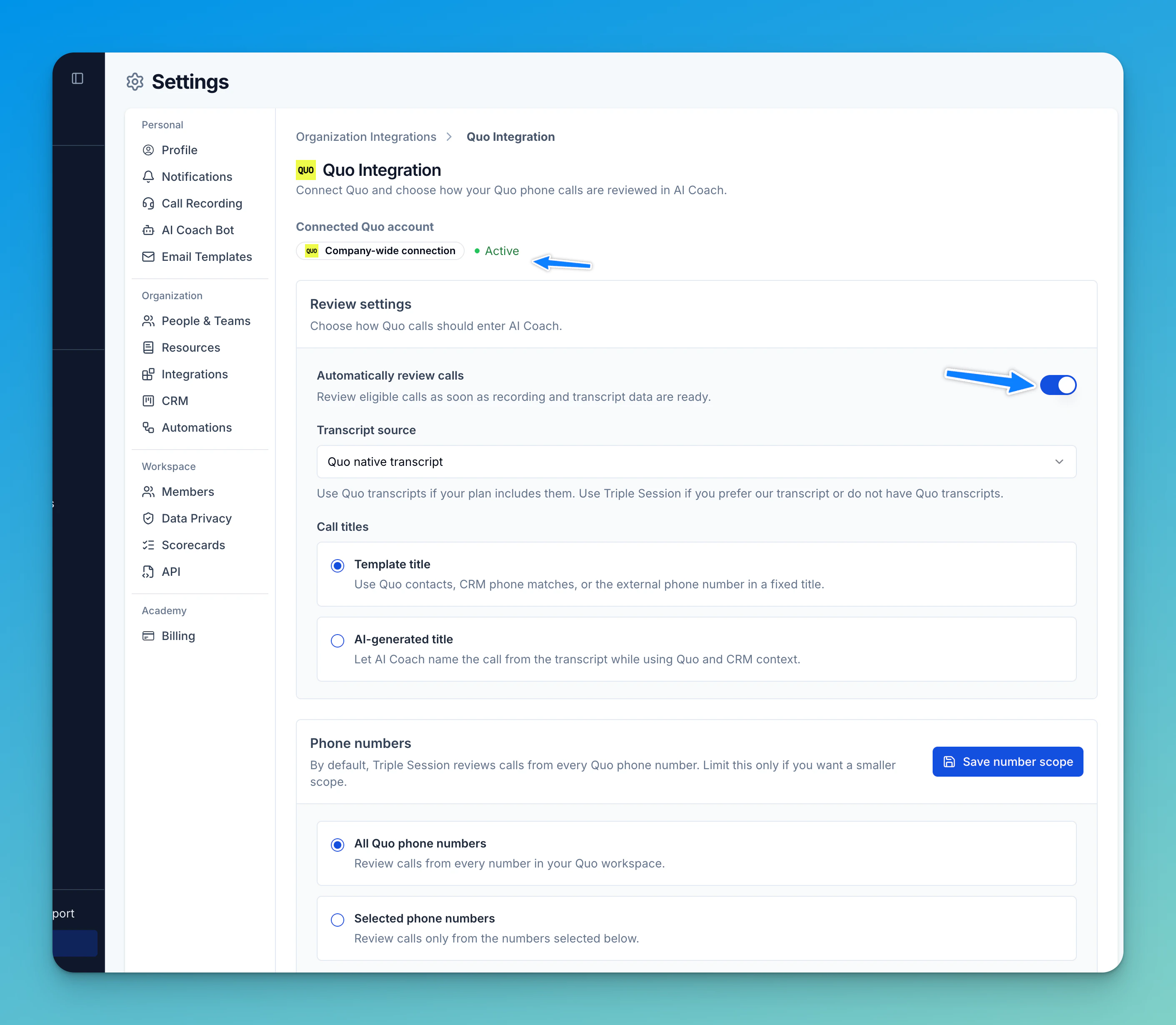
Troubleshooting: why aren’t some calls being reviewed?
If the integration is active but a rep’s calls aren’t appearing in AI Coach, check these common issues:- The rep’s phone number isn’t linked to their Triple Session account. Make sure the phone number associated with their Quo account matches the one in their Triple Session profile.
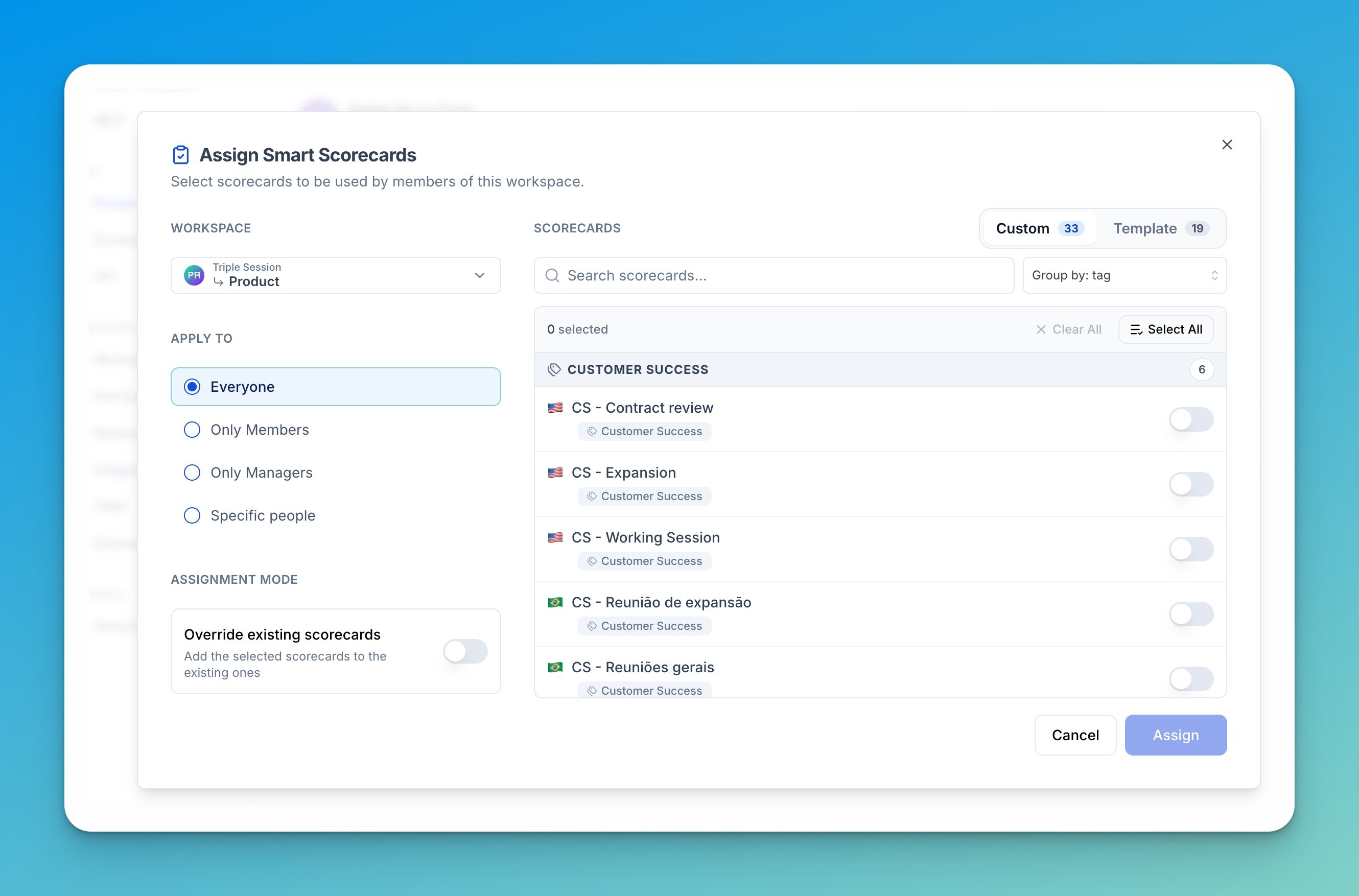
- No Smart Scorecards are assigned. Check that the rep has at least one Smart Scorecard turned on at Settings > Team > Scorecards.
- The API key has expired or been revoked. If the Quo API key is no longer valid, generate a new one in Quo and re-verify it in Triple Session.
- Go to Settings > Team > People and select the workspace.
- Check the Scorecards column. If it shows 0, the rep has no Smart Scorecards assigned.
- Click Assign scorecards in the toolbar, set Apply to to Specific people, and pick the rep.
- Select the scorecards to assign, then click Assign.