

Connect Microsoft Teams to AI Coach
1
Go to AI Coach settings
Log into your Triple Session account. Click the Settings tab from the sidebar menu. You can also access Settings from within any AI Coach page — Analytics, Meetings, or Moments.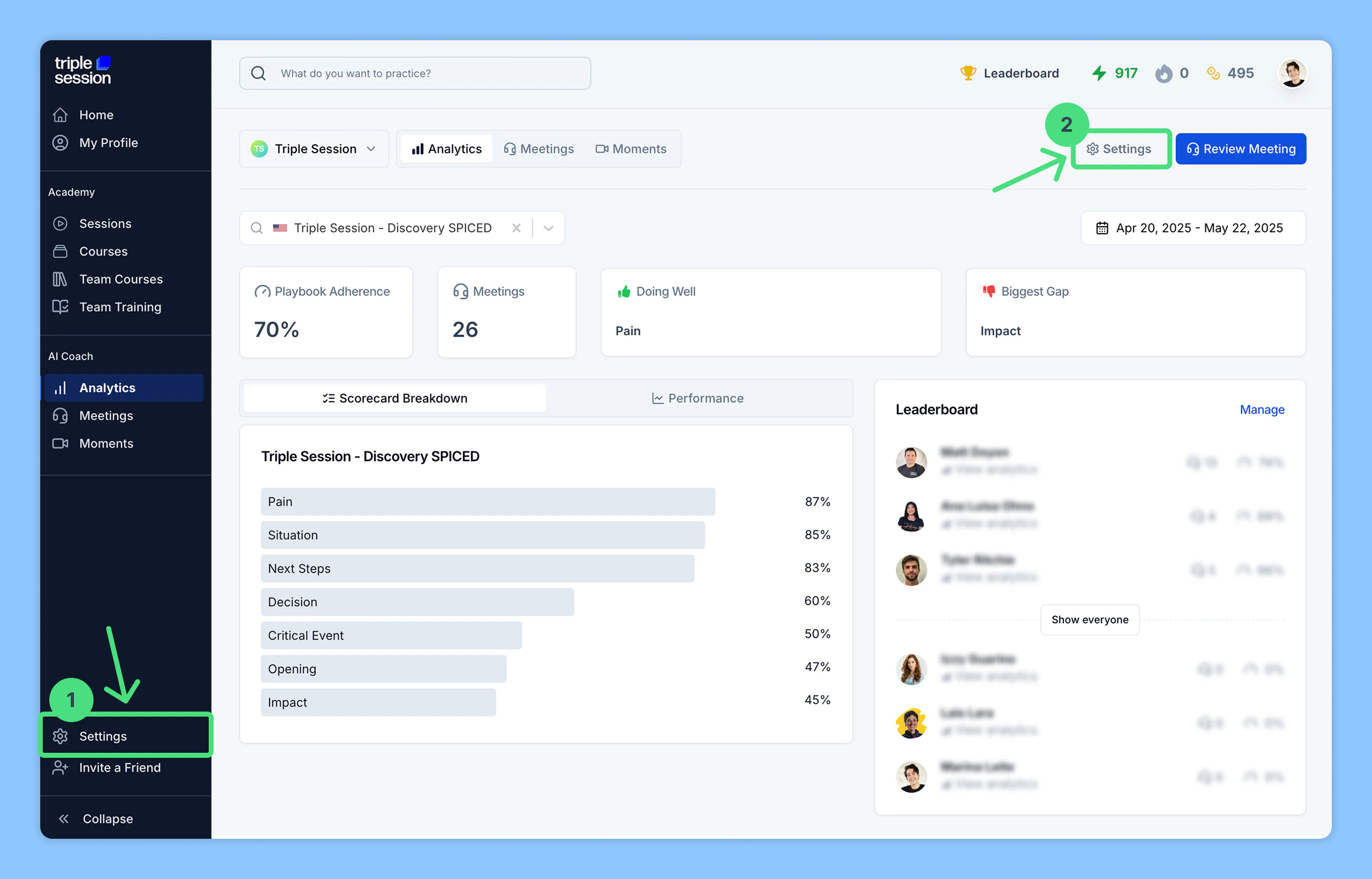
2
Connect Microsoft Teams under Call Recording
Go to Settings > Personal > Call Recording, find Microsoft Teams among the listed call recording tools, then click Connect.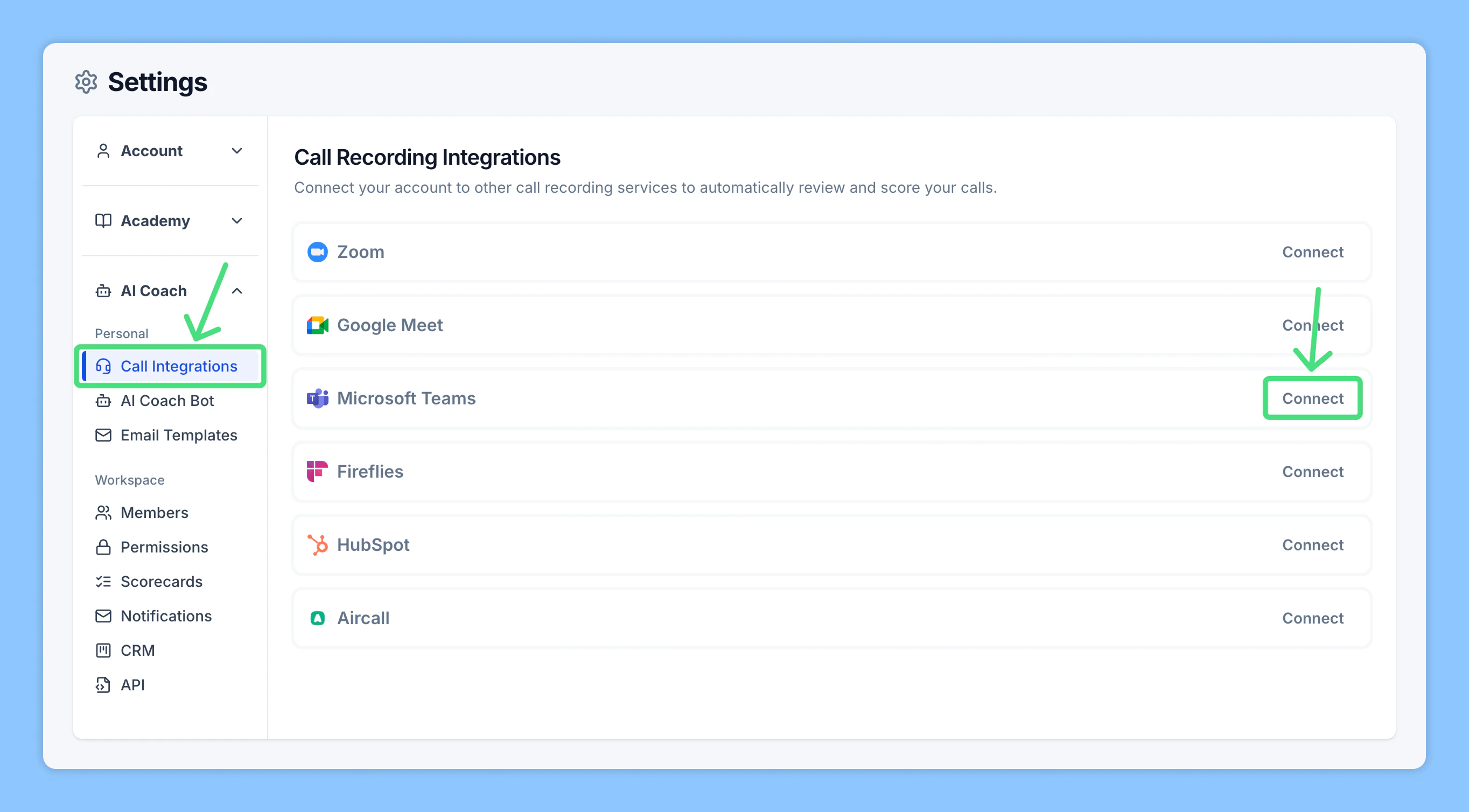
3
Authorize Microsoft Teams access
Sign in to your Microsoft Teams account and grant permission for AI Coach to access your Microsoft Teams recordings and meeting data.
4
Automated Reviews
Once Microsoft Teams is connected, AI Coach will automatically begin analyzing your meetings through Automated Reviews.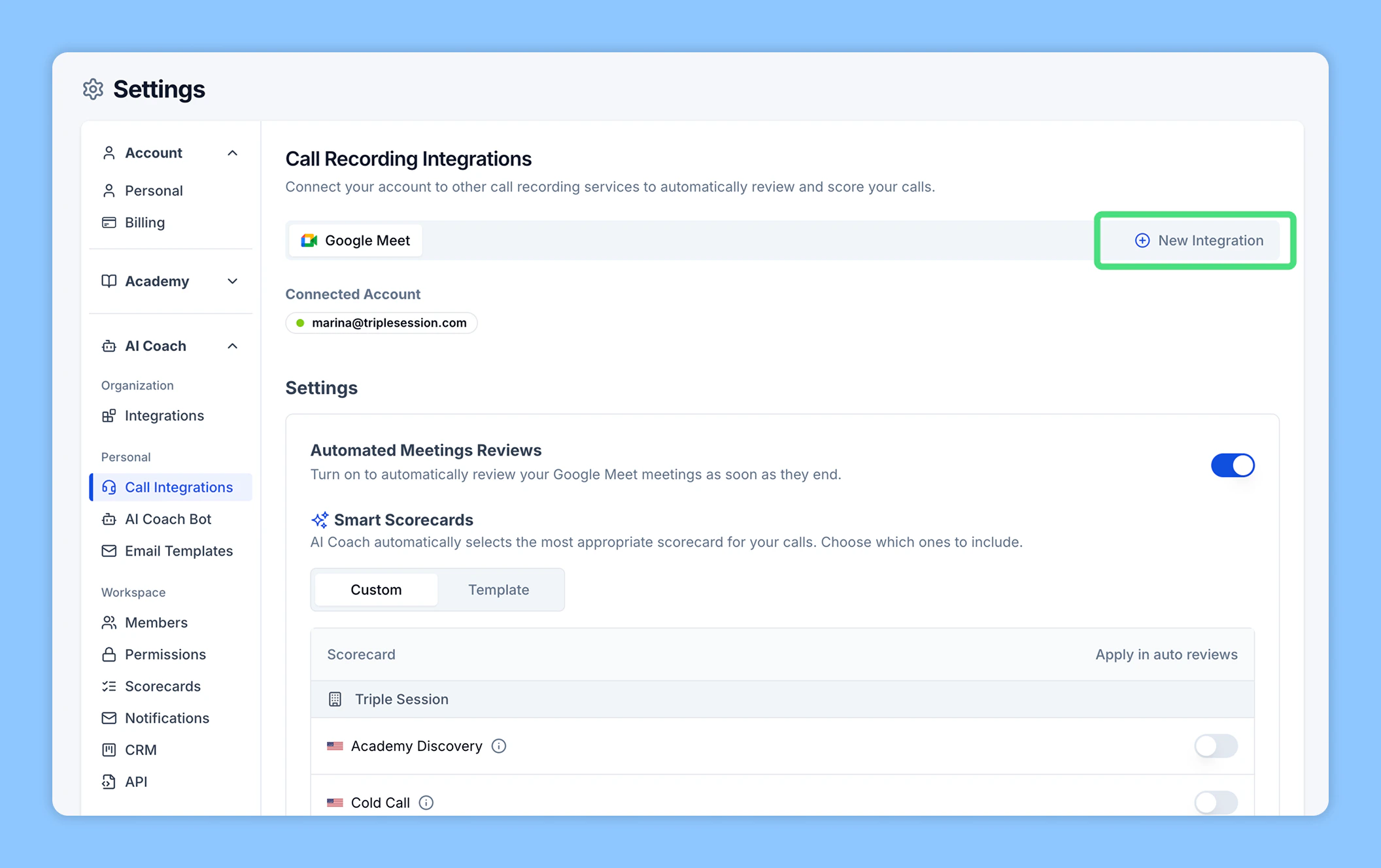
Automated Reviews are enabled by default. AI Coach will automatically review and summarize your Microsoft Teams calls shortly after they end — no manual action needed. You can disable Automated Reviews at any point from your settings.
- Import from Microsoft Teams: Use the integration to select and import past meetings.
- Upload a file: Upload a Microsoft Teams meeting file directly (video, audio, or transcript).